宇宙恐怖风格巨石景观
Prompt
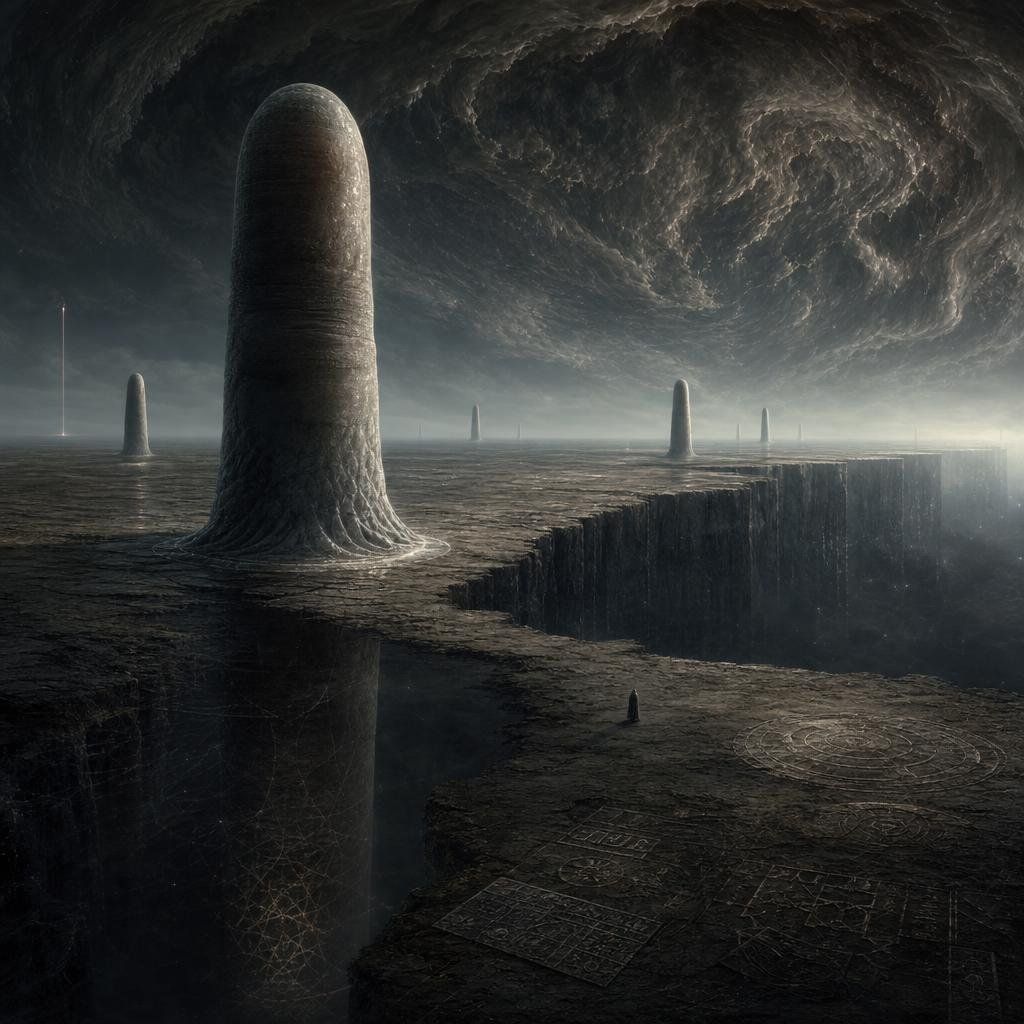
Create a dark cosmic-horror alien landscape in a cinematic square composition: a vast cracked obsidian plateau under an enormous swirling storm ceiling, with a gigantic rounded monolithic pillar rising from the left foreground like a smooth weathered stone tower. Add exactly 6 vertical structures across the horizon and terrain: 1 huge foreground rounded monolith at left, 1 smaller rounded monolith far left near the horizon, 1 needle-thin glowing spire at the far left edge, 1 distant thin central pillar, 1 medium rounded monolith right of center, and 1 slim rounded pillar farther right. The ground should be barren, charcoal-gray, eroded, and etched with faint geometric glyphs and circular diagrams; include exactly 4 visible engraved diagram areas: a large circular sigil in the lower right, two rectangular grid-like inscription panels near the bottom center, and one faint web-like geometric lattice on the shadowed cliff wall at lower left. A massive chasm cuts through the right side of the plateau with sheer vertical walls descending into darkness. Place a tiny solitary hooded figure near the lower center-right edge of the plateau for scale, facing the vast landscape. The sky should feel apocalyptic and otherworldly, dominated by a huge rotating vortex of dark clouds with subtle cold silver highlights and misty atmospheric haze near the horizon. Use muted monochrome tones, deep blacks, slate gray, ash brown, dim silver light, high detail, realistic matte-painting texture, epic scale, Lovecraftian mood, no readable text, no modern buildings, no bright colors, no watermark.
- Category
- Charts & Infographics
- Model
- GPT Image 2
- Creator
- Lari Island
- Source ID
- 23222
- Published
- May 29, 2026
Views7