被审查的沙雕商人雕像
Prompt
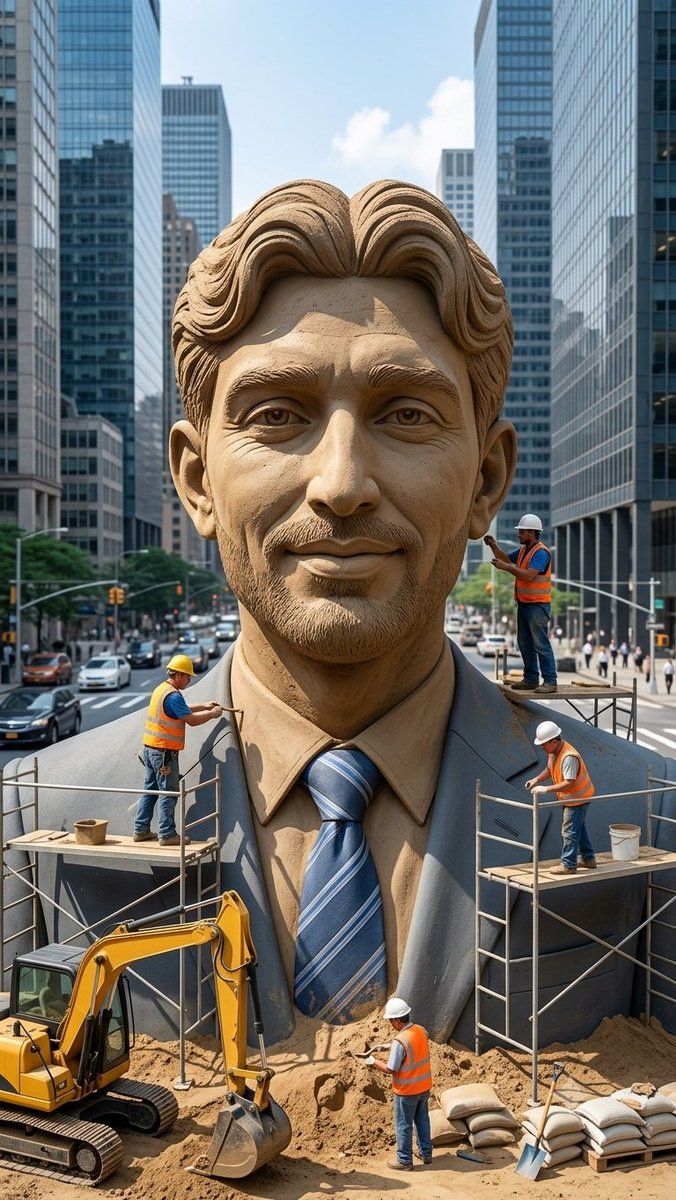
Create a vertical photorealistic urban scene of a colossal hyper-realistic sand sculpture of a smiling businessman wearing a formal suit, dress shirt, and blue striped tie, placed in the middle of a busy modern city street between tall glass skyscrapers. The statue should fill most of the frame from chest to head, with detailed carved sand hair, ears, collar, lapels, tie texture, and realistic granular sand shading. Cover the entire face area with a large plain rectangular censor block in {argument name="censor block color" default="medium warm brown"}, centered over the face from forehead to chin, obscuring all facial features while leaving hair, ears, neck, shirt, and suit visible. Include exactly 4 construction workers wearing orange safety vests, jeans, and hard hats: one worker on the left scaffold carving the left shoulder with a hand tool, one worker standing on a small platform at the right side near the head holding a tool, one worker on the right scaffold working near the suit lapel while bending forward, and one worker on the ground in front of the statue shoveling or smoothing sand. Add exactly 2 scaffold platforms, one on each side of the statue, with metal rails and wooden planks. Add exactly 1 yellow excavator at the lower left foreground with its bucket resting in sand, plus piles of sand, sandbags, buckets, and a shovel in the lower foreground. The background should show a busy city avenue with cars, crosswalks, traffic lights, pedestrians, and tall reflective office towers on both sides, under bright daytime sky with a few clouds. Use realistic perspective, sharp details, natural daylight, cinematic depth, and a documentary construction-site feeling. No text, no logos, no watermark.- Category
- Posters & Typography
- Model
- GPT Image 2
- Creator
- Dilshad Hussain
- Source ID
- 23225
- Published
- May 29, 2026
Views3