19

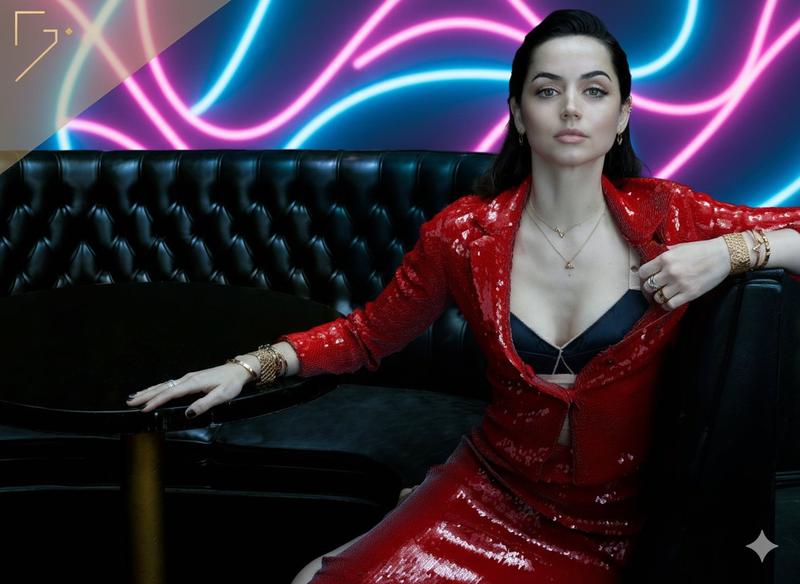
黑色贵妃椅上的酒红色礼服时尚大片
Enlarge

黑色贵妃椅上的酒红色礼服时尚大片

Prompt
Create a cinematic luxury fashion editorial portrait of {argument name="character description" default="an elegant woman"} seated on an ornate vintage black velvet chaise lounge with glossy carved black wood scroll arms, wearing a floor-length {argument name="gown color and fabric" default="deep burgundy satin"} gown with a draped cowl neckline, thin straps, and a long flowing train spilling across the floor in rich folds. She sits in a poised three-quarter pose, one arm resting on the chaise arm, the other hand relaxed on her lap, with long wavy brunette hair over one shoulder and minimal delicate jewelry. Behind her is a giant black-and-white low-poly geometric mural resembling a stylized portrait of a woman, made of angular triangular facets in charcoal, gray, white, and black, filling the wall like modern gallery art. The setting is moody and upscale, with a textured gray concrete wall, dark floor, dramatic soft side lighting, deep shadows, premium satin highlights, and a timeless high-fashion magazine atmosphere. Include exactly two opaque anonymizing overlays: one large medium-gray rectangle covering the upper-right portrait/face area and part of the mural, and one smaller blurred taupe-gray square covering the seated woman's face. Use a vertical 3:4 composition, rich contrast, realistic photography, cinematic editorial lighting, no text, no watermark.
Category
Charts & Infographics
Model
GPT Image 2
Creator
Arina_
Views4
Source ID
23347
Published
May 30, 2026

Guide

About "黑色贵妃椅上的酒红色礼服时尚大片"

What is this prompt for?

"黑色贵妃椅上的酒红色礼服时尚大片" AI image prompt for GPT Image 2 (Charts & Infographics). 一张电影质感的奢华时尚肖像,描绘了一位优雅的女性身着酒红色缎面礼服,坐在一张复古黑色贵妃椅上,背景为几何壁画。 Copy it on Picva and recrea…

The full copyable prompt and example visuals above are ready for AI image generation or one-click recreate in Picva.

How to use this prompt

  1. Step 1

    Open the prompt detail

    Review the example visuals, category, and full prompt text for "黑色贵妃椅上的酒红色礼服时尚大片".

  2. Step 2

    Copy the prompt

    Copy the prompt body from this page, or load it directly in Studio.

  3. Step 3

    Pick a model (GPT Image 2)

    Prefer GPT Image 2. If you switch models, keep subject and composition and tweak style terms.

  4. Step 4

    Generate and export

    Recreate the look in Picva, or export into your workflow for editing and publishing.

FAQ

What is the "黑色贵妃椅上的酒红色礼服时尚大片" prompt?
It is an AI image-generation prompt for GPT Image 2 in the Charts & Infographics category. This page includes the full prompt text, example visuals, and a one-click recreate path in Picva.
How do I use this prompt to generate an image?
Copy the prompt from this page, or use Generate / Studio. Paste it into a compatible image model, or recreate the look in Picva with optional reference images.
Which model is this prompt for?
This page lists GPT Image 2. Most descriptive prompts also transfer to nearby image models such as GPT Image, Flux, or Midjourney with light style tweaks.
Can I use the result commercially?
You can usually copy the prompt for creation, but commercial use of the final image depends on the model terms, reference-image rights, and the generated content. Follow the source author and platform rules.