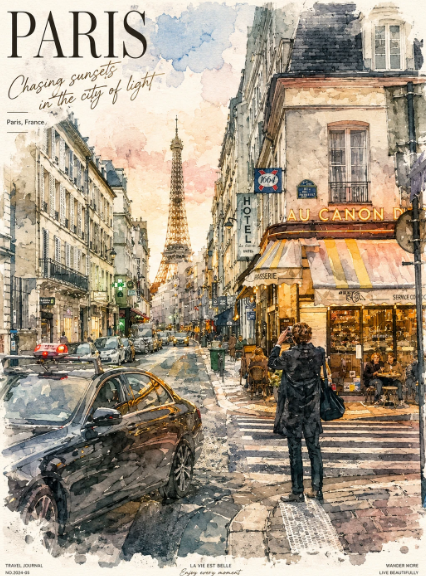
巴黎水彩旅行海报
Prompt
Create a vertical watercolor travel poster of {argument name="city" default="Paris"} in an elegant hand-painted urban sketch style. Show a rainy Paris street at sunset with the Eiffel Tower centered in the distance, framed by tall Haussmann-style buildings on both sides. The viewpoint is from a street-level crosswalk, with wet reflective pavement, soft ink outlines, loose watercolor washes, splattered edges, and warm golden café light contrasting with cool blue-gray shadows. Include exactly 1 large black car in the lower-left foreground, 2 smaller cars farther down the street, and 1 main pedestrian in a dark coat standing on the crosswalk in the lower-right foreground facing away. On the right side, depict a warmly lit corner café or brasserie with striped awnings and outdoor seating; include exactly 4 seated café patrons as small sketchy figures. Add traffic lights, street signs, balconies, windows, and street lamps as fine pen-and-ink details, but keep them painterly rather than photorealistic. The sky should be softly glowing peach, cream, and pale blue, with cloud-like watercolor blooms. Poster typography: large serif title at top left reading {argument name="headline text" default="PARIS"}; beneath it, handwritten cursive subtitle reading {argument name="subtitle text" default="Chasing sunsets in the city of light"}; a small location label reading {argument name="location label" default="Paris, France"}. Add tiny travel-journal footer text along the bottom margin, including small captions and coordinates-like microtype, but keep it subtle and decorative. Use a refined European-Japanese travel journal illustration aesthetic, premium stationery poster mood, no photo realism, no watermark, no extra large text.- Category
- Charts & Infographics
- Model
- GPT Image 2
- Creator
- 自学Ai的鱼头叔叔
- Source ID
- 24175
- Published
- Jun 4, 2026
Views2