
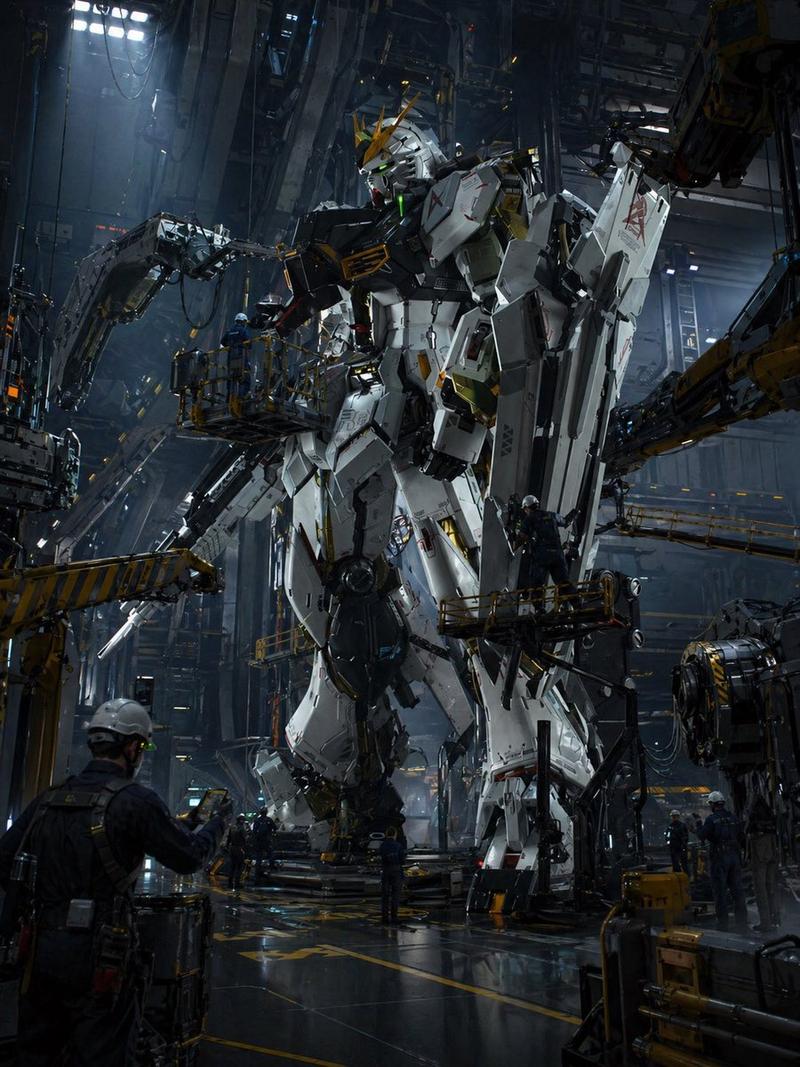
机甲关节测试机库
Prompt
Create a wide cinematic Japanese robot-anime illustration of a massive humanoid combat mecha undergoing maintenance and articulation testing inside a dark industrial hangar. The central subject is a towering white and gunmetal-gray armored robot, approximately Gundam-like but original, standing upright in a launch bay with bulky shoulder armor, angular chest plates, segmented waist armor, heavy forearms, large mechanical hands, thick thigh and shin armor, broad blocky feet, a helmet-like head with a narrow visor face, a central forehead crest, and several antenna fins. Add exposed pistons, cables, hydraulic joints, panel seams, scratches, grime, orange warning lights, and small decal markings across the armor. The hangar is huge, vertical, and shadowy, filled with steel gantries, catwalks, cranes, articulated support arms gripping the robot at the torso and legs, dangling cables, maintenance rails, ladders, and overhead strip lights. Include exactly 6 visible human technicians in white helmets and pale maintenance suits for scale: 1 on the left upper catwalk, 1 standing at a lower-left control console, 2 together on the right mid-level catwalk, 1 seated or standing at the foreground-right computer station facing away with “A/1” on the back, and 1 small technician near the central lower platform partially obscured by machinery. Place readable industrial text on the environment: a large crate or gantry label “SC-02” with smaller “M-BLOCK” on the upper left, a wall label “A-60” on the right with smaller text “SUBJECT : A/1” and “ARTICULATION TEST,” and a foreground monitor showing “STATUS,” “ARTICULATION TEST,” large “A/1,” plus a vertical list “E-01,” “E-02,” “E-03,” “E-04,” “E-05.” Use {argument name="mecha identifier" default="A/1"} as the recurring test subject code, {argument name="hangar block label" default="SC-02"} on the upper-left industrial structure, and {argument name="test label" default="ARTICULATION TEST"} on signage and monitor screens. Visual style: highly detailed hand-painted anime concept art, realistic mecha engineering, gritty sci-fi military maintenance bay, teal-gray shadows with warm amber accent lights, dense linework, dramatic low-angle perspective, cinematic 16:9 composition, sharp focus, no logo, no watermark.- Category
- Brand & Logos
- Model
- GPT Image 2
- Source ID
- 24811
- Published
- Jun 8, 2026
Views0




![[CHARACTER SEED]: Ancient deep-space guardian mecha designed to preserve lost ci](https://i.pixshop.app/storage/v1/render/image/public/prompt-source-media/promptsref/work-6455/image-1-f787932ca0dc7831.png?width=800&quality=75&resize=contain)
