13

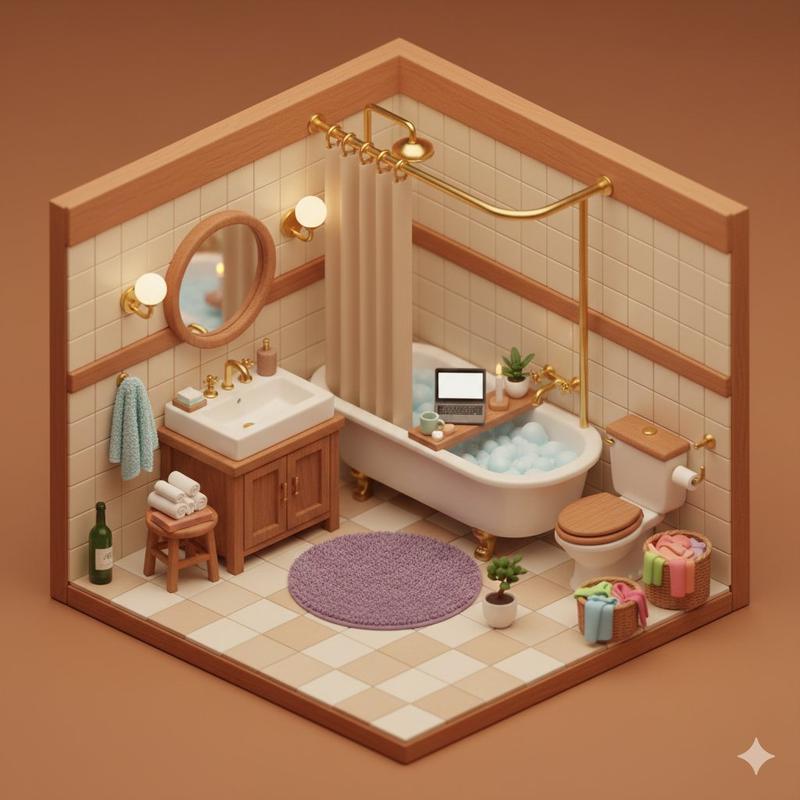
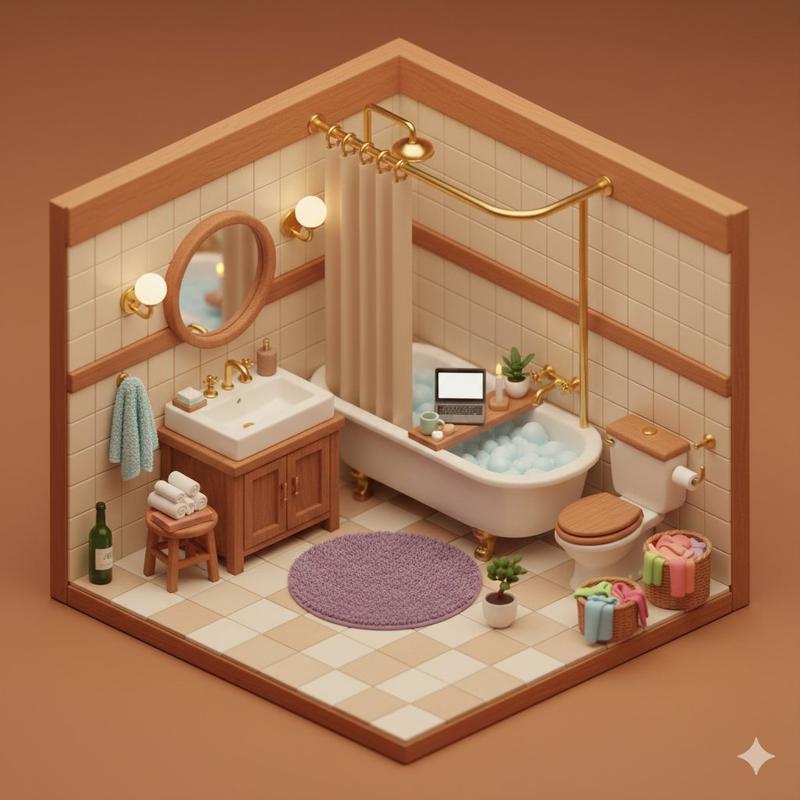
温馨等距浴室立体模型
Enlarge

温馨等距浴室立体模型

Prompt
Adorable cozy isometric 3D miniature {argument name="room type" default="bathroom"} diorama, {argument name="color palette" default="warm terracotta and beige"} color palette, Japanese-style tiny bathroom scene viewed from a {argument name="viewing angle" default="45-degree corner angle"}. Cream ceramic subway tiles with warm wooden trim, vintage clawfoot bathtub filled with blue bubbly foam and a wooden bath tray holding an open laptop, green mug, soap, and lit candles. Small potted plant, golden brass curved shower rod with beige curtain, round wooden mirror above a white porcelain sink with wooden vanity cabinet and brass faucet. Toilet with wooden seat, wooden stool with rolled white towels and stacked books, green wine bottle, tiny bonsai plant, wall-mounted gold sconces glowing warmly. Light blue fluffy towel on wall hook, wicker laundry hamper full of colorful towels, round plush purple bath mat, checkered beige-white floor tiles. Soft warm golden hour lighting, cozy ambient glow, tilt-shift miniature photography effect, dollhouse aesthetic, 8k hyperdetailed, soft bokeh, extremely intricate miniature textures, trending on Artstation.
Category
Posters & Typography
Model
GPT Image 2
Creator
PromptLab
Views0
Source ID
25392
Published
Jun 12, 2026

Guide

About "温馨等距浴室立体模型"

What is this prompt for?

"温馨等距浴室立体模型" AI image prompt for GPT Image 2 (Posters & Typography). 生成一个细节丰富、色调温暖的日式浴室微缩 3D 立体模型,呈现玩偶屋般的精致美感。 Copy it on Picva and recreate the look in one cl…

The full copyable prompt and example visuals above are ready for AI image generation or one-click recreate in Picva.

How to use this prompt

  1. Step 1

    Open the prompt detail

    Review the example visuals, category, and full prompt text for "温馨等距浴室立体模型".

  2. Step 2

    Copy the prompt

    Copy the prompt body from this page, or load it directly in Studio.

  3. Step 3

    Pick a model (GPT Image 2)

    Prefer GPT Image 2. If you switch models, keep subject and composition and tweak style terms.

  4. Step 4

    Generate and export

    Recreate the look in Picva, or export into your workflow for editing and publishing.

FAQ

What is the "温馨等距浴室立体模型" prompt?
It is an AI image-generation prompt for GPT Image 2 in the Posters & Typography category. This page includes the full prompt text, example visuals, and a one-click recreate path in Picva.
How do I use this prompt to generate an image?
Copy the prompt from this page, or use Generate / Studio. Paste it into a compatible image model, or recreate the look in Picva with optional reference images.
Which model is this prompt for?
This page lists GPT Image 2. Most descriptive prompts also transfer to nearby image models such as GPT Image, Flux, or Midjourney with light style tweaks.
Can I use the result commercially?
You can usually copy the prompt for creation, but commercial use of the final image depends on the model terms, reference-image rights, and the generated content. Follow the source author and platform rules.