16

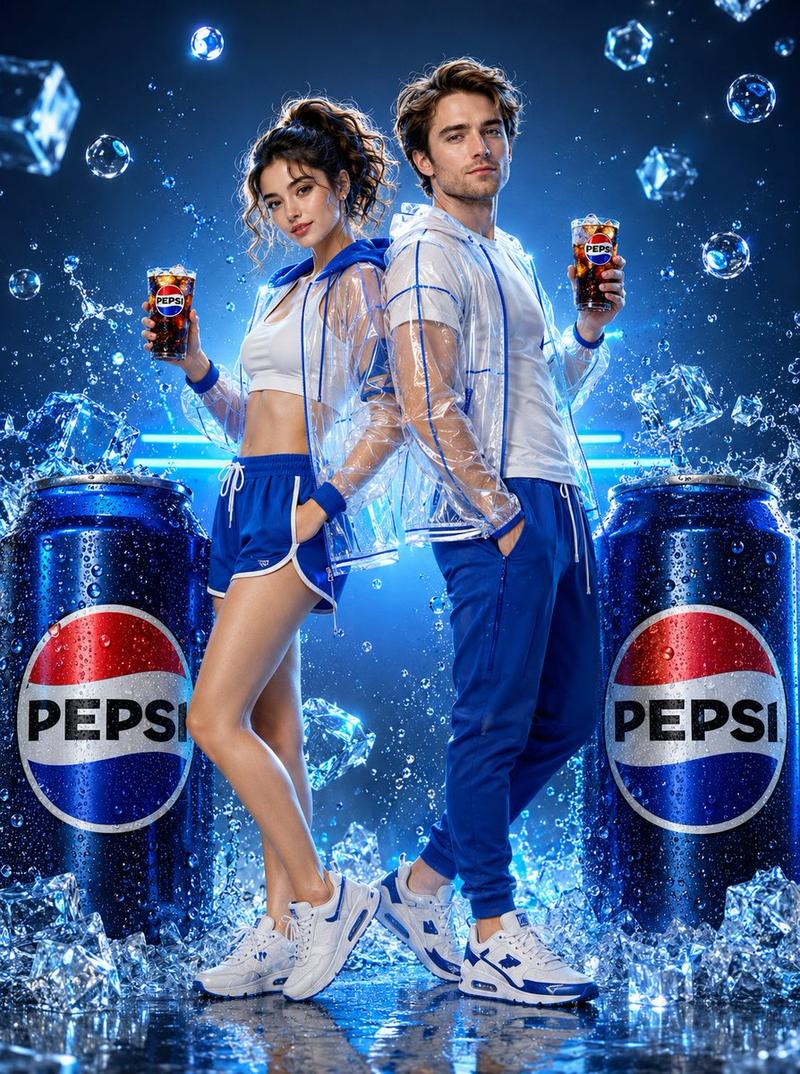
日本情侣饮料广告拍摄
Enlarge

日本情侣饮料广告拍摄

Prompt
A young Japanese couple, woman and man, both smiling joyfully and looking at each other playfully. Woman wearing white crop top, red athletic shorts, transparent PVC windbreaker with red accents, white sneakers with red details. Man wearing white oversized tee, red jogger shorts, transparent PVC jacket with red black accents, white red sneakers. Both holding iced {argument name="beverage" default="Coca-Cola"} glasses with cherry garnish. A giant oversized {argument name="beverage" default="Coca-Cola"} can sits centered between them covered in water droplets and surrounded by scattered ice cubes. Soft red white gradient studio background with warm cinematic light bloom. Floating bubbles, cherry garnish and ice cubes. Full body couple shot, ultra realistic 3D render, hyperrealistic commercial product photography, glossy reflective floor, 8K resolution, cinematic studio lighting.
Category
Posters & Typography
Model
GPT Image 2
Views0
Source ID
25404
Published
Jun 10, 2026

Guide

About "日本情侣饮料广告拍摄"

What is this prompt for?

"日本情侣饮料广告拍摄" AI image prompt for GPT Image 2 (Posters & Typography). 一个用于超写实 3D 渲染的商业风格提示词,展示了一对日本情侣与超大饮料罐,具有摄影棚灯光和电影级光晕效果。 Copy it on Picva and recreate the l…

The full copyable prompt and example visuals above are ready for AI image generation or one-click recreate in Picva.

How to use this prompt

  1. Step 1

    Open the prompt detail

    Review the example visuals, category, and full prompt text for "日本情侣饮料广告拍摄".

  2. Step 2

    Copy the prompt

    Copy the prompt body from this page, or load it directly in Studio.

  3. Step 3

    Pick a model (GPT Image 2)

    Prefer GPT Image 2. If you switch models, keep subject and composition and tweak style terms.

  4. Step 4

    Generate and export

    Recreate the look in Picva, or export into your workflow for editing and publishing.

FAQ

What is the "日本情侣饮料广告拍摄" prompt?
It is an AI image-generation prompt for GPT Image 2 in the Posters & Typography category. This page includes the full prompt text, example visuals, and a one-click recreate path in Picva.
How do I use this prompt to generate an image?
Copy the prompt from this page, or use Generate / Studio. Paste it into a compatible image model, or recreate the look in Picva with optional reference images.
Which model is this prompt for?
This page lists GPT Image 2. Most descriptive prompts also transfer to nearby image models such as GPT Image, Flux, or Midjourney with light style tweaks.
Can I use the result commercially?
You can usually copy the prompt for creation, but commercial use of the final image depends on the model terms, reference-image rights, and the generated content. Follow the source author and platform rules.