法式蛇蝎美人诗歌海报
Prompt
Goal: Create a horizontal social-media art poster combining a vintage French melodrama painting with a black poetry-and-credits panel.

Canvas: Wide 16:9 composition, approximately 1024×576. The image is divided into two main columns: a large painted scene on the left taking about 60% of the width, and a flat black text panel on the right taking about 40%. Add a thin dark brown border around the full artwork.

Left scene: Paint an early 20th-century European interior in a muted post-impressionist / Toulouse-Lautrec-inspired oil-painting style with visible brush texture, aged varnish colors, ochre, teal, cream, and black. Show exactly 2 women in a tense dramatic conversation. Woman 1 stands on the left in a loose white blouse and dark skirt, turned toward the other woman, both hands raised in alarm with spread fingers. Woman 2 sits on the right on a bed or cushioned bench, wearing a low-cut black slip dress and black stockings, posed coolly with one elbow bent and hand near her chin, one knee raised, giving the impression of a dangerous femme fatale. Behind them include exactly 3 major background elements: a tall dark wooden mirror, a narrow vertical wooden panel or door, and an iron bedframe. Both women's faces should be obscured by soft rectangular blur blocks, as if anonymized or censored.

Subtitle: At the bottom of the painted scene, add a white italic film subtitle with a thin black shadow reading “{argument name="French subtitle" default="Vous êtes folle!—"}”. Place it centered near the bottom edge of the painting.

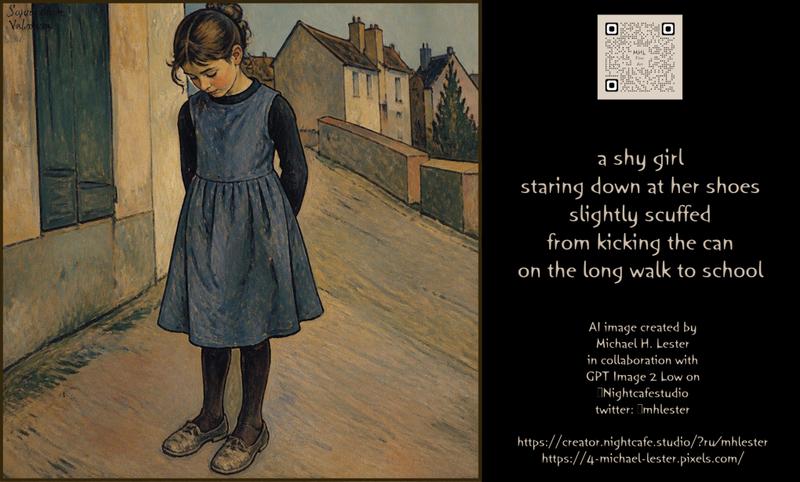
Right panel layout: Solid black background. At the top center place one small beige square QR-code-like graphic with exactly 3 visible black corner markers. Below it, center a poem in hand-lettered golden ochre text. Use casual uneven handwritten lettering, not a standard clean font.

Main poem text: “{argument name="poem text" default="you’re insane!\nshouts the distraught woman\nin French—\nI thank goodness for subtitles\nand dangerous femme fatales"}”. Keep the lines centered and stacked, with generous spacing.

Credits text: In the lower middle of the right panel, add smaller golden handwritten text reading: “AI image created by\n{argument name="artist name" default="Michael H. Lester"}\nin collaboration with\nGPT Image 2 Low on\nNightcafestudio\ntwitter: mlhlester”.

Bottom links: Along the bottom of the right panel add two centered golden lines: “{argument name="creator link" default="https://creator.nightcafe.studio/?ru/mhlester"}” and “{argument name="portfolio link" default="https://4-michael-lester.pixels.com/"}”.

Constraints: Use exactly 2 women, exactly 1 subtitle line, exactly 1 QR-code-like square, exactly 1 main poem block, exactly 1 credits block, and exactly 2 bottom link lines. Keep the right panel mostly empty black space, maintain a moody noir theatrical tone, and avoid photorealism.- Category
- Posters & Typography
- Model
- GPT Image 2
- Creator
- Michael H. Lester
- Source ID
- 25693
- Published
- Jun 14, 2026
Views0