18

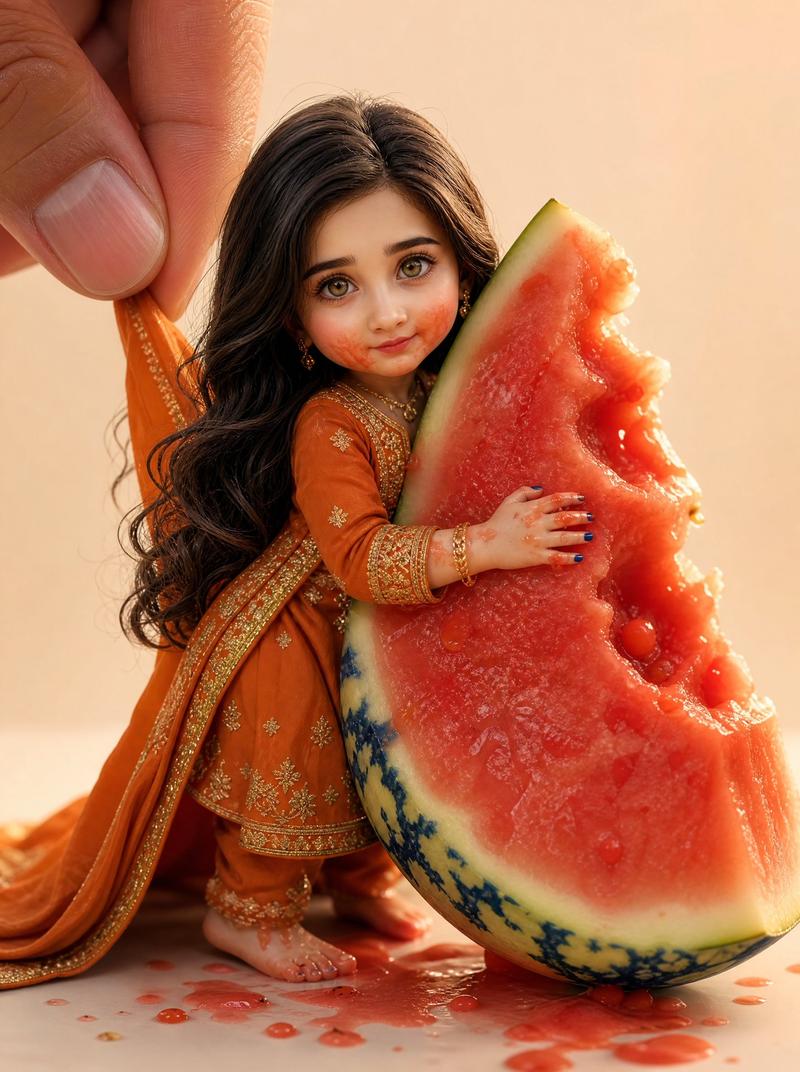
带西瓜的微缩人偶
Enlarge

Example images

带西瓜的微缩人偶

Prompt
Create a hyper-realistic macro photograph of a premium handmade collectible doll version of {argument name="character name" default="the person"}, designed with a slightly oversized head and a tiny realistic body. The doll is wearing one complete outfit: a dark navy fitted jacket, matching dark navy trousers, and glossy black shoes. The fabric is wet and speckled with small watermelon pulp droplets. The doll has {argument name="hair color" default="short black"} neatly styled hair with realistic individual strands and a natural side-swept texture. Show one large human hand entering from the upper left, with thumb and finger gently pinching the back of the doll’s jacket to hold it upright, emphasizing the miniature scale. Place the doll leaning against one large wedge of watermelon, cut open with vivid red flesh, pale rind, and dark green striped skin; the doll’s small hand presses into the juicy red fruit. Include exactly one watermelon wedge, one visible human hand, one miniature doll, and scattered juice drops and pulp on a light wooden tabletop. Use a warm beige studio background with shallow depth of field, soft diffused lighting, crisp macro detail, realistic skin texture on the fingers, glossy wet fruit texture, handmade collectible craftsmanship, and premium toy-photography realism. Keep the composition vertical, close-up, and centered on the doll and watermelon, with the watermelon wedge angled diagonally from lower center to right side. Avoid text, logos, extra characters, or cartoon styling.
Category
Brand & Logos
Model
GPT Image 2
Creator
Mr. Tariq
Views0
Source ID
25804
Published
Jun 15, 2026

Guide

About "带西瓜的微缩人偶"

What is this prompt for?

"带西瓜的微缩人偶" AI image prompt for GPT Image 2 (Brand & Logos). 一个逼真的微距玩具摄影提示词,用于创作一个靠在多汁西瓜瓣上的手工收藏级人偶。 Copy it on Picva and recreate the look in one click.

The full copyable prompt and example visuals above are ready for AI image generation or one-click recreate in Picva.

How to use this prompt

  1. Step 1

    Open the prompt detail

    Review the example visuals, category, and full prompt text for "带西瓜的微缩人偶".

  2. Step 2

    Copy the prompt

    Copy the prompt body from this page, or load it directly in Studio.

  3. Step 3

    Pick a model (GPT Image 2)

    Prefer GPT Image 2. If you switch models, keep subject and composition and tweak style terms.

  4. Step 4

    Generate and export

    Recreate the look in Picva, or export into your workflow for editing and publishing.

FAQ

What is the "带西瓜的微缩人偶" prompt?
It is an AI image-generation prompt for GPT Image 2 in the Brand & Logos category. This page includes the full prompt text, example visuals, and a one-click recreate path in Picva.
How do I use this prompt to generate an image?
Copy the prompt from this page, or use Generate / Studio. Paste it into a compatible image model, or recreate the look in Picva with optional reference images.
Which model is this prompt for?
This page lists GPT Image 2. Most descriptive prompts also transfer to nearby image models such as GPT Image, Flux, or Midjourney with light style tweaks.
Can I use the result commercially?
You can usually copy the prompt for creation, but commercial use of the final image depends on the model terms, reference-image rights, and the generated content. Follow the source author and platform rules.