3D 收藏级玩具邮轮渲染图
Prompt
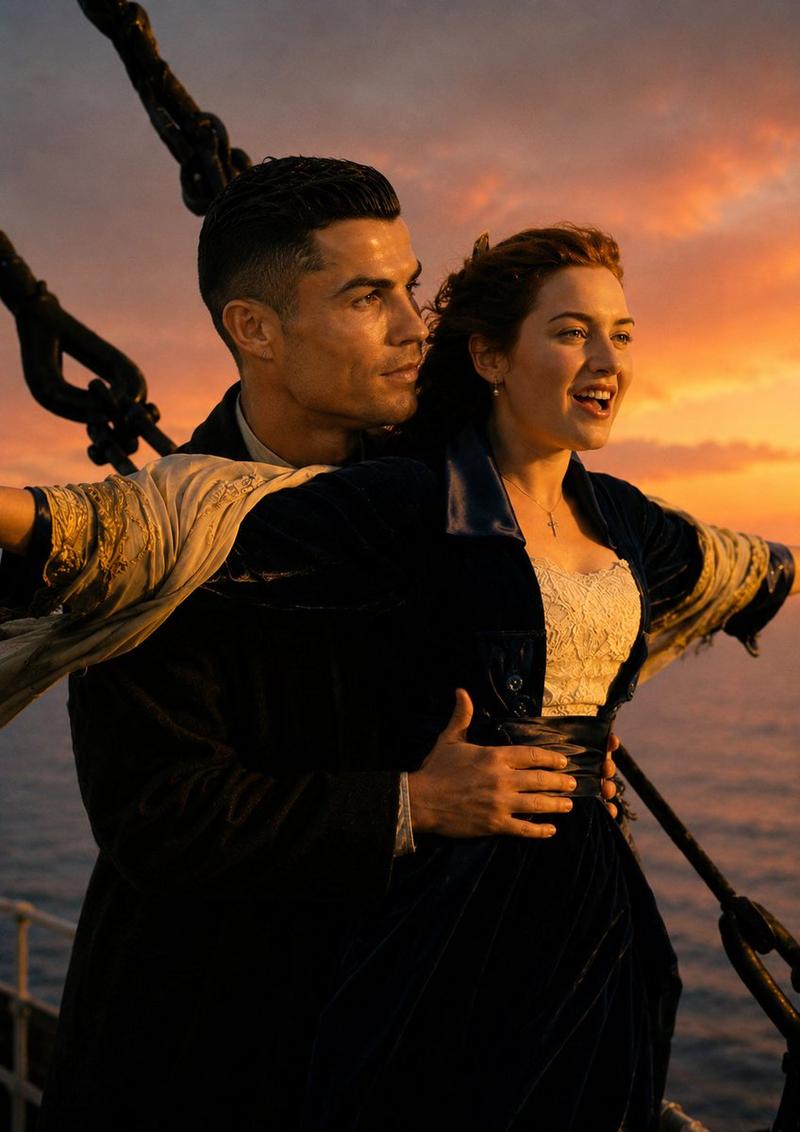
Create a highly detailed 3D collectible toy render inspired by a romantic ocean-liner deck scene. Transform both characters from the uploaded image into {argument name="style" default="premium designer action figures"} made of glossy, high-quality plastic. The male figure stands behind the female figure, embracing her waist with both hands while they look deeply into each other's eyes. Maintain the exact body positioning, emotional connection, wardrobe styling, and elegant posture from the reference image.

The female figurine wears a sophisticated black dress with a white lace bodice and a cream-colored embroidered shawl draped around her arms. The male figurine wears a black overcoat layered over a white shirt. Both figures feature realistic collectible toy craftsmanship, including subtle visible articulation joints at the shoulders, elbows, wrists, hips, and knees.

Set the scene on the deck of a luxurious vintage ocean liner during {argument name="lighting" default="golden hour"}. Warm sunset light bathes the figures in rich amber tones, creating cinematic highlights and realistic reflections across the glossy plastic surfaces. Ultra-detailed toy textures, premium figurine finish, museum-quality collectible aesthetic, realistic molded hair details, intricate fabric sculpting, shallow depth of field, creamy bokeh background, professional toy photography, luxury display piece, highly realistic lighting, Octane Render, Unreal Engine 5, ray-traced reflections, masterpiece quality, 8K resolution, collectible statue showcase, premium product photography, cinematic atmosphere.- Category
- Products & E-commerce
- Model
- GPT Image 2
- Creator
- Mahnoor Fatima
- Source ID
- 25942
- Published
- Jun 16, 2026
Views0