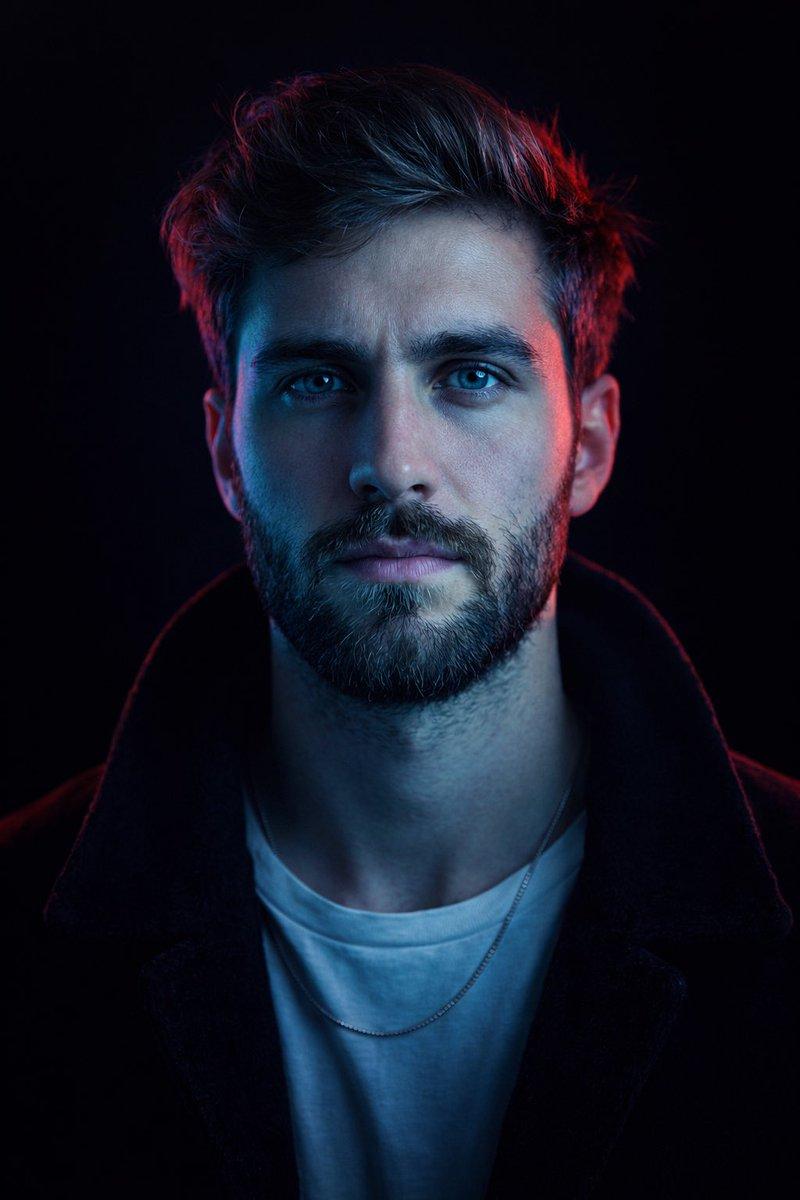
电影感聚光灯影棚肖像
Prompt
Create an ultra-realistic, cinematic close-up portrait of the person standing directly beneath a single overhead spotlight in a completely dark studio. The composition is perfectly centered in a vertical portrait (4:5 aspect ratio). The camera is positioned slightly below eye level, capturing the subject from the upper chest upward while they gently tilt their head upward, looking toward the light with a calm, hopeful, confident, and introspective expression.The lighting is dramatic and minimalistic. A single intense circular spotlight directly above the subject creates a beautiful cone of soft white light that gradually fades into the surrounding darkness. The light naturally illuminates the forehead, eyes, nose, lips, jawline, and neck while the sides of the face and clothing smoothly disappear into deep black shadows.Add subtle volumetric light rays and a faint atmospheric haze so the beam of light is visible, creating a premium cinematic atmosphere. The person's hair should retain the style from the uploaded image (or receive a subtle natural enhancement while preserving identity), with realistic strands, volume, and texture. Their skin should appear highly realistic with visible pores, natural texture, soft imperfections, and lifelike tones.The eyes should contain bright natural catchlights reflecting the overhead spotlight and should gaze slightly upward without making direct eye contact with the camera. The lips should remain relaxed and naturally closed. The subject wears a simple matte black high-collar jacket, black turtleneck, or minimal black outfit with no logos, graphics, or distracting accessories.The clothing should blend naturally into the dark background while remaining subtly visible where illuminated by the spotlight. The background is completely black with no visible objects, walls, or distractions. The overhead spotlight is the only visible light source, creating deep contrast, soft shadow transitions, and a dramatic editorial mood. Photography Style:Luxury editorial portrait, cinematic studio photography, dramatic lighting, premium fashion campaign, minimalist composition, emotional storytelling, photorealistic, ultra-detailed, timeless aesthetic. Camera Settings: Full-frame professional DSLR or mirrorless camera, 85mm prime lens, f/1.8, ISO 100, 1/200s shutter speed, shallow depth of field, HDR, RAW image quality, razor-sharp facial focus, realistic skin tones, cinematic color grading, soft background falloff. Quality Tags:masterpiece, best quality, ultra realistic, hyper detailed, photorealistic, 8K, HDR, RAW photo, professional photography, cinematic lighting, volumetric lighting, dramatic shadows, realistic skin texture, editorial portrait, premium fashion photography, award-winning photography, natural color grading, high dynamic range.
- Category
- Brand & Logos
- Model
- GPT Image 2
- Creator
- K
- Source ID
- 27315
- Published
- Jul 1, 2026
Views2