11

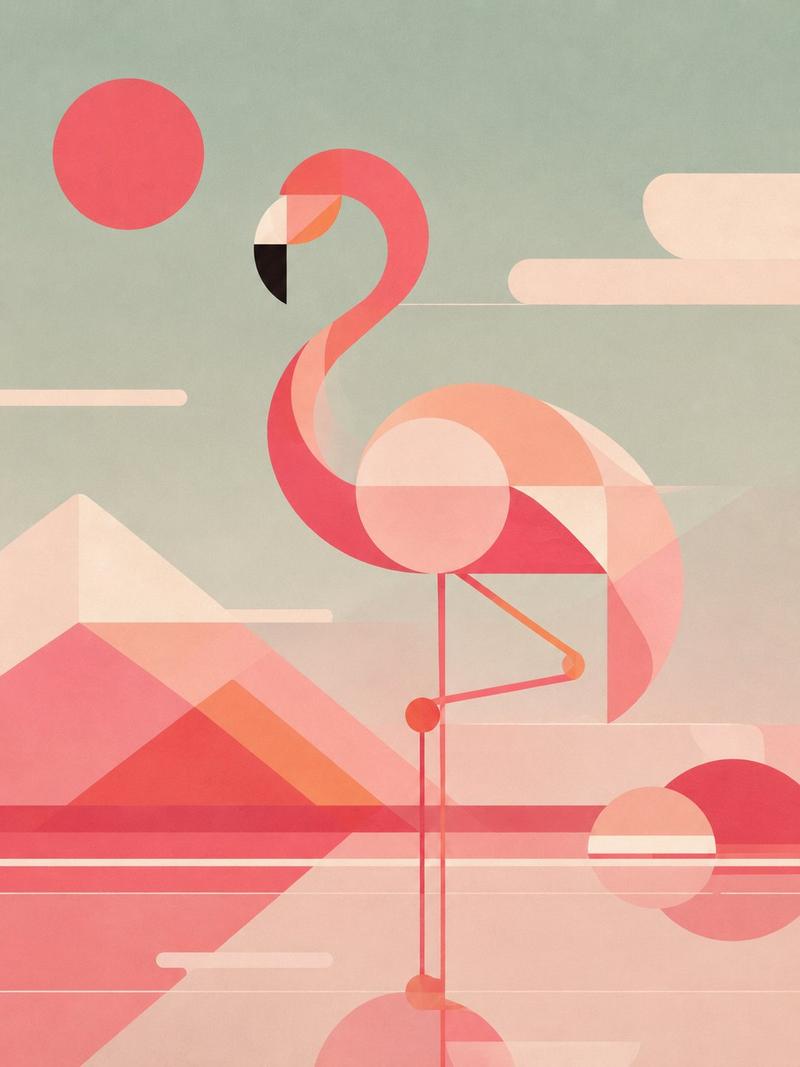
几何风格丹顶鹤海报
Enlarge

几何风格丹顶鹤海报

Prompt
Create a vertical poster illustration of a {argument name="animal" default="red-crowned crane"} in a refined geometric art style, standing centered in a serene {argument name="landscape theme" default="blue-green East Asian mountain-and-water landscape"}. Use a 2:3 portrait canvas. The crane is full body, tall and elegant, facing left with its long beak angled upward, a red crown patch, white body, black neck stripe, black trailing wing feathers, and very long thin red-and-black legs reflected faintly in still water. Build the bird from clean layered curves, thin contour lines, and Art Deco-like geometric feather panels. The background is teal and jade with misty mountains, a calm lake, stylized rounded clouds, simplified pine trees on the lower left, dark rounded islands on both sides, and one flat red sun disk to the left of the crane’s neck. Include exactly 5 major background motif groups: 1 red sun disk, 1 large layered mountain range in the upper right, 1 smaller mountain-and-mist range across the middle, 1 cluster of stylized pine trees on the lower left, and 2 dark shoreline island masses at the bottom left and bottom right. The visual mood is tranquil, premium, and poster-like, combining Japanese screen-print aesthetics, modern vector geometry, subtle paper grain, muted turquoise gradients, cream highlights, and crisp black accents. No text, no logo, no watermark, no border.
Category
Posters & Typography
Model
GPT Image 2
Creator
Kollab_AI
Views0
Source ID
27364
Published
Jul 1, 2026

Guide

About "几何风格丹顶鹤海报"

What is this prompt for?

"几何风格丹顶鹤海报" AI image prompt for GPT Image 2 (Posters & Typography). 生成一张宁静的竖版几何动物海报,以蓝绿色东亚山水为背景,展现丹顶鹤的优雅姿态。 Copy it on Picva and recreate the look in one click.

The full copyable prompt and example visuals above are ready for AI image generation or one-click recreate in Picva.

How to use this prompt

  1. Step 1

    Open the prompt detail

    Review the example visuals, category, and full prompt text for "几何风格丹顶鹤海报".

  2. Step 2

    Copy the prompt

    Copy the prompt body from this page, or load it directly in Studio.

  3. Step 3

    Pick a model (GPT Image 2)

    Prefer GPT Image 2. If you switch models, keep subject and composition and tweak style terms.

  4. Step 4

    Generate and export

    Recreate the look in Picva, or export into your workflow for editing and publishing.

FAQ

What is the "几何风格丹顶鹤海报" prompt?
It is an AI image-generation prompt for GPT Image 2 in the Posters & Typography category. This page includes the full prompt text, example visuals, and a one-click recreate path in Picva.
How do I use this prompt to generate an image?
Copy the prompt from this page, or use Generate / Studio. Paste it into a compatible image model, or recreate the look in Picva with optional reference images.
Which model is this prompt for?
This page lists GPT Image 2. Most descriptive prompts also transfer to nearby image models such as GPT Image, Flux, or Midjourney with light style tweaks.
Can I use the result commercially?
You can usually copy the prompt for creation, but commercial use of the final image depends on the model terms, reference-image rights, and the generated content. Follow the source author and platform rules.