15

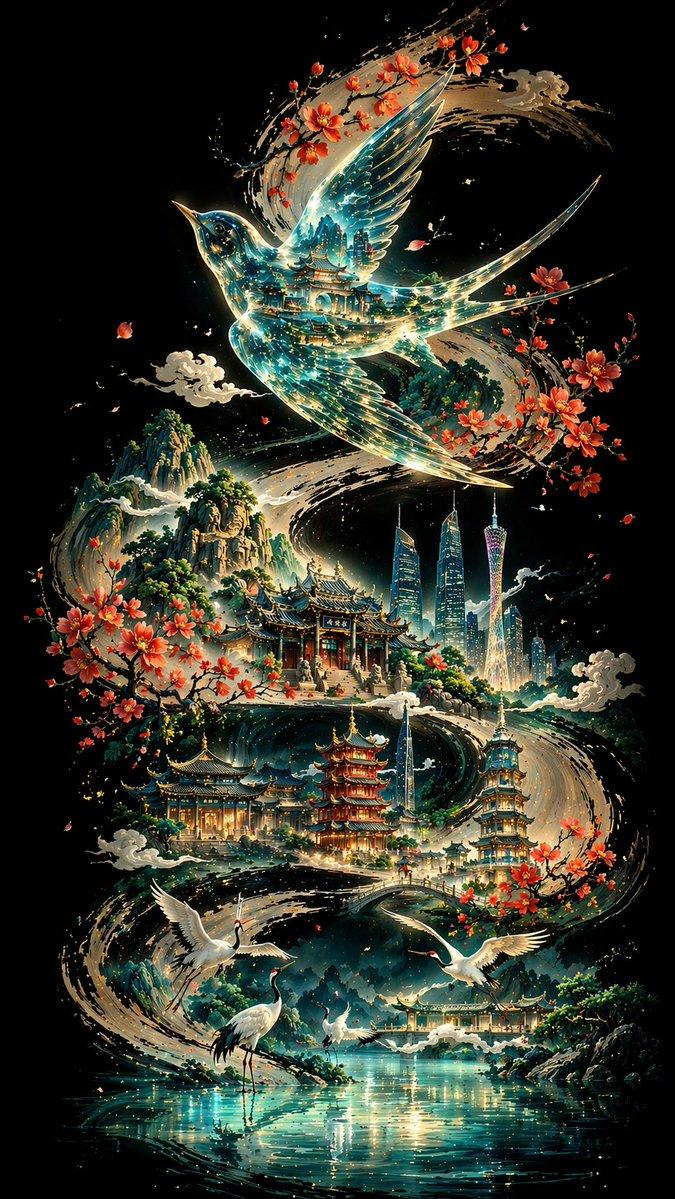
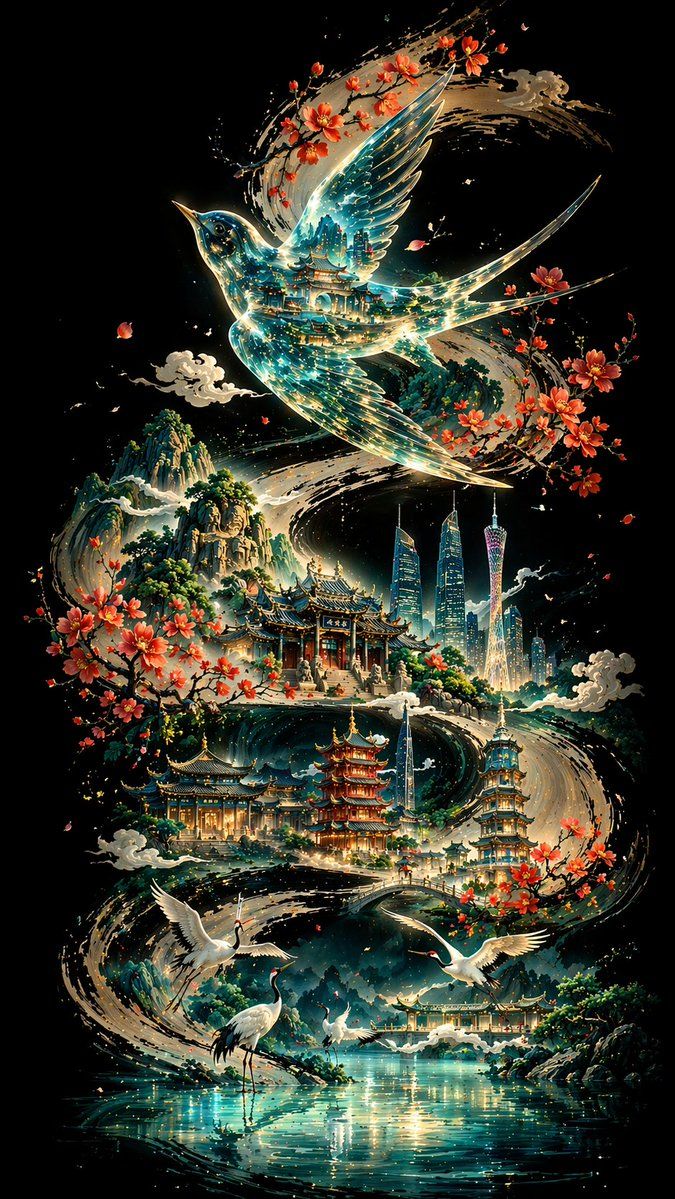
广州水墨书法海报
Enlarge

广州水墨书法海报

Prompt
Create a vertical 9:16 poster on a pure, deep black background. Let a bold, powerful {argument name="central curve" default="S-shaped curve painted in black ink calligraphy"} wind from one end of the frame to the other, serving as the visual backbone and narrative path of the entire composition. Above the curve, place a translucent {argument name="bird type" default="Chinese thrush bird"} with a glasslike body, its interior reflecting layered traditional architecture and flowing blue-green light. Scatter {argument name="city landmarks" default="Guangzhou landmarks"} and a sequence of classical Chinese buildings along the curve. In the foreground, show {argument name="animals" default="white cranes"} beside a reflective lake surface. In the distance, add layered mountain silhouettes. Use a non-linear perspective, a cool-toned palette with subtle warm accents, a fusion of Eastern aesthetics and modern symbolic imagery, ultra-detailed 8K rendering.
Category
Charts & Infographics
Model
GPT Image 2
Creator
PromptLab
Views0
Source ID
27424
Published
Jul 2, 2026

Guide

About "广州水墨书法海报"

What is this prompt for?

"广州水墨书法海报" AI image prompt for GPT Image 2 (Charts & Infographics). 创作一张融合中国水墨书法、半透明建筑与广州地标的精美竖版海报,展现现代东方美学。 Copy it on Picva and recreate the look in one clic…

The full copyable prompt and example visuals above are ready for AI image generation or one-click recreate in Picva.

How to use this prompt

  1. Step 1

    Open the prompt detail

    Review the example visuals, category, and full prompt text for "广州水墨书法海报".

  2. Step 2

    Copy the prompt

    Copy the prompt body from this page, or load it directly in Studio.

  3. Step 3

    Pick a model (GPT Image 2)

    Prefer GPT Image 2. If you switch models, keep subject and composition and tweak style terms.

  4. Step 4

    Generate and export

    Recreate the look in Picva, or export into your workflow for editing and publishing.

FAQ

What is the "广州水墨书法海报" prompt?
It is an AI image-generation prompt for GPT Image 2 in the Charts & Infographics category. This page includes the full prompt text, example visuals, and a one-click recreate path in Picva.
How do I use this prompt to generate an image?
Copy the prompt from this page, or use Generate / Studio. Paste it into a compatible image model, or recreate the look in Picva with optional reference images.
Which model is this prompt for?
This page lists GPT Image 2. Most descriptive prompts also transfer to nearby image models such as GPT Image, Flux, or Midjourney with light style tweaks.
Can I use the result commercially?
You can usually copy the prompt for creation, but commercial use of the final image depends on the model terms, reference-image rights, and the generated content. Follow the source author and platform rules.