17

合成波复古未来主义音乐海报
Enlarge

Example images

合成波复古未来主义音乐海报

Prompt
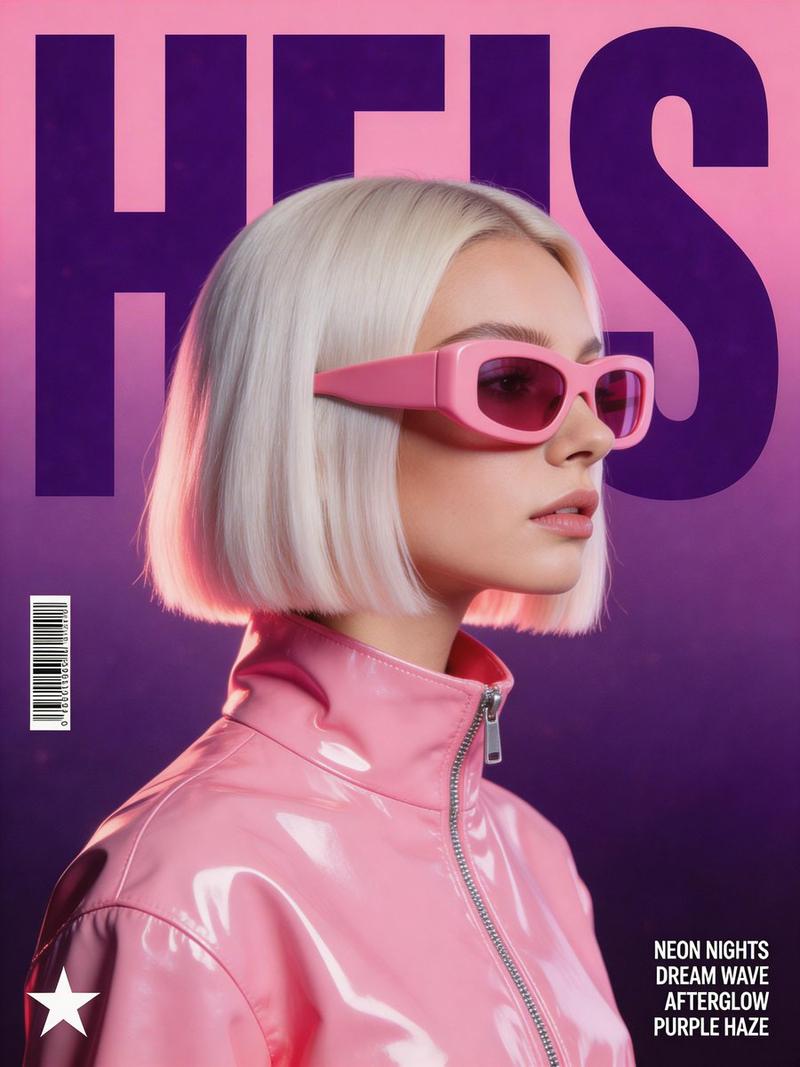
Create a stylized retro-futuristic music poster with a polished synthwave fashion aesthetic. Center the composition on a woman shown in side profile, with a sleek platinum blonde bob haircut, wearing oversized chunky opaque pink visor sunglasses and a {argument name="jacket" default="high-collar glossy bubblegum-pink vinyl jacket"} with a visible silver zipper and sharp specular highlights. Place the massive word "{argument name="title" default="HEIS"}" behind her in dark purple, condensed block typography, large enough to fill the poster and partially hidden by her head and hair. Use a clean vertical poster layout with a soft magenta-to-deep-purple gradient background and subtle film grain texture. Lighting should feel like a high-end studio shoot, with soft frontal illumination, bright glossy reflections on the vinyl jacket, and a gentle pink rim light along the hair. Keep the palette dominated by bubblegum pink, deep violet, lavender, and neon-magenta accents. Add small graphic details: a barcode on the left side, a minimalist star logo near the lower-left corner, and four tiny stacked uppercase sans-serif lyric-style lines in the lower-right, such as "{argument name="lyrics" default="NEON NIGHTS"}", "DREAM WAVE", "AFTERGLOW", and "PURPLE HAZE". The final image should feel like a clean, expensive electronic dance music cover or high-fashion editorial poster, crisp, polished, cinematic, and poster-ready.
Category
Posters & Typography
Model
GPT Image 2
Creator
PromptLab
Views0
Source ID
27652
Published
Jul 4, 2026

Guide

About "合成波复古未来主义音乐海报"

What is this prompt for?

"合成波复古未来主义音乐海报" AI image prompt for GPT Image 2 (Posters & Typography). 一个用于 gpt-image-2 的提示词,旨在生成一张精致的合成波音乐海报,画面包含铂金短发和亮面粉色乙烯基材质。 Copy it on Picva and recreat…

The full copyable prompt and example visuals above are ready for AI image generation or one-click recreate in Picva.

How to use this prompt

  1. Step 1

    Open the prompt detail

    Review the example visuals, category, and full prompt text for "合成波复古未来主义音乐海报".

  2. Step 2

    Copy the prompt

    Copy the prompt body from this page, or load it directly in Studio.

  3. Step 3

    Pick a model (GPT Image 2)

    Prefer GPT Image 2. If you switch models, keep subject and composition and tweak style terms.

  4. Step 4

    Generate and export

    Recreate the look in Picva, or export into your workflow for editing and publishing.

FAQ

What is the "合成波复古未来主义音乐海报" prompt?
It is an AI image-generation prompt for GPT Image 2 in the Posters & Typography category. This page includes the full prompt text, example visuals, and a one-click recreate path in Picva.
How do I use this prompt to generate an image?
Copy the prompt from this page, or use Generate / Studio. Paste it into a compatible image model, or recreate the look in Picva with optional reference images.
Which model is this prompt for?
This page lists GPT Image 2. Most descriptive prompts also transfer to nearby image models such as GPT Image, Flux, or Midjourney with light style tweaks.
Can I use the result commercially?
You can usually copy the prompt for creation, but commercial use of the final image depends on the model terms, reference-image rights, and the generated content. Follow the source author and platform rules.