极简水彩生活方式插画
Prompt
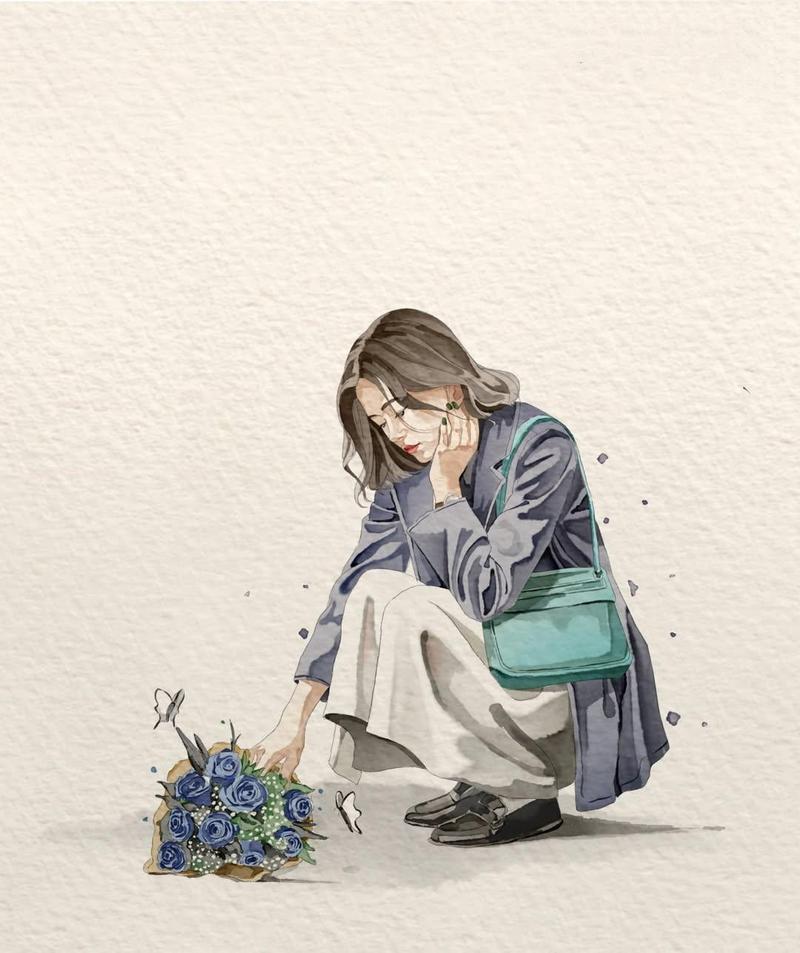
Minimalist watercolor illustration on {argument name="paper type" default="textured ivory handmade paper"}, soft pastel palette, delicate ink outlines, subtle watercolor bleeding, cozy storybook aesthetic, lots of clean negative space.

A stylish young woman in modern casual clothing is the main subject, captured in a calm, emotional everyday moment. She wears {argument name="clothing" default="an oversized trench coat or cardigan layered over soft neutral clothing"}, a long flowing skirt or wide-leg pants, leather loafers or ankle boots, and a simple crossbody bag. Medium-length natural hair gently frames her face.

The composition is intentionally small within the canvas, leaving generous empty space around the character. Soft expressive pose with gentle emotions, surrounded by tiny floating watercolor splashes, subtle butterflies, flowers, leaves, or seasonal elements depending on the scene.

Examples of scenes:
• {argument name="scene" default="Squatting beside a bouquet of blue roses while gently touching one flower"}.
• Standing quietly while holding a wrapped bouquet against her chest.
• Resting peacefully beneath a large tree with eyes closed.
• Reaching upward toward a single apple hanging from a tree branch while carrying a basket of freshly picked apples.

Hand-painted watercolor textures, soft shadows, elegant brush strokes, muted earthy colors, warm natural atmosphere, peaceful lifestyle illustration, Japanese stationery art style, minimal editorial illustration, whimsical yet realistic proportions, premium watercolor painting, ultra-detailed, 8K.- Category
- Posters & Typography
- Model
- GPT Image 2
- Creator
- Taaruk
- Source ID
- 27892
- Published
- Jul 7, 2026
Views1