14

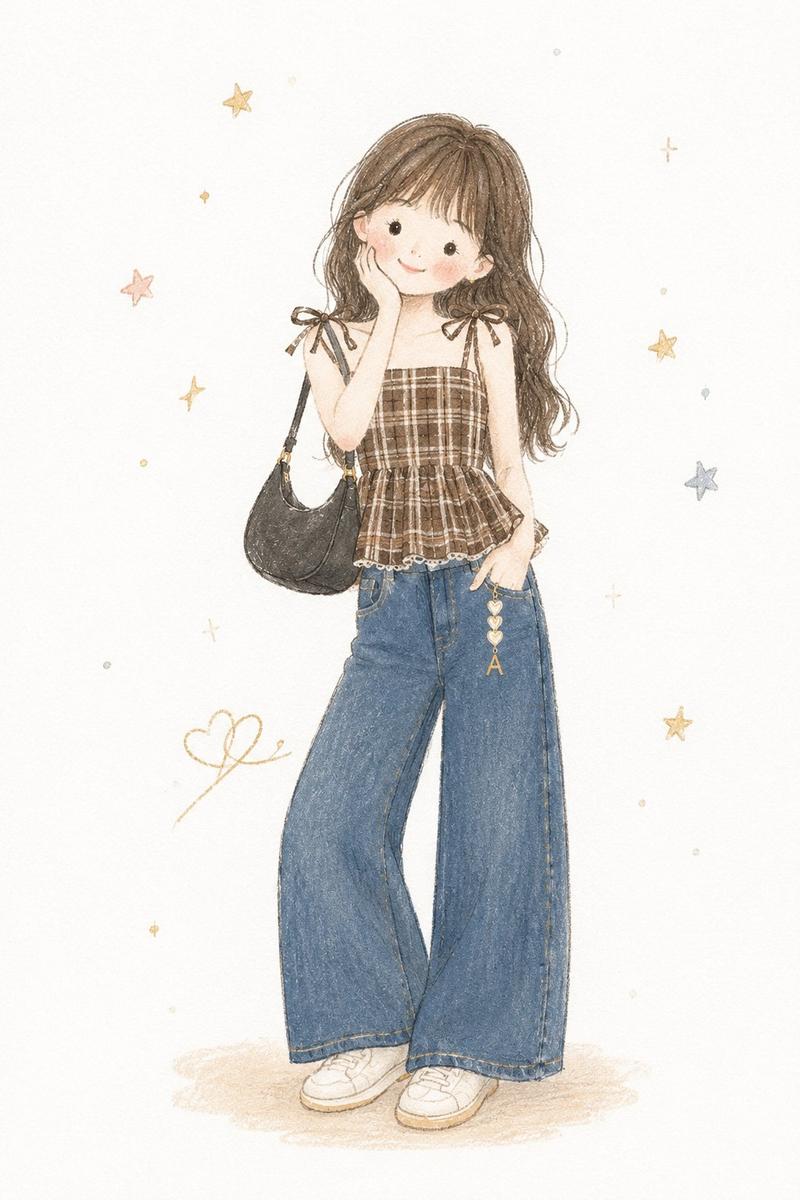
极简手绘唯美童话插画
Enlarge

Example images

极简手绘唯美童话插画

Prompt
Transform the photo into a delicate minimalist hand-drawn children’s illustration with a soft whimsical fairy-tale aesthetic. Use simple elongated shapes, thin imperfect hand-drawn lines, flat pastel colors, minimal details, and a cute doll-like character style with rosy cheeks, tiny facial features, and simplified anatomy. Add subtle paper texture, soft pencil and pastel shading, watercolor softness, and a clean white background with small stars or sparkles.

Stylize the clothing in a playful storybook way with simplified shapes and gentle decorative details. The overall mood should feel airy, cozy, naive, and charming, like a modern Scandinavian nursery postcard or children’s book illustration. Avoid photorealism, 3D, cinematic lighting, glossy surfaces, complex shadows, realistic anatomy, and hyper-detail.
Category
Photography & Realism
Model
ChatGPT
Views49
Source ID
14816
Published
May 21, 2026

Guide

About "极简手绘唯美童话插画"

What is this prompt for?

"极简手绘唯美童话插画" AI image prompt for ChatGPT (Photography & Realism). 将照片转换为精致的极简主义手绘儿童插画,具有柔和而奇妙的童话美学。使用简单的细长形状、纤细而不完美的手绘线条、平铺的柔和色彩、极简的细节,以及带有红润脸颊、微小五官和简化解剖结构的可爱玩…

The full copyable prompt and example visuals above are ready for AI image generation or one-click recreate in Picva.

How to use this prompt

  1. Step 1

    Open the prompt detail

    Review the example visuals, category, and full prompt text for "极简手绘唯美童话插画".

  2. Step 2

    Copy the prompt

    Copy the prompt body from this page, or load it directly in Studio.

  3. Step 3

    Pick a model (ChatGPT)

    Prefer ChatGPT. If you switch models, keep subject and composition and tweak style terms.

  4. Step 4

    Generate and export

    Recreate the look in Picva, or export into your workflow for editing and publishing.

FAQ

What is the "极简手绘唯美童话插画" prompt?
It is an AI image-generation prompt for ChatGPT in the Photography & Realism category. This page includes the full prompt text, example visuals, and a one-click recreate path in Picva.
How do I use this prompt to generate an image?
Copy the prompt from this page, or use Generate / Studio. Paste it into a compatible image model, or recreate the look in Picva with optional reference images.
Which model is this prompt for?
This page lists ChatGPT. Most descriptive prompts also transfer to nearby image models such as GPT Image, Flux, or Midjourney with light style tweaks.
Can I use the result commercially?
You can usually copy the prompt for creation, but commercial use of the final image depends on the model terms, reference-image rights, and the generated content. Follow the source author and platform rules.