Muse 日语信息图
Prompt
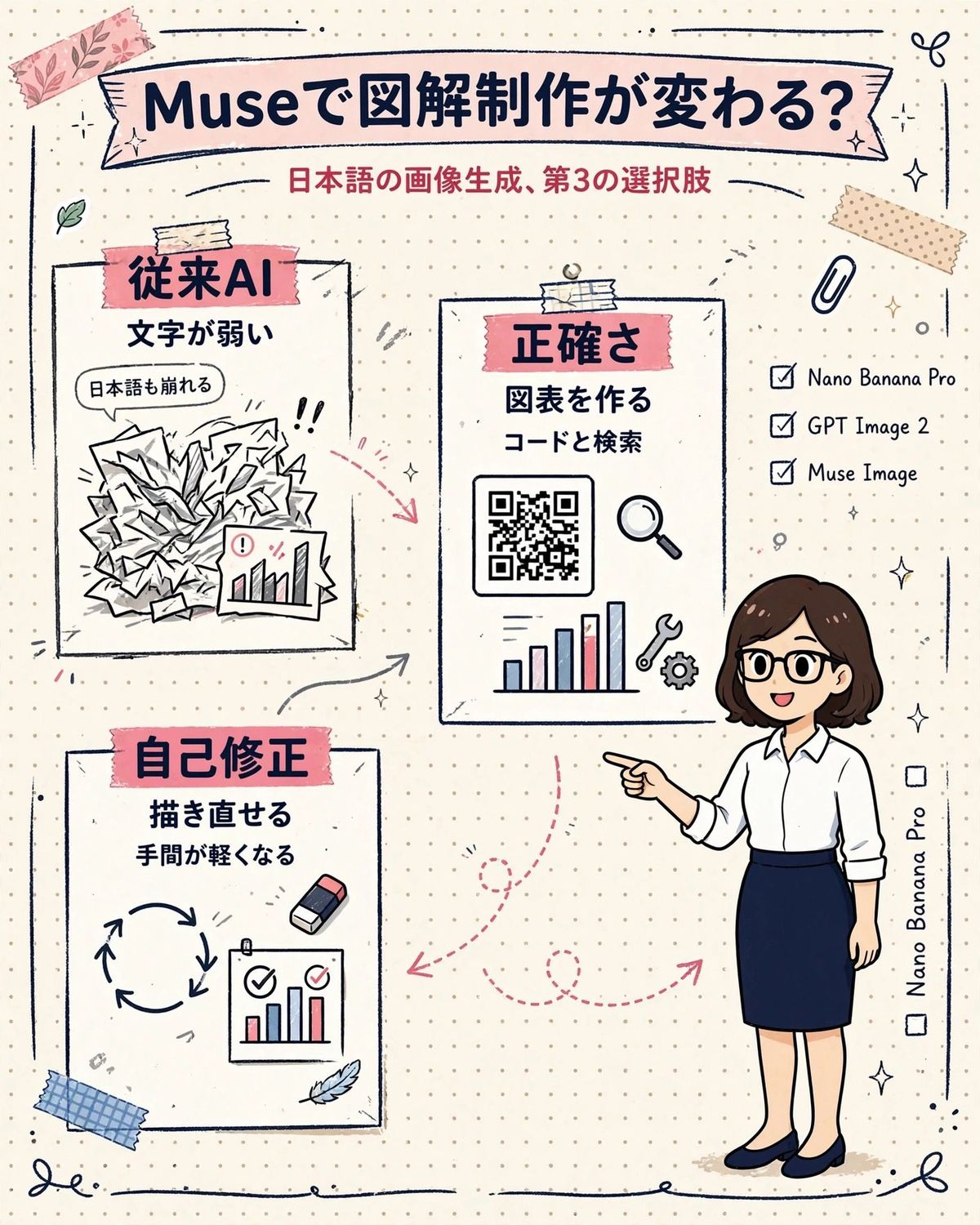
Goal: Create a vertical hand-drawn Japanese infographic on dotted notebook paper explaining that {argument name="AI model name" default="Muse"} changes illustrated infographic creation, positioning it as a third option for Japanese image generation.

Canvas: Portrait 4:5 layout, warm off-white cream paper background with a subtle dotted grid. Use a cute stationery scrapbook style with sketchy navy ink outlines, pink masking tape, beige tape, tiny sparkles, leaves, paperclip doodles, arrows, and hand-drawn border lines. Color palette: navy blue, dusty pink, cream, soft gray, and small red/blue chart accents.

Top header: A wide pale pink ribbon banner across the top with bold dark navy Japanese headline text: 「{argument name="headline text" default="Museで図解制作が変わる?"}」. Under it, centered red subtitle: 「{argument name="subtitle text" default="日本語の画像生成、第3の選択肢"}」.

Main layout: Three white sketch-outlined content cards on the left and center, plus an illustrated presenter character on the right. Use dashed pink arrows to connect the cards and suggest a workflow.

Card count: Exactly 3 cards.
1. Upper-left card: Pink tape label with bold navy text 「従来AI」. Below, two lines: 「文字が弱い」 and a speech bubble 「日本語も崩れる」. Illustration: a messy pile of crumpled papers with chaotic scribbles, exclamation marks, and a small chart sheet with an alert icon.
2. Center card: Pink tape label 「正確さ」. Below, two lines: 「図表を作る」 and 「コードと検索」. Illustration: a QR-code-like square, a magnifying glass, a bar chart with red and blue bars, a wrench icon, and a gear icon.
3. Lower-left card: Pink tape label 「自己修正」. Below, two lines: 「描き直せる」 and 「手間が軽くなる」. Illustration: circular refresh arrows, a small eraser, and a mini chart sheet with check marks.

Right side details: Add a checklist with exactly 3 checked items, written in English: “Nano Banana Pro”, “GPT Image 2”, and “Muse Image”. Add a vertical side note near the lower right reading “Nano Banana Pro” with two small empty checkboxes beside the margin.

Presenter character: On the right, draw a friendly Japanese businesswoman in simple anime/chibi infographic style, about one-third of the image height. She has {argument name="character hair" default="shoulder-length dark brown bob hair"}, black round glasses, a white button-up blouse with sleeves rolled up, a navy pencil skirt, and navy flats. She smiles and points left toward the central card.

Decorative element count: Include exactly 2 pieces of tape at the top corners, exactly 1 paperclip near the upper right, exactly 1 blue tape strip near the lower left, several small sparkles and doodle curls around the edges, and thin hand-drawn border strokes at the top and bottom.

Visual style: Clean but handmade, Japanese social-media explainer graphic, legible hand-lettered text, thick marker-like navy outlines, slight imperfections, soft pastel fills, no photorealism.

Constraints: Keep all Japanese text accurate and readable, avoid extra headings or extra cards, maintain the exact three-card structure and the exact three-item checklist, no watermark, no realistic photography.- Category
- Charts & Infographics
- Model
- GPT Image 2
- Creator
- 永野ヨウ
- Source ID
- 28296
- Published
- Jul 10, 2026
Views1