单色超现实鸟兽邂逅
Prompt
Create a haunting monochrome surreal horror scene in a wide cinematic 16:9 frame: a small lone {argument name="central figure" default="child in a dark knee-length coat"} stands motionless at the center of a misty barren field, seen from behind as a black silhouette. Surround the figure with exactly 6 strange black animal silhouettes shaped like emaciated antelope mixed with long-beaked birds: 1 enormous foreground creature dominates the upper right half of the image, bending its long neck and pointed beak toward the child, with two thin legs visible and two twisted horn-like antennae rising from its head; exactly 5 smaller creatures stand in the foggy background from left to right, blurred by depth of field, each with thin legs, rounded dark body, pointed beak, and glowing white eye. Give every creature a single bright white luminous eye, with the giant creature’s eye the largest and most intense. Use {argument name="palette" default="black, white, and smoky gray"}, heavy grain, soft fog, low contrast gray sky, dark textured ground, and a dreamlike analog-film look. The composition should feel ominous, quiet, and mythic, with strong silhouettes, no text, no buildings, no extra characters, and no color accents beyond the glowing eyes.- Category
- Architecture & Spaces
- Model
- GPT Image 2
- Creator
- Minuit
- Source ID
- 28654
- Published
- Jul 13, 2026
Views7
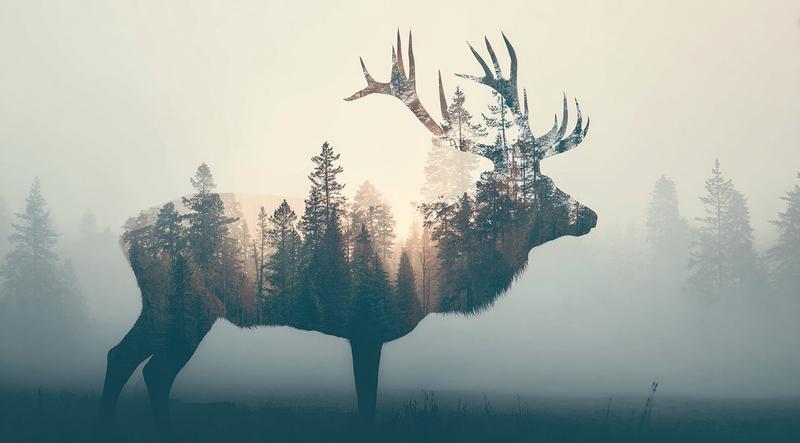
![🚨PromptShare🚨 DOUBLE EXPOSURE a majestic [animal] silhouette with [integrated](https://cdn.pixshop.app/prompt-library/tweet-1996982927427596680/preview-0-1768016842787-q02srxsy.jpeg)