20

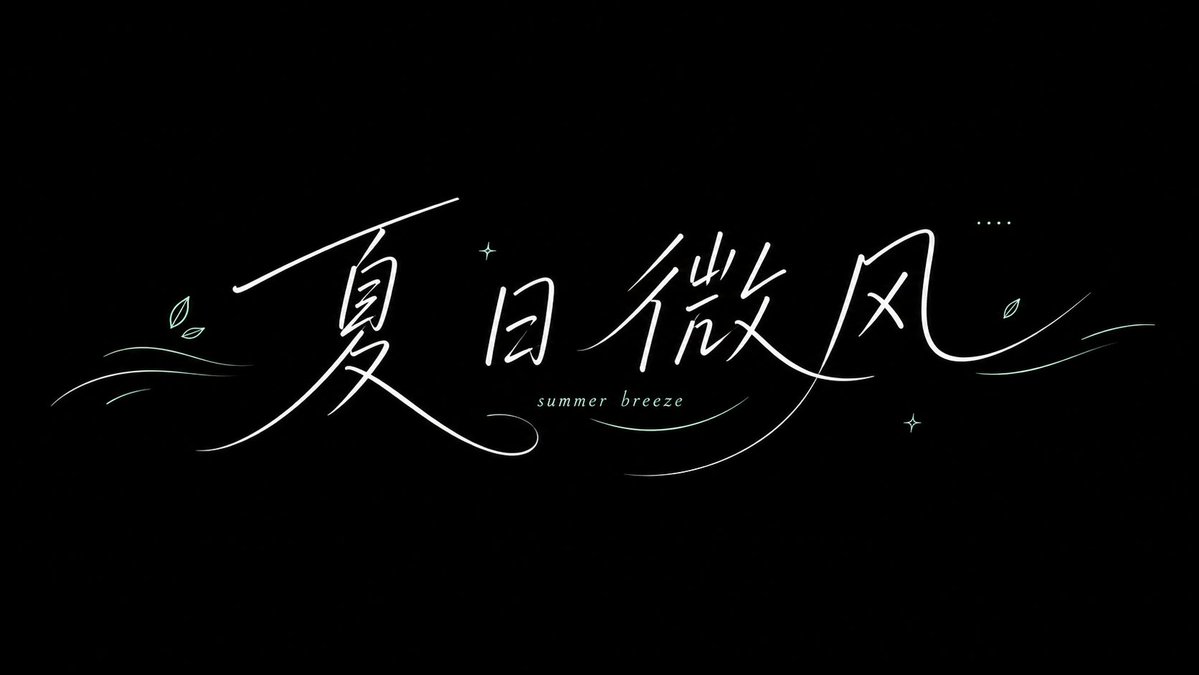
Minimalist Summer Handwriting Typography
Enlarge

Minimalist Summer Handwriting Typography

Prompt
Generate a refreshing summer handwritten font visual based on specific theme content: the background is a large area of fresh color schemes or bright color fields derived from the theme. The main characters use white slender handwriting, with smooth strokes, long arcs, and wind-like tails. Some glyphs can be interspersed with small English letters and decorative lines. The center of the composition is left for the main characters to breathe, with light misalignment between glyphs, resembling a wind, weather, or lifestyle brand. Colors retain high-saturation but clean main color bases, bright white characters, and a few light-colored fine lines, creating a transparent, brisk, and airy mood. The key is the floating direction of the strokes and the white space; do not make it into heavy slogan characters.

Text: Summer Breeze
Note: White text on black background
Ratio 16:9
Category
Products & E-commerce
Model
GPT Image 2
Views6
Source ID
youmind-24111

Guide

About "Minimalist Summer Handwriting Typography"

What is this prompt for?

"Minimalist Summer Handwriting Typography" AI image prompt for GPT Image 2 (Products & E-commerce). Generate a refreshing summer handwritten font visual based…

The full copyable prompt and example visuals above are ready for AI image generation or one-click recreate in Picva.

How to use this prompt

  1. Step 1

    Open the prompt detail

    Review the example visuals, category, and full prompt text for "Minimalist Summer Handwriting Typography".

  2. Step 2

    Copy the prompt

    Copy the prompt body from this page, or load it directly in Studio.

  3. Step 3

    Pick a model (GPT Image 2)

    Prefer GPT Image 2. If you switch models, keep subject and composition and tweak style terms.

  4. Step 4

    Generate and export

    Recreate the look in Picva, or export into your workflow for editing and publishing.

FAQ

What is the "Minimalist Summer Handwriting Typography" prompt?
It is an AI image-generation prompt for GPT Image 2 in the Products & E-commerce category. This page includes the full prompt text, example visuals, and a one-click recreate path in Picva.
How do I use this prompt to generate an image?
Copy the prompt from this page, or use Generate / Studio. Paste it into a compatible image model, or recreate the look in Picva with optional reference images.
Which model is this prompt for?
This page lists GPT Image 2. Most descriptive prompts also transfer to nearby image models such as GPT Image, Flux, or Midjourney with light style tweaks.
Can I use the result commercially?
You can usually copy the prompt for creation, but commercial use of the final image depends on the model terms, reference-image rights, and the generated content. Follow the source author and platform rules.