20

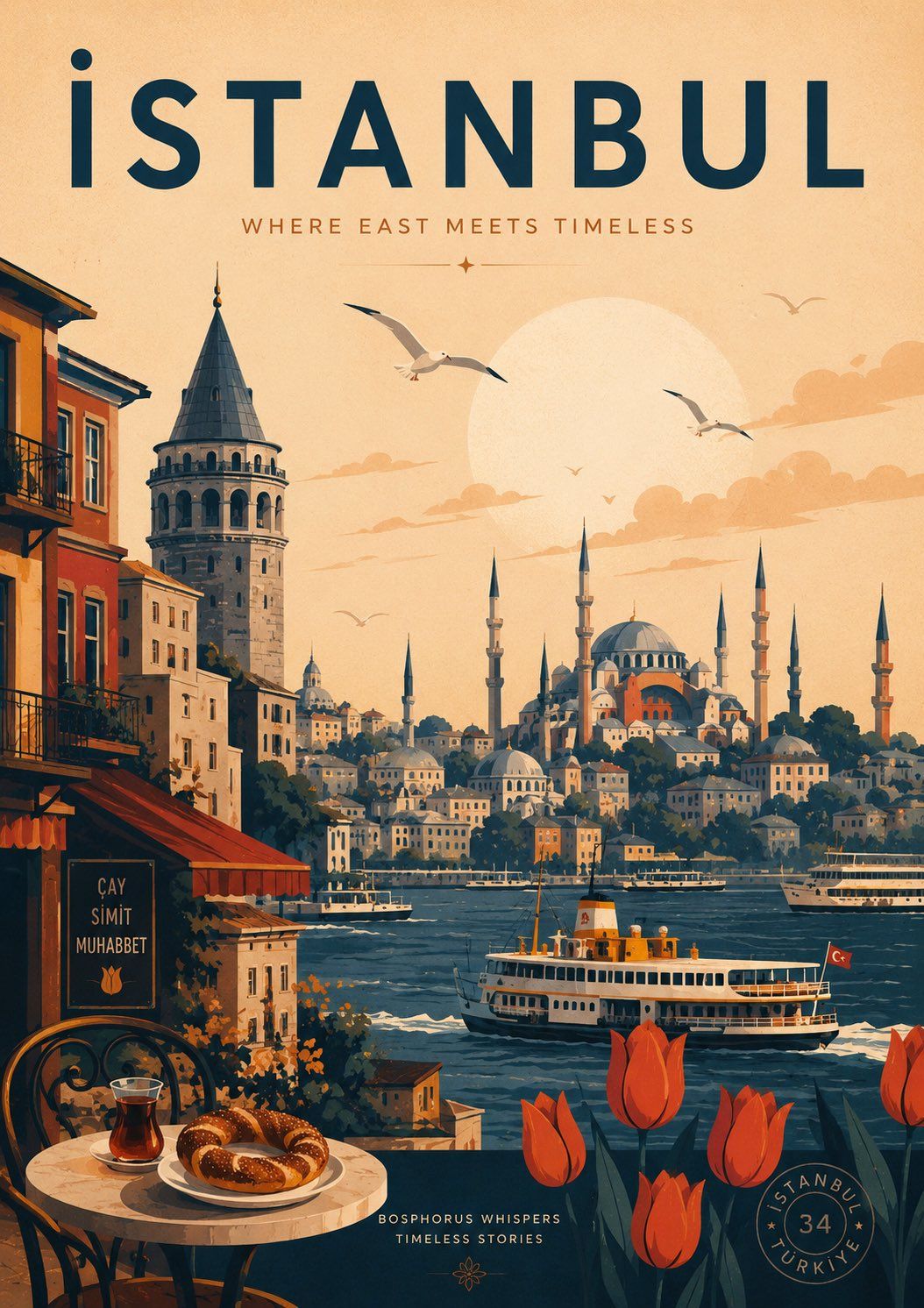
Wild Fever Studio风格现代旅行海报
Enlarge

Example images

Wild Fever Studio风格现代旅行海报

Prompt
Create a modern AI-generated travel poster inspired by the aesthetic of Wild Fever Studio on Etsy, featuring (CITY) as the central theme. Blend the city’s local identity with minimalist architectural illustration, simplified geometric forms, and a refined contemporary visual system. Highlight iconic (LANDMARKS) such as Hagia Sophia, the Blue Mosque, Galata Tower, Bosphorus ferries, colorful streets, Turkish cafés, seagulls, tulips, and warm sunset tones. Use a balanced editorial-style composition with soft grain texture, bold typography, retro-modern travel poster energy, muted yet cinematic colors, and clean negative space. The atmosphere should feel artistic, sophisticated, nostalgic, and culturally rich combining Mediterranean warmth with modern design aesthetics suitable for Pinterest-worthy urban travel posters.
Category
Posters & Typography
Model
ChatGPT
Views67
Source ID
15082
Published
May 27, 2026

Guide

About "Wild Fever Studio风格现代旅行海报"

What is this prompt for?

"Wild Fever Studio风格现代旅行海报" AI image prompt for ChatGPT (Posters & Typography). 创建一个受 Etsy 上 Wild Fever Studio 美学启发的现代 AI 生成旅行海报,以(城市)为中心主题。将城市的本土特色与极简主义建筑插图、简…

The full copyable prompt and example visuals above are ready for AI image generation or one-click recreate in Picva.

How to use this prompt

  1. Step 1

    Open the prompt detail

    Review the example visuals, category, and full prompt text for "Wild Fever Studio风格现代旅行海报".

  2. Step 2

    Copy the prompt

    Copy the prompt body from this page, or load it directly in Studio.

  3. Step 3

    Pick a model (ChatGPT)

    Prefer ChatGPT. If you switch models, keep subject and composition and tweak style terms.

  4. Step 4

    Generate and export

    Recreate the look in Picva, or export into your workflow for editing and publishing.

FAQ

What is the "Wild Fever Studio风格现代旅行海报" prompt?
It is an AI image-generation prompt for ChatGPT in the Posters & Typography category. This page includes the full prompt text, example visuals, and a one-click recreate path in Picva.
How do I use this prompt to generate an image?
Copy the prompt from this page, or use Generate / Studio. Paste it into a compatible image model, or recreate the look in Picva with optional reference images.
Which model is this prompt for?
This page lists ChatGPT. Most descriptive prompts also transfer to nearby image models such as GPT Image, Flux, or Midjourney with light style tweaks.
Can I use the result commercially?
You can usually copy the prompt for creation, but commercial use of the final image depends on the model terms, reference-image rights, and the generated content. Follow the source author and platform rules.