20

极简高端品牌视觉识别指南
Enlarge

Example images

极简高端品牌视觉识别指南

Prompt
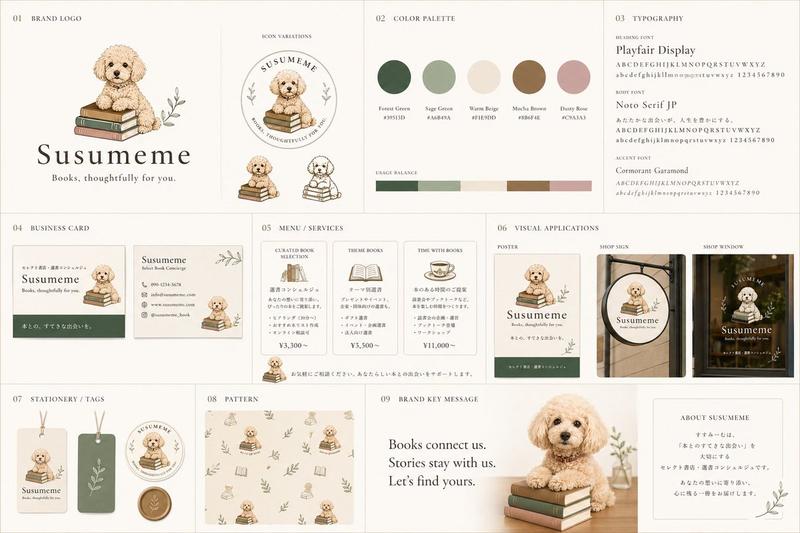
Create a clean, premium *brand identity guideline sheet* for *[Brand Name]*. On the left, showcase a realistic hero product package with a blurred logo background. On the right, present a modern brand guide including logo variations, color palette with hex codes, typography, tagline, mission, brand story, core values, product benefits, product range, sustainability icons, and a QR code. Add a bottom section featuring lifestyle or supply chain imagery with short captions, plus a minimal footer containing social media icons, brand slogan, and website. Use a polished corporate editorial layout with balanced spacing, high-end mockups, and professional branding.
Category
Charts & Infographics
Model
ChatGPT
Views0
Source ID
17510
Published
Jul 7, 2026

Guide

About "极简高端品牌视觉识别指南"

What is this prompt for?

"极简高端品牌视觉识别指南" AI image prompt for ChatGPT (Charts & Infographics). 为 *[品牌名称]* 创建一个简洁、高端的*品牌识别指南单页*。在左侧,展示一个带有模糊徽标背景的真实核心产品包装。在右侧,展示一份现代品牌指南,包括徽标变体、带有十六进制代码的调色…

The full copyable prompt and example visuals above are ready for AI image generation or one-click recreate in Picva.

How to use this prompt

  1. Step 1

    Open the prompt detail

    Review the example visuals, category, and full prompt text for "极简高端品牌视觉识别指南".

  2. Step 2

    Copy the prompt

    Copy the prompt body from this page, or load it directly in Studio.

  3. Step 3

    Pick a model (ChatGPT)

    Prefer ChatGPT. If you switch models, keep subject and composition and tweak style terms.

  4. Step 4

    Generate and export

    Recreate the look in Picva, or export into your workflow for editing and publishing.

FAQ

What is the "极简高端品牌视觉识别指南" prompt?
It is an AI image-generation prompt for ChatGPT in the Charts & Infographics category. This page includes the full prompt text, example visuals, and a one-click recreate path in Picva.
How do I use this prompt to generate an image?
Copy the prompt from this page, or use Generate / Studio. Paste it into a compatible image model, or recreate the look in Picva with optional reference images.
Which model is this prompt for?
This page lists ChatGPT. Most descriptive prompts also transfer to nearby image models such as GPT Image, Flux, or Midjourney with light style tweaks.
Can I use the result commercially?
You can usually copy the prompt for creation, but commercial use of the final image depends on the model terms, reference-image rights, and the generated content. Follow the source author and platform rules.