19

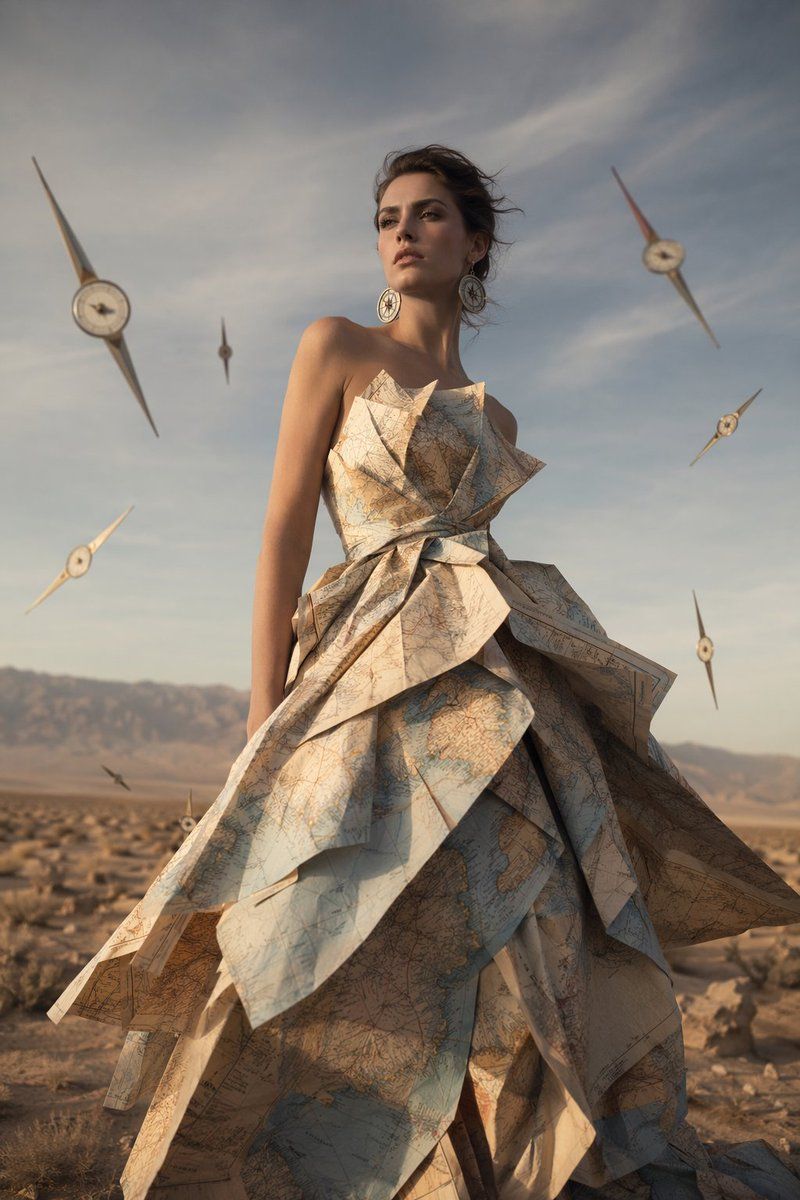
超现实地图礼服时尚大片
Enlarge

超现实地图礼服时尚大片

Prompt
A high-fashion editorial photograph of a female model standing in an {argument name="environment" default="arid desert landscape"} with distant mountains under a soft cloudy sky. She is wearing a spectacular, structured haute couture dress made entirely of folded {argument name="dress material" default="vintage maps"}, featuring sharp, origami-like geometric layers and a strapless bodice. She has dark hair swept up, striking facial features, and wears large circular earrings resembling compasses. Surrounding her in the air are exactly 7 floating {argument name="floating objects" default="elongated compass needles with clock faces in the center"}. The image features {argument name="lighting" default="cinematic late afternoon lighting"}, casting soft shadows and highlighting the textures of the paper dress and the dry earth. Photorealistic, surreal fashion photography.
Category
Charts & Infographics
Model
GPT Image 2
Creator
BrianChen
Views3
Source ID
13665
Published
Apr 15, 2026

Guide

About "超现实地图礼服时尚大片"

What is this prompt for?

"超现实地图礼服时尚大片" AI image prompt for GPT Image 2 (Charts & Infographics). 生成一张电影感、超现实的时尚肖像,展示模特身着由地图制成的折纸风格礼服,背景为沙漠。 Copy it on Picva and recreate the look in one…

The full copyable prompt and example visuals above are ready for AI image generation or one-click recreate in Picva.

How to use this prompt

  1. Step 1

    Open the prompt detail

    Review the example visuals, category, and full prompt text for "超现实地图礼服时尚大片".

  2. Step 2

    Copy the prompt

    Copy the prompt body from this page, or load it directly in Studio.

  3. Step 3

    Pick a model (GPT Image 2)

    Prefer GPT Image 2. If you switch models, keep subject and composition and tweak style terms.

  4. Step 4

    Generate and export

    Recreate the look in Picva, or export into your workflow for editing and publishing.

FAQ

What is the "超现实地图礼服时尚大片" prompt?
It is an AI image-generation prompt for GPT Image 2 in the Charts & Infographics category. This page includes the full prompt text, example visuals, and a one-click recreate path in Picva.
How do I use this prompt to generate an image?
Copy the prompt from this page, or use Generate / Studio. Paste it into a compatible image model, or recreate the look in Picva with optional reference images.
Which model is this prompt for?
This page lists GPT Image 2. Most descriptive prompts also transfer to nearby image models such as GPT Image, Flux, or Midjourney with light style tweaks.
Can I use the result commercially?
You can usually copy the prompt for creation, but commercial use of the final image depends on the model terms, reference-image rights, and the generated content. Follow the source author and platform rules.