20

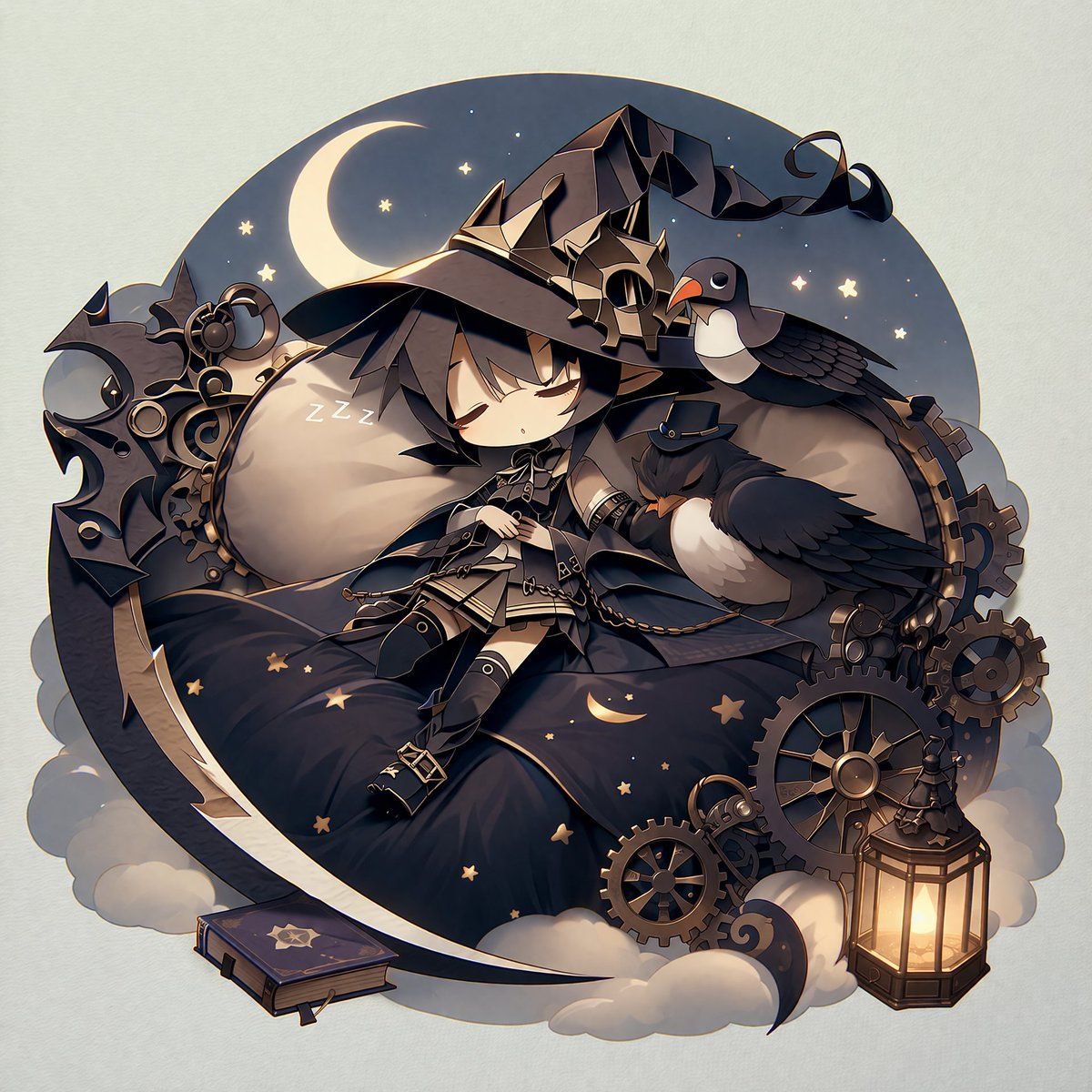
蒸汽朋克 Q 版女巫贴纸插画
Enlarge

蒸汽朋克 Q 版女巫贴纸插画

Prompt
A 2D anime illustration of a sleeping {argument name="character type" default="chibi witch"} with black hair, wearing a large black hat decorated with {argument name="hat decoration" default="metal gears"} and a dark outfit with belts. She rests on a soft, dark blue starry pillow shaped like a crescent moon, with "ZZZ" floating near her head. She is accompanied by {argument name="animal companions" default="two black birds, one wearing a tiny top hat"}. The scene is framed by a circular night sky background featuring a glowing crescent moon and stars. The bottom edge is adorned with fluffy clouds and {argument name="props" default="steampunk gears, a glowing lantern, and a closed spellbook"}. The artwork features a {argument name="color palette" default="dark blue, black, and warm gold"} color palette and is styled as a paper cutout or die-cut sticker with a soft drop shadow against a plain off-white background.
Category
Posters & Typography
Model
GPT Image 2
Creator
minesan
Views6
Source ID
14069
Published
Apr 15, 2026

Guide

About "蒸汽朋克 Q 版女巫贴纸插画"

What is this prompt for?

"蒸汽朋克 Q 版女巫贴纸插画" AI image prompt for GPT Image 2 (Posters & Typography). 生成一张 2D 动漫风格的模切贴纸插画,描绘了带有蒸汽朋克元素和动物伙伴的 Q 版睡眠角色。 Copy it on Picva and recreate the look…

The full copyable prompt and example visuals above are ready for AI image generation or one-click recreate in Picva.

How to use this prompt

  1. Step 1

    Open the prompt detail

    Review the example visuals, category, and full prompt text for "蒸汽朋克 Q 版女巫贴纸插画".

  2. Step 2

    Copy the prompt

    Copy the prompt body from this page, or load it directly in Studio.

  3. Step 3

    Pick a model (GPT Image 2)

    Prefer GPT Image 2. If you switch models, keep subject and composition and tweak style terms.

  4. Step 4

    Generate and export

    Recreate the look in Picva, or export into your workflow for editing and publishing.

FAQ

What is the "蒸汽朋克 Q 版女巫贴纸插画" prompt?
It is an AI image-generation prompt for GPT Image 2 in the Posters & Typography category. This page includes the full prompt text, example visuals, and a one-click recreate path in Picva.
How do I use this prompt to generate an image?
Copy the prompt from this page, or use Generate / Studio. Paste it into a compatible image model, or recreate the look in Picva with optional reference images.
Which model is this prompt for?
This page lists GPT Image 2. Most descriptive prompts also transfer to nearby image models such as GPT Image, Flux, or Midjourney with light style tweaks.
Can I use the result commercially?
You can usually copy the prompt for creation, but commercial use of the final image depends on the model terms, reference-image rights, and the generated content. Follow the source author and platform rules.