个性化立体童话书
Prompt
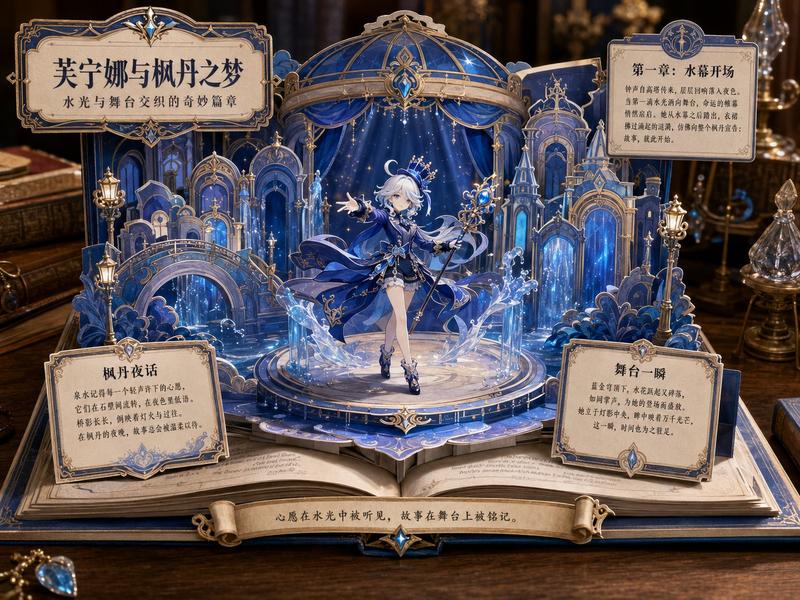
Goal: Create an ornate 3D pop-up storybook scene where {argument name="character name" default="Nozomu"} appears to leap out of an open fairy-tale book, as if a custom character illustration has become a luxurious paper craft diorama.

Canvas: Square composition, warm cinematic close-up view from slightly above, centered on an open book resting on a dark antique wooden desk. Use shallow depth of field, glowing candlelight, amber highlights, soft shadows, and a magical vintage atmosphere.

Main subject: A beautiful anime-style young woman in an extravagant {argument name="dress color" default="deep red"} ball gown sits/steps forward from the pop-up pages. She has long softly curled brown hair, delicate jewelry, bare shoulders, lace gloves, and layered translucent ruffles with gold sparkles. Her face should be intentionally covered by a soft square blur/mosaic privacy mask while the rest of the illustration remains sharp and detailed.

Pop-up book structure: Build the scene from layered cut-paper pieces with thick white paper edges, scalloped borders, tabs, folds, and dimensional shadows. Include exactly 8 major pop-up elements: 1 large central character cutout, 1 curved title sign at the upper left, 1 moon-and-stars night-sky arch behind the character, 1 cream vintage sofa on the right, 1 tall arched window on the far right, 1 small purple castle on the left, 1 ornate chapter placard on the lower right, and 1 central folded stair/path bridge rising from the open pages toward the character.

Decorative details: Use abundant roses, vines, tiny stars, clouds, gold filigree, ribbons, lace-like paper trims, and scattered rose petals. Surround the book with antique props including candles, a clock, dark floral decor, and gilded frames, all blurred slightly in the background.

Text content: Use elegant Japanese storybook typography printed directly on the paper. The upper-left title sign should read 「ようこそ、のぞむの世界へ」 with the subtitle 「夢と魔法のはじまり」. Add exactly 4 readable story text areas: 1 small name plaque on the left reading 「のぞむ」, 1 large left-page story panel, 1 right-page story panel, and 1 lower-right chapter card reading 「第1章 のぞむと赤いドレスの夜」. Add a bottom ribbon label reading 「のぞむのものがたり」. Keep the Japanese text decorative and believable, not overly crisp.

Style: Highly detailed anime illustration mixed with realistic handcrafted pop-up book photography, romantic princess fantasy, rococo ornamentation, warm beige parchment paper, deep reds, gold accents, dusky purple night sky, magical sparkles, premium children’s picture-book aesthetic.

Constraints: The open book must be the main object, not a flat poster. Maintain strong 3D paper depth and visible layered construction. Do not add extra characters. Do not include watermarks, logos, modern objects, or English text.- Category
- Charts & Infographics
- Model
- GPT Image 2
- Creator
- のぞむ*AIイラスト
- Source ID
- 19316
- Published
- May 9, 2026
Views1