17

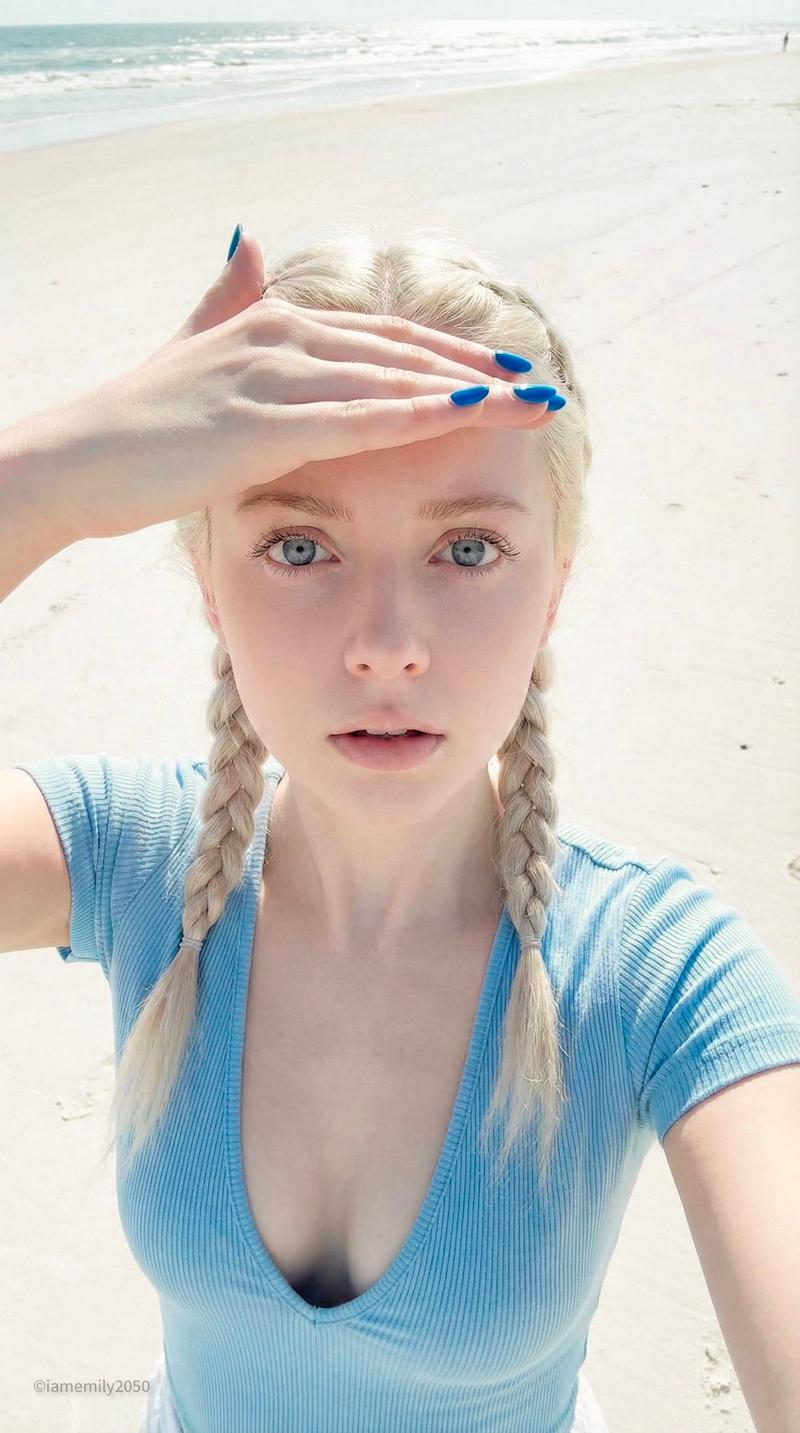
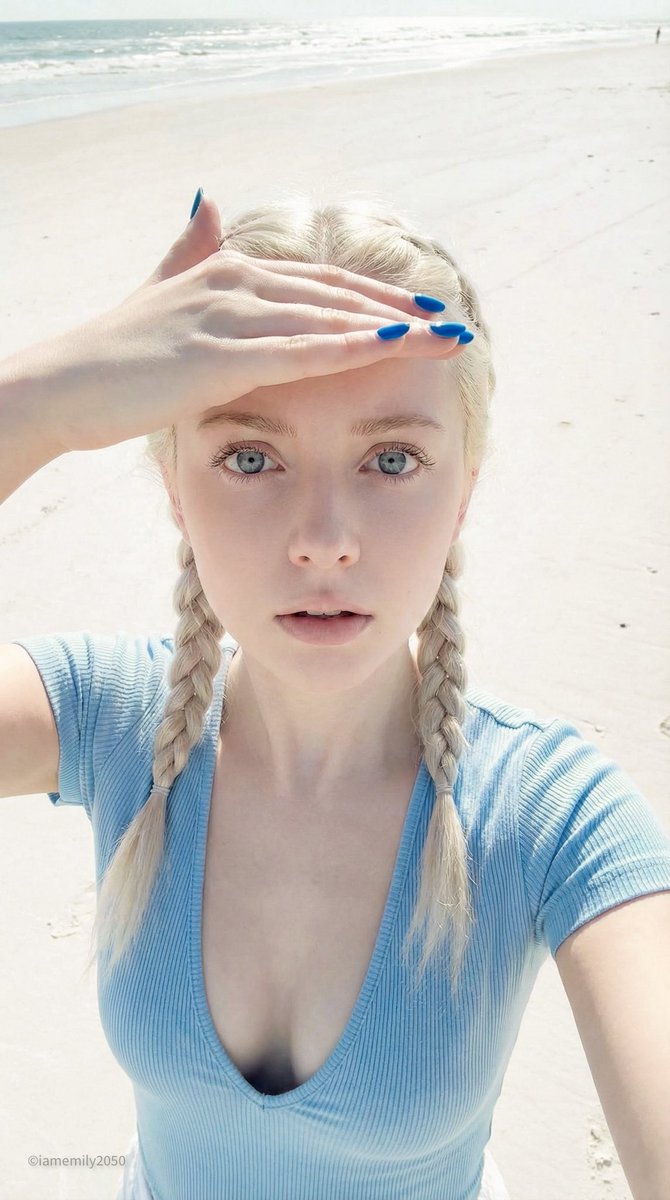
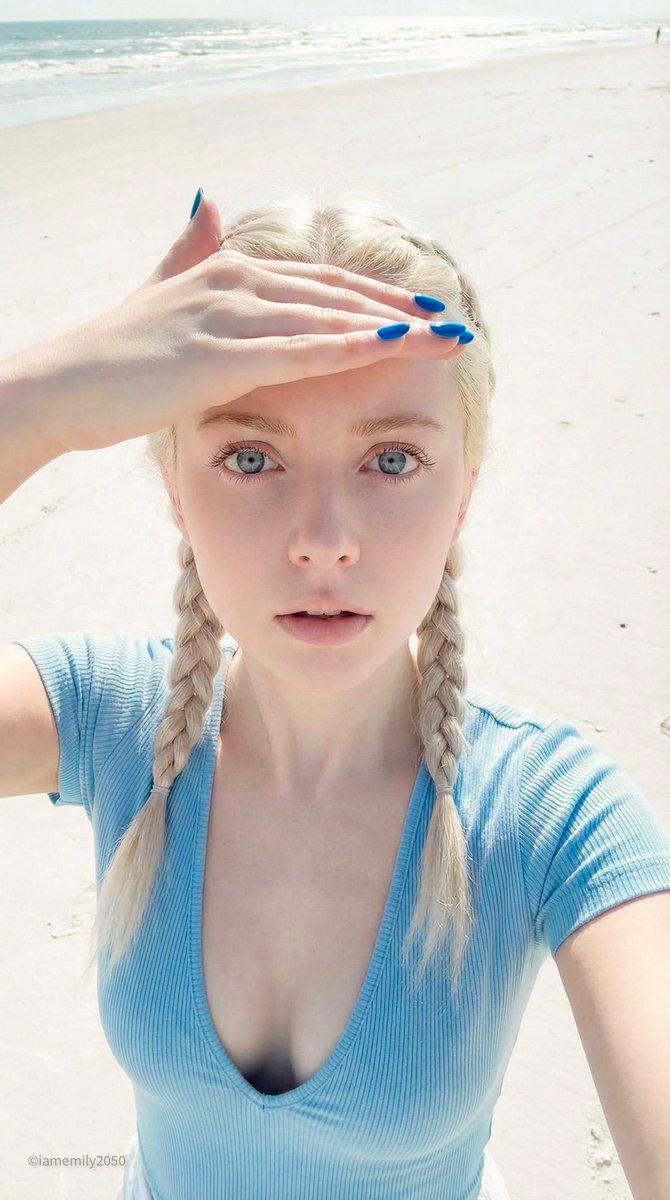
柔和色调海滩自拍肖像
Enlarge

Example images

柔和色调海滩自拍肖像

Prompt
A realistic high-angle beach selfie of a young woman standing on bright white sand under harsh midday sunlight, framed from just above the head to the upper thighs in a vertical smartphone composition. She has {argument name="hair color" default="black"} hair parted in the center and styled into 2 long braided pigtails, one on each side. Her face is mostly obscured by her raised hand shading her eyes from the sun, creating a candid, slightly anonymous look. She is wearing a fitted ribbed deep V-neck cap-sleeve crop top in {argument name="top color" default="pale baby blue"} and low-rise {argument name="bottom color" default="white"} bottoms visible at the waist. Her body is slim with a soft, glamorous fashion-photo look. One arm is extended toward the camera holding the phone for the selfie, while the other hand rests across her forehead to block the sunlight. The lighting is extremely bright and washed with soft pale tones, producing delicate skin highlights, gentle shadows, and a clean airy summer aesthetic. Background is a minimal sandy beach with a faint strip of shoreline and water near the top edge, no other people, no props, no buildings. Style should feel like a polished social-media beach selfie, realistic skin texture, subtle retouching, soft pastel color grading, high detail, natural pose, feminine and youthful summer mood.
Category
Posters & Typography
Model
GPT Image 2
Views15
Source ID
14884
Published
Apr 22, 2026

Guide

About "柔和色调海滩自拍肖像"

What is this prompt for?

"柔和色调海滩自拍肖像" AI image prompt for GPT Image 2 (Posters & Typography). 此提示词可生成一张光线柔和、充满青春夏日时尚感的写实海滩自拍肖像,适用于生活方式、社交媒体或编辑风格的图像创作。 Copy it on Picva and recreate the…

The full copyable prompt and example visuals above are ready for AI image generation or one-click recreate in Picva.

How to use this prompt

  1. Step 1

    Open the prompt detail

    Review the example visuals, category, and full prompt text for "柔和色调海滩自拍肖像".

  2. Step 2

    Copy the prompt

    Copy the prompt body from this page, or load it directly in Studio.

  3. Step 3

    Pick a model (GPT Image 2)

    Prefer GPT Image 2. If you switch models, keep subject and composition and tweak style terms.

  4. Step 4

    Generate and export

    Recreate the look in Picva, or export into your workflow for editing and publishing.

FAQ

What is the "柔和色调海滩自拍肖像" prompt?
It is an AI image-generation prompt for GPT Image 2 in the Posters & Typography category. This page includes the full prompt text, example visuals, and a one-click recreate path in Picva.
How do I use this prompt to generate an image?
Copy the prompt from this page, or use Generate / Studio. Paste it into a compatible image model, or recreate the look in Picva with optional reference images.
Which model is this prompt for?
This page lists GPT Image 2. Most descriptive prompts also transfer to nearby image models such as GPT Image, Flux, or Midjourney with light style tweaks.
Can I use the result commercially?
You can usually copy the prompt for creation, but commercial use of the final image depends on the model terms, reference-image rights, and the generated content. Follow the source author and platform rules.