19

单色影棚人像
Enlarge

单色影棚人像

Prompt
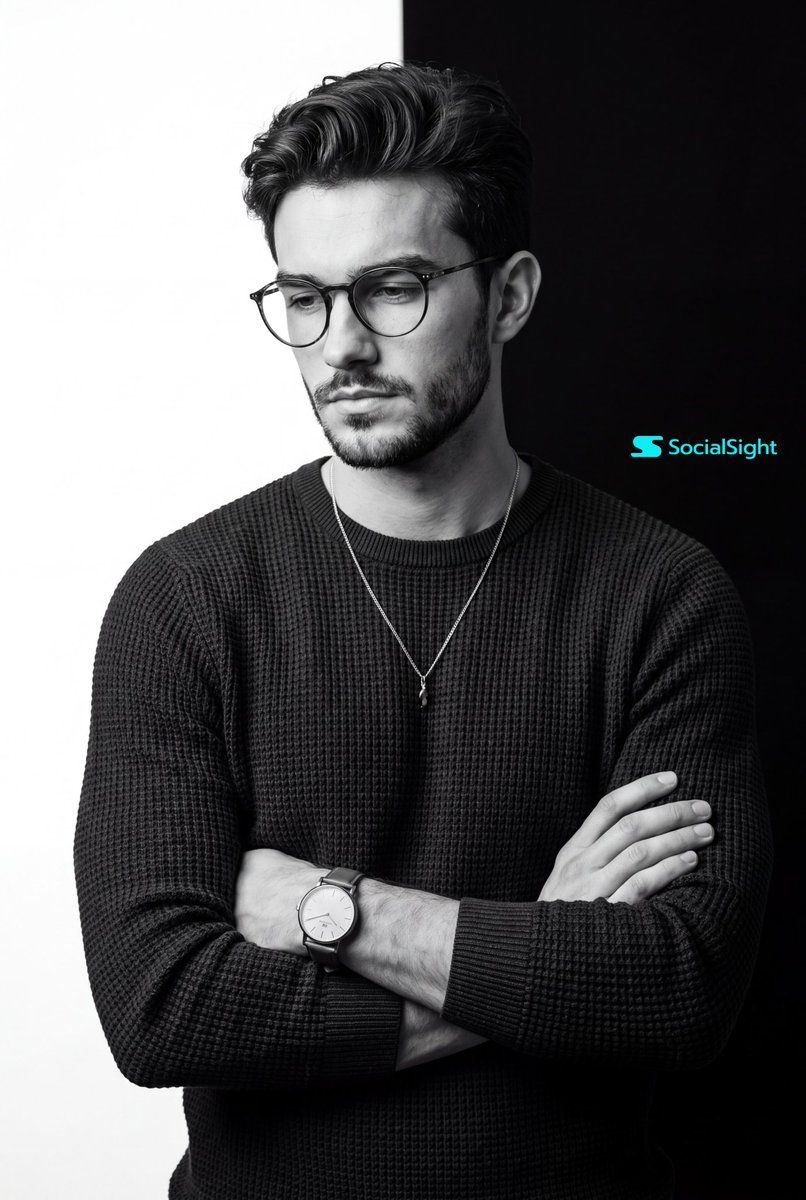
A stunning black and white studio portrait of {argument name="subject" default="uploaded person"}. Eye-level medium shot, framed from the waist up. The subject is standing with his arms casually but firmly crossed over his chest. He is looking downward and slightly off-camera to the left with a calm, contemplative posture. He is wearing a {argument name="outfit" default="dark, heavy-textured waffle-knit long-sleeve sweater"} and a delicate silver chain necklace with a small pendant. He is wearing a classic analog watch with a light dial and leather strap on the lower arm. The background is a {argument name="background style" default="stark, graphic vertical split: pure white on the left half and pure deep black on the right half"}. High-end commercial photography, monochrome masterpiece. Soft but dramatic directional studio lighting originating from the left, highlighting the textures of the clothing and skin while casting natural, smooth shadows on the right side. Crisp focus, hyper-realistic,8k resolution, cinematic composition. ar 4:5
Category
Charts & Infographics
Model
GPT Image 2
Creator
K
Views3
Source ID
16526
Published
Apr 27, 2026

Guide

About "单色影棚人像"

What is this prompt for?

"单色影棚人像" AI image prompt for GPT Image 2 (Charts & Infographics). 一个高端商业摄影提示词,用于创作具有独特分割背景和戏剧性影棚灯光的单色人像。 Copy it on Picva and recreate the look in one click.

The full copyable prompt and example visuals above are ready for AI image generation or one-click recreate in Picva.

How to use this prompt

  1. Step 1

    Open the prompt detail

    Review the example visuals, category, and full prompt text for "单色影棚人像".

  2. Step 2

    Copy the prompt

    Copy the prompt body from this page, or load it directly in Studio.

  3. Step 3

    Pick a model (GPT Image 2)

    Prefer GPT Image 2. If you switch models, keep subject and composition and tweak style terms.

  4. Step 4

    Generate and export

    Recreate the look in Picva, or export into your workflow for editing and publishing.

FAQ

What is the "单色影棚人像" prompt?
It is an AI image-generation prompt for GPT Image 2 in the Charts & Infographics category. This page includes the full prompt text, example visuals, and a one-click recreate path in Picva.
How do I use this prompt to generate an image?
Copy the prompt from this page, or use Generate / Studio. Paste it into a compatible image model, or recreate the look in Picva with optional reference images.
Which model is this prompt for?
This page lists GPT Image 2. Most descriptive prompts also transfer to nearby image models such as GPT Image, Flux, or Midjourney with light style tweaks.
Can I use the result commercially?
You can usually copy the prompt for creation, but commercial use of the final image depends on the model terms, reference-image rights, and the generated content. Follow the source author and platform rules.