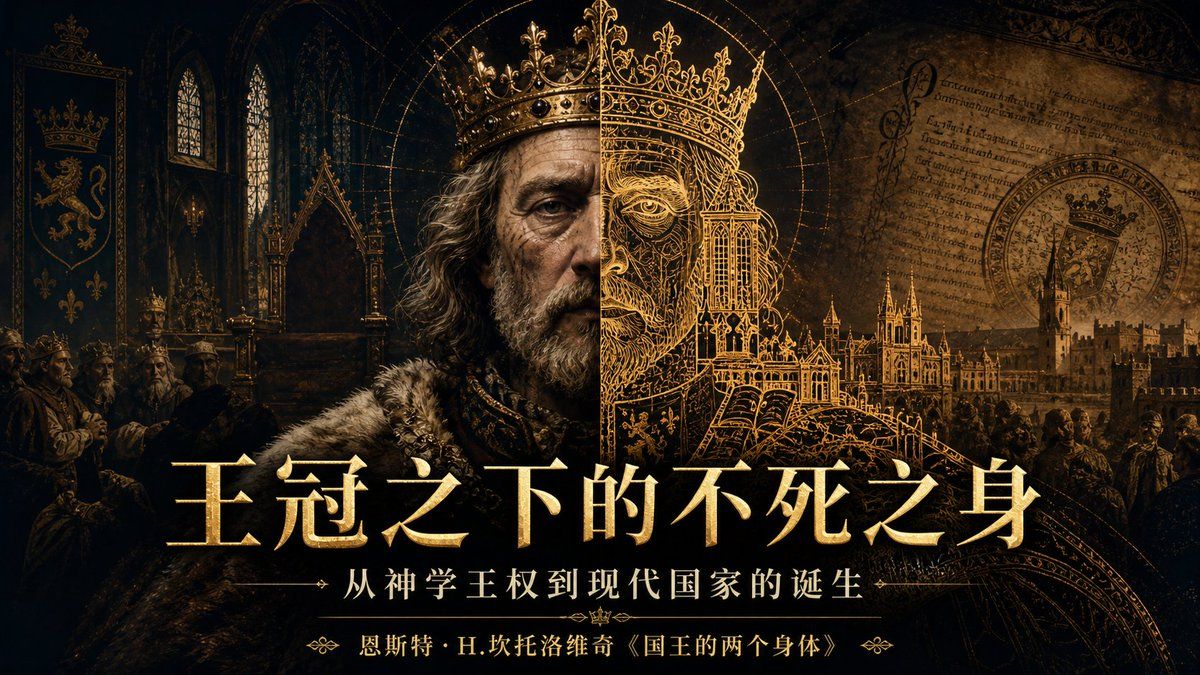
哥特式皇家播客封面
Prompt
Create a cinematic 16:9 podcast cover in a dark medieval-gothic royal style, like an HBO historical documentary poster. The scene is inside a shadowy cathedral throne room with black stone arches, two tall pointed stained-glass windows, carved gothic architecture, candlelit gold highlights, and a deep black-and-burnished-gold color palette. In the center foreground place the partial bust of an aging king in a heavy fur mantle and ornate collar, facing forward; his head is backed by an intricate oversized golden crown that forms a halo-like architectural diagram, but cover the face with a plain vertical brown rectangle as if anonymized. Behind him blend detailed gold line art of a crown, a grand cathedral-city, a royal seal, manuscript parchment with Latin-like writing, and a crowded medieval court. On the left include one tall heraldic banner with a crowned lion crest and a crown emblem, plus four small seated courtiers at the lower left with their faces obscured by small brown rectangles. Use dramatic chiaroscuro, smoky texture, antique parchment grain, fine engraved details, and luminous metallic gold typography. Add exactly three centered text lines at the bottom: the large main title {argument name="main title" default="王冠之下的不死之身"}, a smaller subtitle between thin horizontal divider lines with arrow ornaments {argument name="subtitle" default="从神学王权到现代国家的诞生"}, and a small author/source line with decorative flourishes {argument name="source line" default="恩斯特·H.坎托洛维奇《国王的两个身体》"}. Make the layout balanced and poster-like, with the title occupying the lower third, the crown halo dominating the upper center, and no modern objects.- Category
- Charts & Infographics
- Model
- GPT Image 2
- Creator
- dapenti
- Source ID
- 18883
- Published
- May 7, 2026
Views6