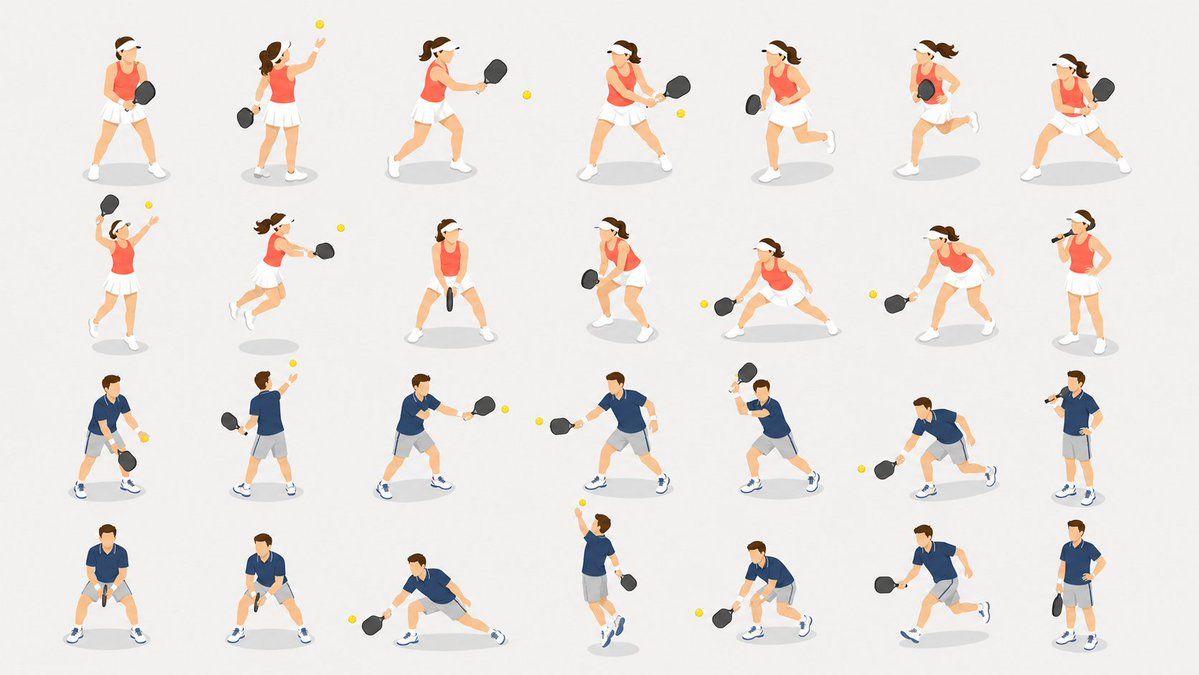
等距视角匹克球动作素材表
Prompt
{"type":"isometric vector character pose sheet","subject":"28 small isometric sports people playing {argument name=\"sport\" default=\"pickleball\"}, arranged as reusable presentation and website illustrations","style":{"rendering":"clean flat vector illustration with soft gradients, no outlines or very minimal outlines, simple facial features, consistent isometric three-quarter perspective","background":"plain {argument name=\"background color\" default=\"warm light gray\"} canvas","shadows":"soft pale gray oval drop shadow under every figure","props":"black paddles and small {argument name=\"ball color\" default=\"bright yellow\"} balls"},"layout":{"format":"wide 16:9 sheet, evenly spaced grid","total_figures":28,"grid":"4 rows x 7 columns","sections":[{"title":"female player poses","position":"top two rows","count":14,"appearance":"brown ponytail, white visor, sleeveless {argument name=\"female outfit color\" default=\"coral orange\"} athletic top, white tennis skirt, white shoes, black paddle","poses":["ready stance holding paddle in front","tossing ball upward with paddle behind body","stepping forward to hit forehand","two-handed backhand swing","running side view with paddle down","running while holding paddle near torso","wide defensive stance with paddle ready","overhead serve or smash with ball above","leaping or lunging forehand toward ball","front-facing ready stance paddle centered","low crouched ready stance","deep side lunge reaching low ball","low forehand reach while stepping","standing relaxed drinking from a bottle while holding paddle"]},{"title":"male player poses","position":"bottom two rows","count":14,"appearance":"short brown hair, navy blue polo shirt, light gray shorts, white socks, white sneakers with blue accents, black paddle","poses":["standing ready with ball in off hand and paddle down","back view tossing ball upward to serve","forehand shot stepping forward","wide forehand reach toward ball","running forward with paddle raised","low lunge reaching ball near ground","standing relaxed drinking from a bottle","front-facing squat ready stance with paddle centered","low ready stance turning slightly","deep side lunge striking low ball","jumping overhead hit with ball above","crouched defensive reach","running side view with paddle behind","standing relaxed holding paddle at side"]}]},"composition":"large amount of negative space between figures, each pose isolated for easy cropping, consistent scale across all characters, no text labels, no court lines, no borders","quality":"crisp high-resolution presentation-ready asset sheet, harmonious colors, clean modern business illustration aesthetic"}- Category
- UI & Interfaces
- Model
- GPT Image 2
- Creator
- サボテン|AI活用Tips
- Source ID
- 18929
- Published
- May 7, 2026
Views2