19

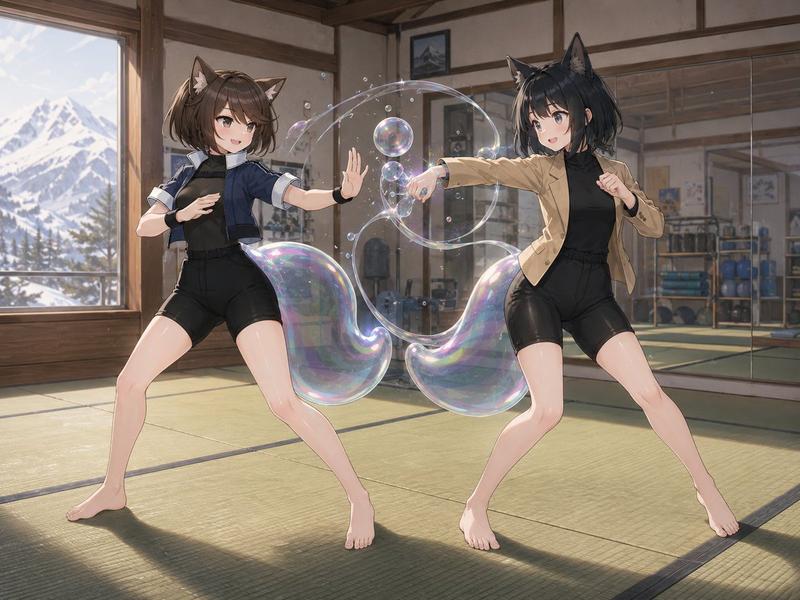
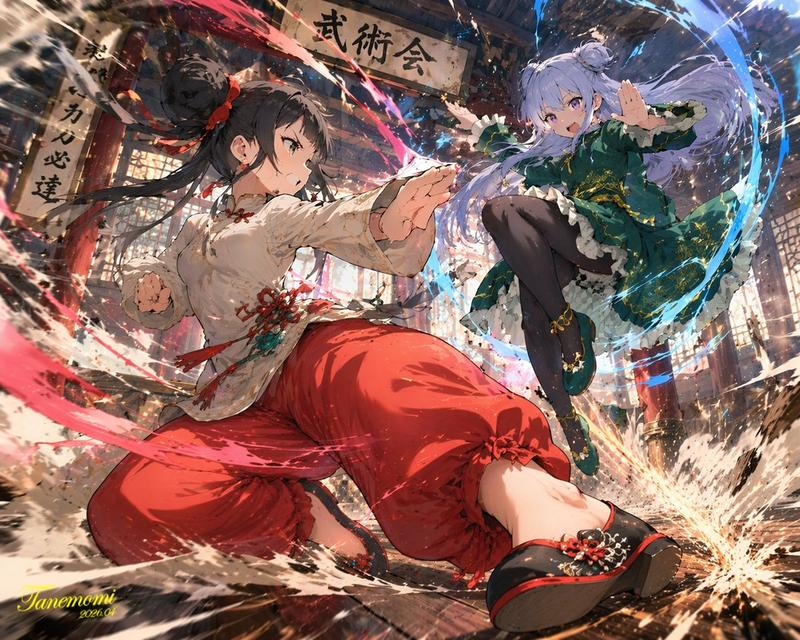
狐耳道场切磋场景
Enlarge

狐耳道场切磋场景

Prompt
Create a polished anime-style illustration of {argument name="character names" default="Yuri and Liangfang"} sparring inside a traditional martial arts dojo. The scene contains exactly 2 barefoot young women with fox/cat-like animal ears, both in dynamic fighting stances on green tatami mats: the left character has short brown hair, brown animal ears, a navy cropped jacket over a black fitted training outfit with black shorts and wrist guards, stepping wide with one palm raised defensively; the right character has short black hair, black animal ears, a tan blazer over a black fitted training outfit with black shorts, throwing a straight punch toward the left character while guarding with her other fist. Both faces should be softly blurred or indistinct, with no clear facial features. Add a magical soap-bubble energy effect between their hands: exactly 3 large iridescent transparent bubbles or bubble-rings, plus exactly 10 smaller floating bubbles, all catching rainbow highlights and forming a swirling arc around the punch. The dojo has wooden beams, sliding-style walls, a wall mirror on the right reflecting gym equipment, shelves with blue exercise balls and training gear, framed pictures, warm sunlight, and a large window on the left showing snowy mountains and pine trees outside. Use cinematic composition, soft natural lighting, detailed anime rendering, clean linework, realistic perspective, glossy highlights on skin and bubbles, no text, no watermark.
Category
Photography & Realism
Model
GPT Image 2
Views5
Source ID
20117
Published
May 13, 2026

Guide

About "狐耳道场切磋场景"

What is this prompt for?

"狐耳道场切磋场景" AI image prompt for GPT Image 2 (Photography & Realism). 生成一张动漫风格插画,描绘两名长着狐耳的战士在阳光明媚的道场中切磋,并带有虹彩气泡能量特效。 Copy it on Picva and recreate the look in on…

The full copyable prompt and example visuals above are ready for AI image generation or one-click recreate in Picva.

How to use this prompt

  1. Step 1

    Open the prompt detail

    Review the example visuals, category, and full prompt text for "狐耳道场切磋场景".

  2. Step 2

    Copy the prompt

    Copy the prompt body from this page, or load it directly in Studio.

  3. Step 3

    Pick a model (GPT Image 2)

    Prefer GPT Image 2. If you switch models, keep subject and composition and tweak style terms.

  4. Step 4

    Generate and export

    Recreate the look in Picva, or export into your workflow for editing and publishing.

FAQ

What is the "狐耳道场切磋场景" prompt?
It is an AI image-generation prompt for GPT Image 2 in the Photography & Realism category. This page includes the full prompt text, example visuals, and a one-click recreate path in Picva.
How do I use this prompt to generate an image?
Copy the prompt from this page, or use Generate / Studio. Paste it into a compatible image model, or recreate the look in Picva with optional reference images.
Which model is this prompt for?
This page lists GPT Image 2. Most descriptive prompts also transfer to nearby image models such as GPT Image, Flux, or Midjourney with light style tweaks.
Can I use the result commercially?
You can usually copy the prompt for creation, but commercial use of the final image depends on the model terms, reference-image rights, and the generated content. Follow the source author and platform rules.