蓝色 AI 网红 3D 海报
Prompt
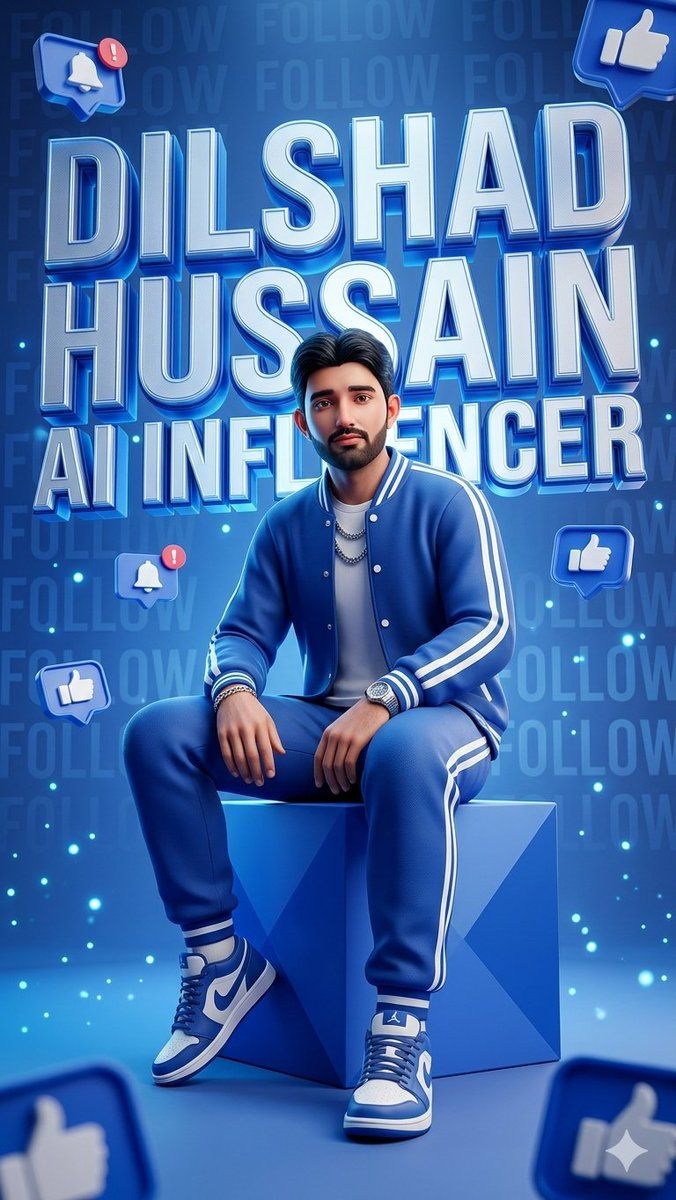
Goal: Create a hyper-detailed stylized 3D promotional poster for a social-media influencer persona, centered on a confident young man seated casually on a glossy geometric cube in a futuristic blue studio.

Canvas: Vertical 9:16 poster, high-resolution, cinematic 3D render, saturated electric-blue palette, glossy surfaces, soft bloom, rim lighting, and depth-of-field blur on foreground elements.

Main subject: A young adult man with a smooth intentionally blurred square face area, short dark styled hair, medium build, relaxed confident pose, seated on a faceted blue cube at center. He wears a coordinated royal-blue varsity tracksuit with white stripes: 1 jacket, 1 white T-shirt, 1 pair of jogger pants, 2 blue-and-white high-top sneakers, plus visible accessories including 2 layered chain necklaces, 1 wristwatch, and several bracelets. His hands rest casually near his knees, legs apart, feet planted forward.

Text content: Use huge stacked metallic 3D block lettering behind and around the figure, glowing blue and white with extruded shadows. Exactly 3 main text lines: “{argument name="first name" default="DILSHAD"}”, “{argument name="last name" default="HUSSAIN"}”, and “{argument name="subtitle text" default="AI INFLUENCER"}”. Add a faint repeated background pattern reading “FOLLOW” across the wall.

Layout: The name fills the upper two-thirds of the image, partially behind the seated figure, with the subtitle across the mid-lower area behind his shoulders. The cube is centered in the lower third. Keep the subject in front of the typography with realistic occlusion and shadows.

Social-media elements: Include exactly 7 floating blue notification icons: 2 bell notification icons with red alert badges, 3 full thumbs-up icons, and 2 partially cropped thumbs-up icons at the bottom corners. Place one bell icon at the upper left, one thumbs-up icon at the upper right, one bell icon at mid-left, one thumbs-up icon at mid-right, one thumbs-up icon at lower-left, and two oversized blurred cropped thumbs-up icons in the bottom-left and bottom-right foreground.

Visual style: Futuristic influencer branding, glossy app-icon aesthetics, beveled chrome typography, neon cyan glow, floating particles, tiny cyan light specks, blue gradient background, polished studio floor, soft vignette, realistic fabric texture, realistic sneaker detail, dramatic commercial lighting.

Constraints: Keep the image dominated by blue tones, preserve the exact 3-line title hierarchy, make the typography crisp and readable, keep the face anonymized with a smooth blur, avoid extra logos or watermarks.- Category
- Charts & Infographics
- Model
- GPT Image 2
- Creator
- Dilshad Hussain
- Source ID
- 20657
- Published
- May 15, 2026
Views8