AI 模型架构对比海报
Prompt
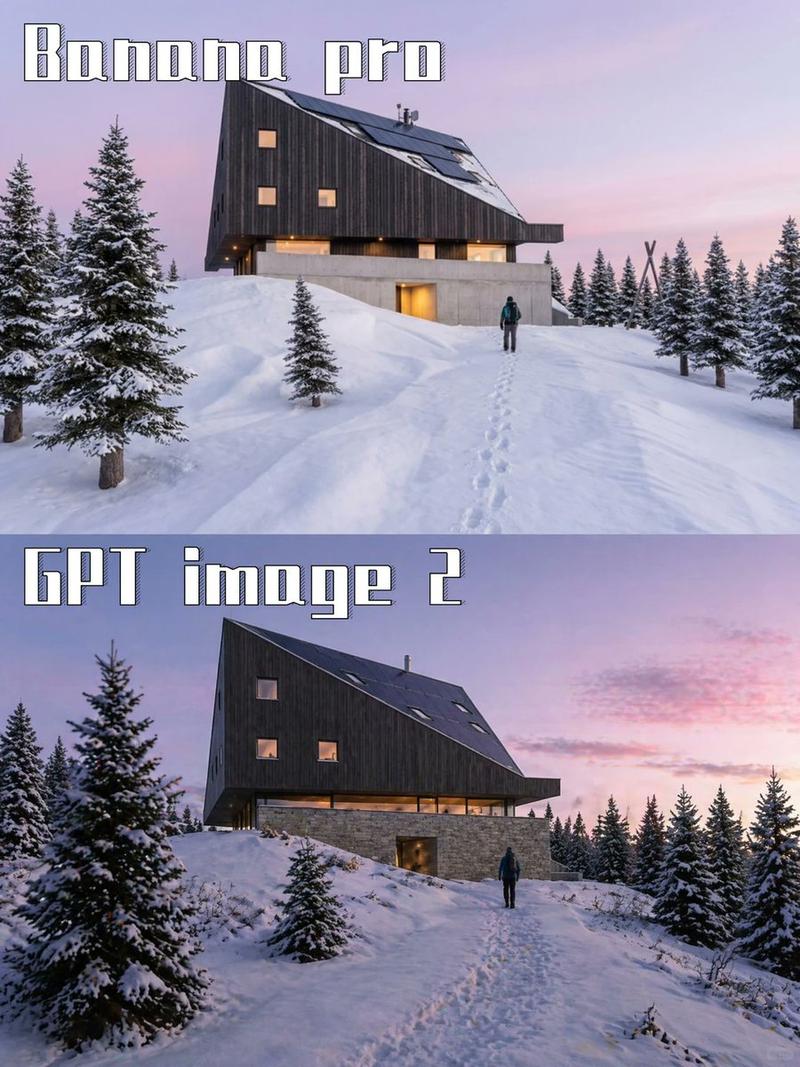
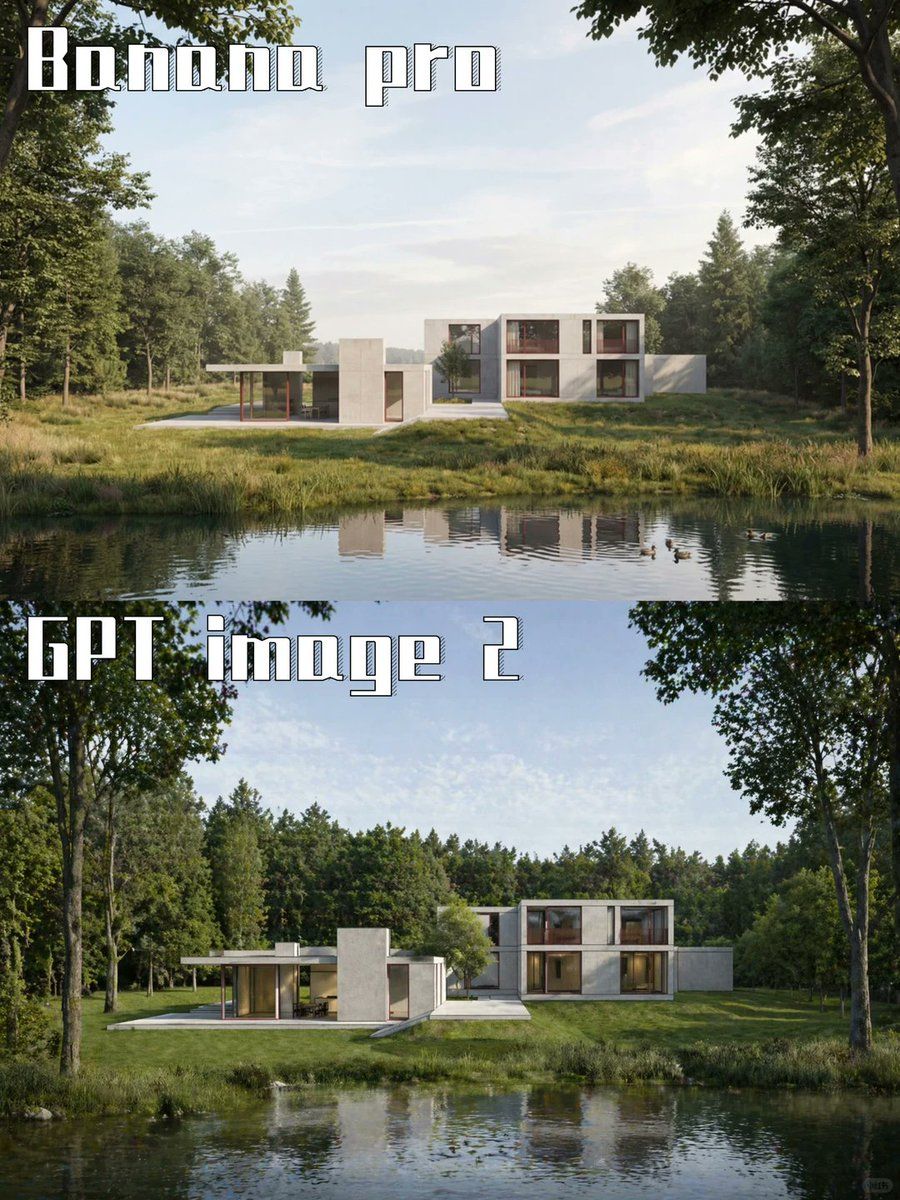
Goal: Create a vertical side-by-side comparison poster showing the same photorealistic architectural scene generated by two AI image models.

Canvas: Portrait 3:4 composition, approximately 768×1024 px, split horizontally into exactly 2 equal stacked panels with no visible border between them.

Layout: The top panel is labeled {argument name="top label" default="Banana pro"} in the upper-left corner. The bottom panel is labeled {argument name="bottom label" default="GPT image 2"} in the upper-left corner. Use very large white blocky stencil-style display lettering with a thin dark outline and subtle vertical stripe/engraved texture inside the letters. Text should sit over the sky and tree area, aligned left, with generous spacing.

Scene in both panels: A serene photorealistic modern luxury house in a forest clearing beside a calm pond. The house is a low, minimalist rectilinear villa with white and light concrete volumes, flat roofs, broad glass windows, and warm wood-toned interior accents. It has a one-story left wing with a covered terrace and slim posts, a central solid rectangular tower-like volume, and a two-story right wing with large windows. The building sits across the water in the midground, centered horizontally, surrounded by green grass, reeds, and dense woodland.

Top panel details: The house appears smaller and farther away, with more open pale blue sky visible above it. The pond fills the lower third with a clear reflection of the house and trees. Forest trees frame the left and right edges, including leafy branches hanging from the top corners. Lighting is soft daylight, calm and slightly airy.

Bottom panel details: The same house and pond are shown closer and larger, with stronger contrast and richer greenery. Tall tree trunks frame both sides, dense forest spans the background, and the water occupies the lower portion with ripples and reflections. The lighting is bright but natural, with a more polished architectural visualization look.

Visual style: High-end photorealistic architectural rendering, realistic reflections, natural daylight, crisp modern design, lush summer forest, calm water, no people, no vehicles, no extra logos or UI elements.

Constraints: Include exactly 2 stacked panels and exactly 2 visible text labels. Keep the text readable and spelled exactly as provided. Preserve the comparison-poster look while making both panels depict the same {argument name="architecture subject" default="modern white concrete villa by a forest pond"}.- Category
- Charts & Infographics
- Model
- GPT Image 2
- Creator
- GPTProto Official
- Source ID
- 21733
- Published
- May 20, 2026
Views4