沙漠时尚杂志排版
Prompt
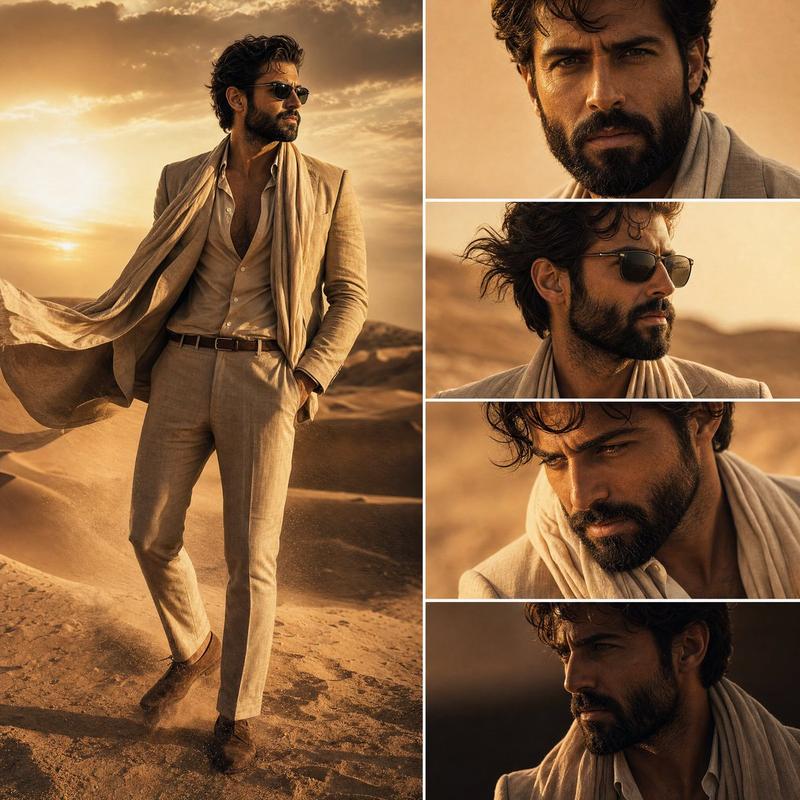
Create a high-end cinematic fashion editorial composition in a {argument name="setting" default="desert environment"} featuring a stylish Hollywood-inspired man with a well-groomed beard. The character must remain perfectly consistent across all panels (same face, same beard style, same outfit, same lighting mood).

LAYOUT:

Vertical 9:16 ultra-premium magazine layout
Split composition:
LEFT SIDE: One full-body shot of the man standing in the desert dunes
RIGHT SIDE: A vertical 4-panel grid of close-up shots of his face (different angles but same character consistency)

CHARACTER:

Handsome {argument name="subject" default="Hollywood-style male protagonist"}
Sharp jawline, thick well-groomed beard
Confident attitude, slightly intense cinematic expression
Wearing stylish {argument name="outfit" default="luxury desert fashion (beige linen suit / open collar shirt / light scarf)"}

ENVIRONMENT:

Vast golden desert dunes
Soft wind blowing sand particles
Warm sunset / golden hour lighting
High cinematic depth, realistic shadows

STYLE:

Ultra-realistic cinematic photography
Hollywood movie poster aesthetic
Luxury fashion editorial (Vogue / GQ style)
High contrast, soft glow, film grain subtle
Sharp focus, DSLR quality, 8K detail

RIGHT SIDE PANEL DETAILS (4 CLOSE-UPS):

Front face close-up with intense eyes
Side profile with wind effect
Slight downward angle moody expression
Dramatic low light shadow face shot

COLOR PALETTE:

Golden sand, warm amber, desert orange
Soft brown tones, cinematic shadows
Natural skin tones, realistic highlights

MOOD:

Powerful, mysterious, elite, alpha male cinematic vibe
Luxury desert wanderer aesthetic
Modern Hollywood fashion film still.- Category
- Charts & Infographics
- Model
- GPT Image 2
- Creator
- HeisenLegacy
- Source ID
- 23190
- Published
- May 29, 2026
Views3