20

暗黑浪漫主义丛林字母场景
Enlarge

暗黑浪漫主义丛林字母场景

Prompt
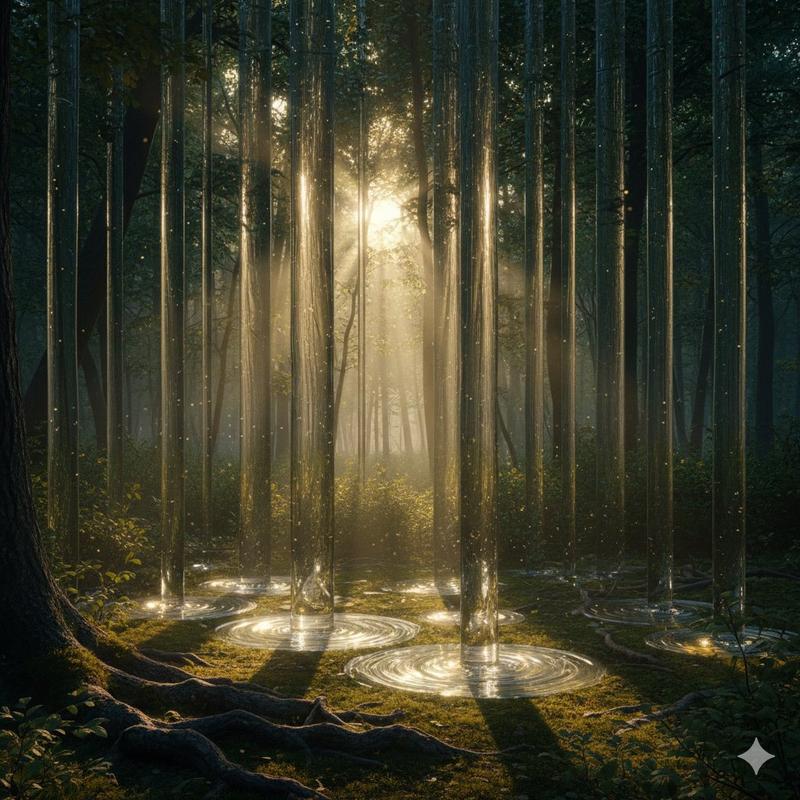
Create a cinematic dark Romanticism jungle scene in a wide 16:9 canvas. Show a lone small human figure, {argument name="traveler description" default="a man in a dark coat seen from behind"}, standing near the lower left foreground on a muddy forest path beside shallow water, facing into an immense dense rainforest. The environment should feel like an overgrown mythic cathedral: towering tropical trees, vines, palms, tangled roots, wet leaves, mist, distant cliffs or ruined stone forms, and a pale waterfall or river receding into the center depth. Use dramatic chiaroscuro lighting with shafts of warm golden light cutting through deep green-black shadows, humid haze, and painterly detail. Integrate a huge translucent typographic form, {argument name="giant letter" default="D"}, rising in the left-center background like a monumental glass letter filled with forest silhouettes. Add a single opaque dark olive square block near the upper center-right, floating over the foliage like a minimal graphic overlay. Include delicate thin gold ornamental vertical lines along the far left border and subtle distressed texture, giving the image an antique book-cover or literary essay thumbnail feeling. Color palette: {argument name="color palette" default="black, deep jungle green, muted gold, smoky beige, and copper-orange leaves"}. Mood: {argument name="mood" default="ominous, sublime, romantic, humid, and mysterious"}. No readable text, no logos, no modern buildings, no extra people.
Category
Posters & Typography
Model
GPT Image 2
Views1
Source ID
26166
Published
Jun 18, 2026

Guide

About "暗黑浪漫主义丛林字母场景"

What is this prompt for?

"暗黑浪漫主义丛林字母场景" AI image prompt for GPT Image 2 (Posters & Typography). 一个电影质感的暗黑浪漫主义雨林场景,包含一位孤独的旅行者、巨大的半透明排版设计以及复古金色编辑风格。 Copy it on Picva and recreate the loo…

The full copyable prompt and example visuals above are ready for AI image generation or one-click recreate in Picva.

How to use this prompt

  1. Step 1

    Open the prompt detail

    Review the example visuals, category, and full prompt text for "暗黑浪漫主义丛林字母场景".

  2. Step 2

    Copy the prompt

    Copy the prompt body from this page, or load it directly in Studio.

  3. Step 3

    Pick a model (GPT Image 2)

    Prefer GPT Image 2. If you switch models, keep subject and composition and tweak style terms.

  4. Step 4

    Generate and export

    Recreate the look in Picva, or export into your workflow for editing and publishing.

FAQ

What is the "暗黑浪漫主义丛林字母场景" prompt?
It is an AI image-generation prompt for GPT Image 2 in the Posters & Typography category. This page includes the full prompt text, example visuals, and a one-click recreate path in Picva.
How do I use this prompt to generate an image?
Copy the prompt from this page, or use Generate / Studio. Paste it into a compatible image model, or recreate the look in Picva with optional reference images.
Which model is this prompt for?
This page lists GPT Image 2. Most descriptive prompts also transfer to nearby image models such as GPT Image, Flux, or Midjourney with light style tweaks.
Can I use the result commercially?
You can usually copy the prompt for creation, but commercial use of the final image depends on the model terms, reference-image rights, and the generated content. Follow the source author and platform rules.