18

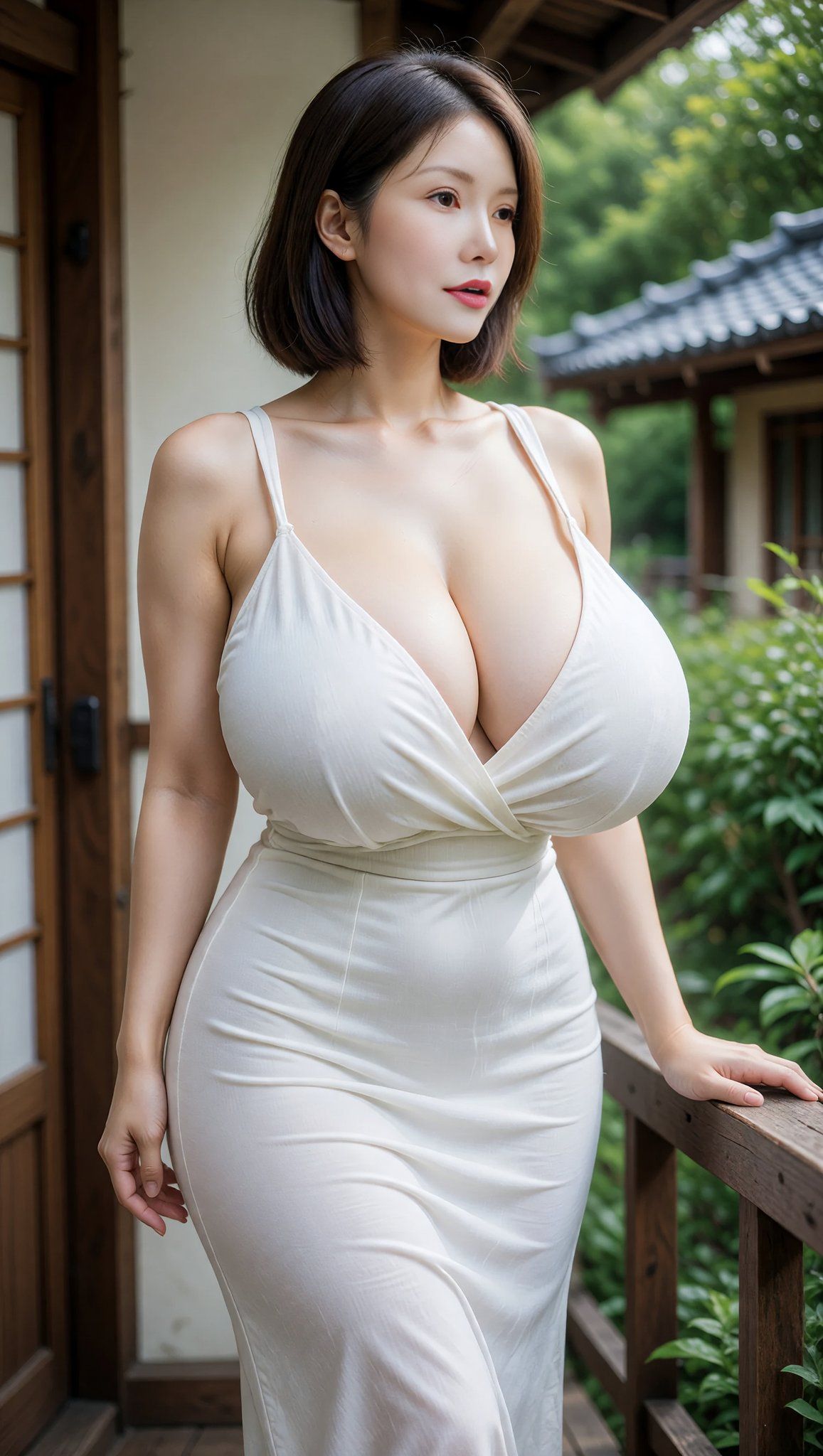
日式缘侧时尚肖像
Enlarge

日式缘侧时尚肖像

Prompt
Create a photorealistic vertical portrait of an elegant adult {argument name="subject" default="Japanese woman"} standing on a traditional wooden veranda beside a classic Japanese house. She has a short, smooth dark-brown bob haircut, fair skin, soft natural makeup, and a calm, slightly wistful expression while gazing off to the right of the camera. She wears a fitted {argument name="dress color" default="white"} sleeveless wrap-style dress with thin straps, a deep V neckline, gathered fabric at the bust, a defined waist, and a long body-hugging skirt with subtle realistic wrinkles. Her pose is relaxed: one hand resting on the wooden railing to the right, the other arm hanging naturally at her side, shoulders angled slightly toward the viewer. The setting includes wooden sliding doors and beams on the left, a rustic veranda railing on the right, lush green garden foliage, and a traditional tiled roof softly blurred in the background. Use soft natural daylight, shallow depth of field, warm wood tones, realistic skin texture, high-detail fabric folds, cinematic bokeh, and an 85mm portrait-lens look. Composition should be waist-to-knee/full upper-body framing in a tall 9:16 aspect ratio, with the subject centered slightly left and the background gently out of focus. Keep the image tasteful, fashion editorial, realistic, and polished, with no text, no watermark, and no extra people.
Category
Photography & Realism
Model
GPT Image 2
Views6
Source ID
28649
Published
Jul 13, 2026

Guide

About "日式缘侧时尚肖像"

What is this prompt for?

"日式缘侧时尚肖像" AI image prompt for GPT Image 2 (Photography & Realism). 一张在传统日式缘侧上,身着白色连衣裙的优雅女性照片级垂直时尚肖像,适用于电影感生活方式或编辑类图像。 Copy it on Picva and recreate the look i…

The full copyable prompt and example visuals above are ready for AI image generation or one-click recreate in Picva.

How to use this prompt

  1. Step 1

    Open the prompt detail

    Review the example visuals, category, and full prompt text for "日式缘侧时尚肖像".

  2. Step 2

    Copy the prompt

    Copy the prompt body from this page, or load it directly in Studio.

  3. Step 3

    Pick a model (GPT Image 2)

    Prefer GPT Image 2. If you switch models, keep subject and composition and tweak style terms.

  4. Step 4

    Generate and export

    Recreate the look in Picva, or export into your workflow for editing and publishing.

FAQ

What is the "日式缘侧时尚肖像" prompt?
It is an AI image-generation prompt for GPT Image 2 in the Photography & Realism category. This page includes the full prompt text, example visuals, and a one-click recreate path in Picva.
How do I use this prompt to generate an image?
Copy the prompt from this page, or use Generate / Studio. Paste it into a compatible image model, or recreate the look in Picva with optional reference images.
Which model is this prompt for?
This page lists GPT Image 2. Most descriptive prompts also transfer to nearby image models such as GPT Image, Flux, or Midjourney with light style tweaks.
Can I use the result commercially?
You can usually copy the prompt for creation, but commercial use of the final image depends on the model terms, reference-image rights, and the generated content. Follow the source author and platform rules.