20

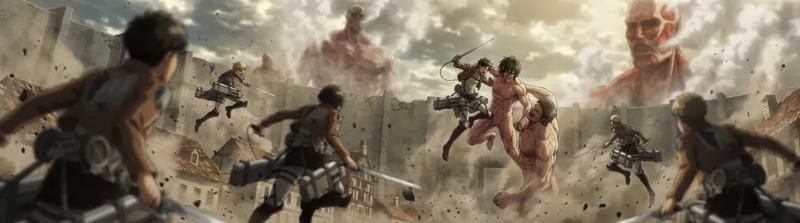
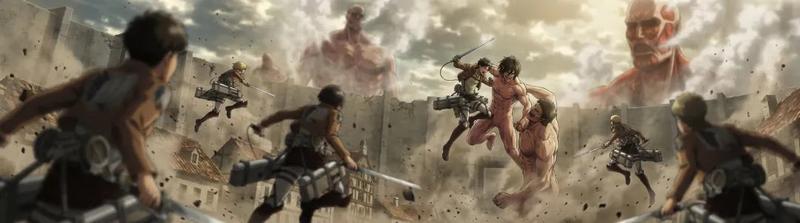
史诗级动漫女武神骑兵冲锋

Prompt
A battle-hardened warrior queen with long red hair, emerald eyes, ornate armor and a massive enchanted spear, rendered in ultra-premium Japanese anime rendering, manga-style visual language, explosive impact frames, hand-drawn speed lines, dramatic shonen atmosphere\n- Rides at the head of a cavalry charge across a battlefield while a colossal armored beast leads the enemy army, camera sweeping through galloping horses and flying dirt; \n- Leaps from her mount directly onto the giant creature, fighting through elite guards and climbing across its armored body while explosions and arrows fill the battlefield below; \n- Drives her spear into the creature’s glowing core, causing it to collapse across the battlefield and scatter the enemy forces, ending with her raising the spear as her army erupts in victory\nHeroic fantasy anime spectacle, massive scale warfare, brutal and epic payoff.
Category
Photography & Realism
Model
seedance-2.0
Views3
Source ID
6989
Published
Jul 9, 2026

Guide

About "史诗级动漫女武神骑兵冲锋"

What is this prompt for?

"史诗级动漫女武神骑兵冲锋" AI image prompt for seedance-2.0 (Photography & Realism). 一个为 Seedance 2.0 设计的高能日本动漫风格提示词,描绘了女武神率领骑兵冲锋并击败巨兽的场景。 Copy it on Picva and recreate th…

The full copyable prompt and example visuals above are ready for AI image generation or one-click recreate in Picva.

How to use this prompt

  1. Step 1

    Open the prompt detail

    Review the example visuals, category, and full prompt text for "史诗级动漫女武神骑兵冲锋".

  2. Step 2

    Copy the prompt

    Copy the prompt body from this page, or load it directly in Studio.

  3. Step 3

    Pick a model (seedance-2.0)

    Prefer seedance-2.0. If you switch models, keep subject and composition and tweak style terms.

  4. Step 4

    Generate and export

    Recreate the look in Picva, or export into your workflow for editing and publishing.

FAQ

What is the "史诗级动漫女武神骑兵冲锋" prompt?
It is an AI image-generation prompt for seedance-2.0 in the Photography & Realism category. This page includes the full prompt text, example visuals, and a one-click recreate path in Picva.
How do I use this prompt to generate an image?
Copy the prompt from this page, or use Generate / Studio. Paste it into a compatible image model, or recreate the look in Picva with optional reference images.
Which model is this prompt for?
This page lists seedance-2.0. Most descriptive prompts also transfer to nearby image models such as GPT Image, Flux, or Midjourney with light style tweaks.
Can I use the result commercially?
You can usually copy the prompt for creation, but commercial use of the final image depends on the model terms, reference-image rights, and the generated content. Follow the source author and platform rules.