Travel Selfie Portrait Reference
Prompt
Asset type: portrait image for social post
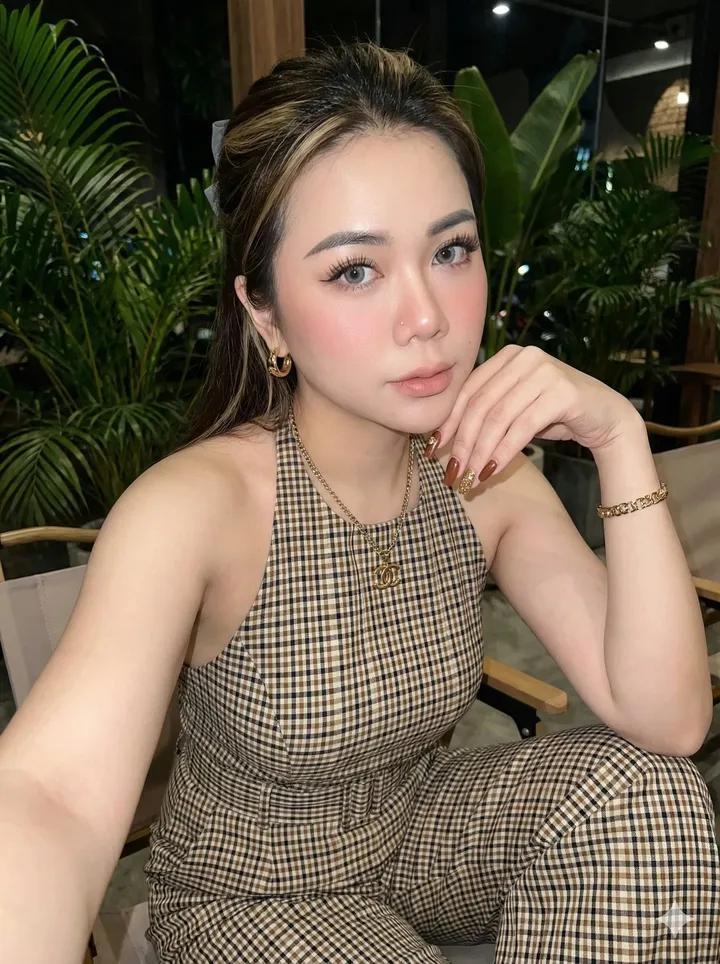
Primary request: create a photorealistic travel selfie portrait, using the uploaded portrait photo as the appearance reference for the person.
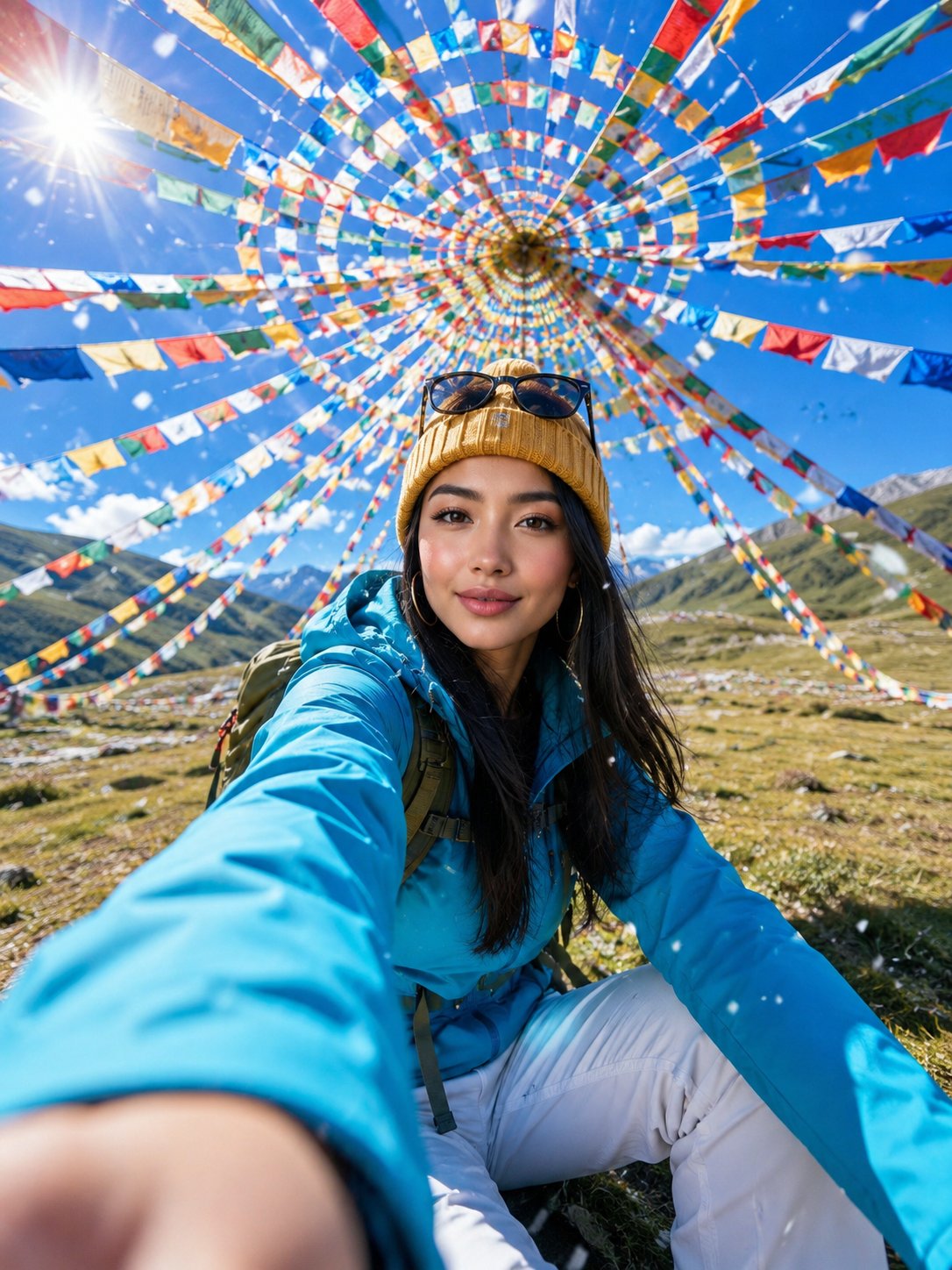
Scene/backdrop: an open alpine meadow under a vivid blue sky, surrounded overhead by hundreds of colorful Tibetan prayer flags arranged in a circular spiral canopy, with distant green hills and bright daylight.
Subject: a young woman with the recognizable facial structure, eyes, hairline direction, and natural skin texture from the uploaded portrait photo, wearing a bright cyan outdoor jacket, white hiking pants, a mustard yellow knit beanie, sunglasses resting on the hat, and a backpack.
Style/medium: ultra-realistic mobile travel photography with a dynamic action-camera feel, crisp but natural detail, lively social-media adventure portrait.
Composition/framing: vertical 3:4 frame, extreme wide-angle perspective, low-to-high selfie composition, one hand reaching toward the camera in the foreground with strong perspective enlargement, face in the midground, prayer flags forming a colorful radial tunnel above her head, energetic candid smile.
Lighting/mood: brilliant high-altitude midday sun, visible lens flare near the upper left, sparkling backlight, bright optimistic mood, high clarity, realistic shadows on grass.
Color palette: saturated cyan, mustard yellow, red, orange, green, white, and sky blue, clean contrast, sunlit alpine freshness.
Textures/retouching: believable fabric texture, natural skin pores, realistic hair strands, clean optical sharpness on the face, shallow foreground hand blur, small falling snowflakes or white petals crossing the lens.
Constraints: preserve the person's recognizable appearance from the uploaded portrait photo; no watermark; no logo; no text; no caption; no signature.
Avoid: plastic beauty-filter skin, over-smoothed face, distorted hands, extra fingers, warped prayer flags, unreadable markings on clothing, artificial CGI look

Negative Prompt:

watermark, logo, text, caption, signature, AI label, brand mark, extra fingers, missing fingers, fused fingers, deformed hands, oversized malformed palm, asymmetrical eyes, crossed eyes, warped face, plastic skin, waxy skin, over-smoothed beauty filter, blurry face, low detail, low resolution, heavy compression artifacts, distorted anatomy, duplicate person, bad perspective, bent flag strings, warped flags, fake CGI look, overexposed face, muddy colors
- Category
- Photography & Realism
- Model
- GPT Image 2
- Creator
- linaa_ai
- Source ID
- evolink-linaa_ai-2056777746265858158
- Published
- May 20, 2026
Views3