20

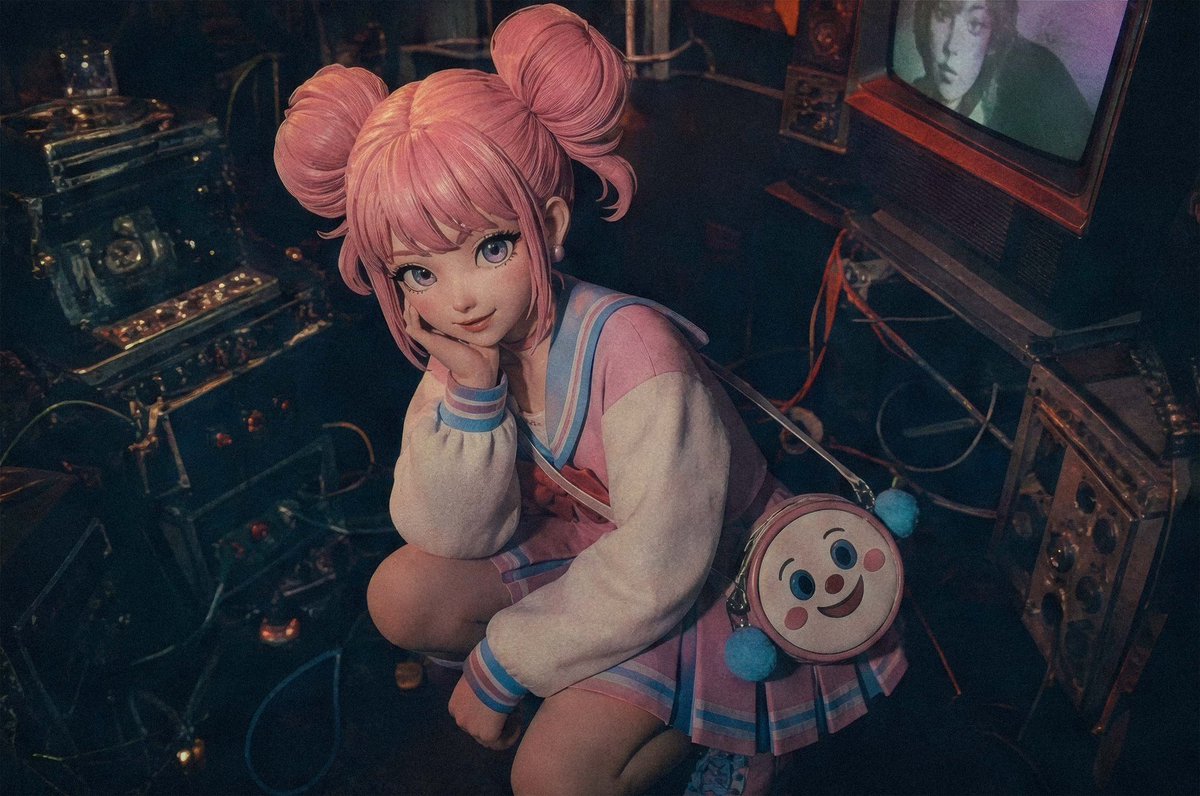
Pastel Cyberpunk Retro Electronics Portrait
Enlarge

Pastel Cyberpunk Retro Electronics Portrait

Prompt
Create a cinematic photorealistic high-angle portrait of a cute young woman with pastel pink hair styled into two large space buns, crouching on the floor in a dark retro electronics room. Her face is covered by a flat opaque square privacy blur matching muted skin tones, with no facial details visible. She wears a pastel sailor-style school uniform in pink, cream, and sky blue: oversized cream sleeves, blue striped cuffs and collar, a short pleated skirt, and soft kawaii styling. A small round crossbody bag hangs at her side, designed like a smiling cartoon face with rosy cheeks and two fluffy blue pom-poms. Surround her with vintage analog machines, tangled cables, metallic control panels, knobs, switches, and old broadcast equipment; place a bulky CRT television on the right with a dim greenish screen and a second rectangular blur over part of the screen. Use moody low-key lighting with teal shadows, warm amber highlights, dusty film grain, slight lens distortion, and an 1980s cyberpunk/kawaii atmosphere. The camera looks down from above at a three-quarter angle, framing her from head to knees, with the equipment filling the background. Make it feel like a real photograph shot on high ISO film, richly textured, dark, nostalgic, and slightly surreal.
Category
Characters & People
Model
GPT Image 2
Views1
Source ID
youmind-24196

Guide

About "Pastel Cyberpunk Retro Electronics Portrait"

What is this prompt for?

"Pastel Cyberpunk Retro Electronics Portrait" AI image prompt for GPT Image 2 (Characters & People). Create a cinematic photorealistic high-angle portrait of a…

The full copyable prompt and example visuals above are ready for AI image generation or one-click recreate in Picva.

How to use this prompt

  1. Step 1

    Open the prompt detail

    Review the example visuals, category, and full prompt text for "Pastel Cyberpunk Retro Electronics Portrait".

  2. Step 2

    Copy the prompt

    Copy the prompt body from this page, or load it directly in Studio.

  3. Step 3

    Pick a model (GPT Image 2)

    Prefer GPT Image 2. If you switch models, keep subject and composition and tweak style terms.

  4. Step 4

    Generate and export

    Recreate the look in Picva, or export into your workflow for editing and publishing.

FAQ

What is the "Pastel Cyberpunk Retro Electronics Portrait" prompt?
It is an AI image-generation prompt for GPT Image 2 in the Characters & People category. This page includes the full prompt text, example visuals, and a one-click recreate path in Picva.
How do I use this prompt to generate an image?
Copy the prompt from this page, or use Generate / Studio. Paste it into a compatible image model, or recreate the look in Picva with optional reference images.
Which model is this prompt for?
This page lists GPT Image 2. Most descriptive prompts also transfer to nearby image models such as GPT Image, Flux, or Midjourney with light style tweaks.
Can I use the result commercially?
You can usually copy the prompt for creation, but commercial use of the final image depends on the model terms, reference-image rights, and the generated content. Follow the source author and platform rules.