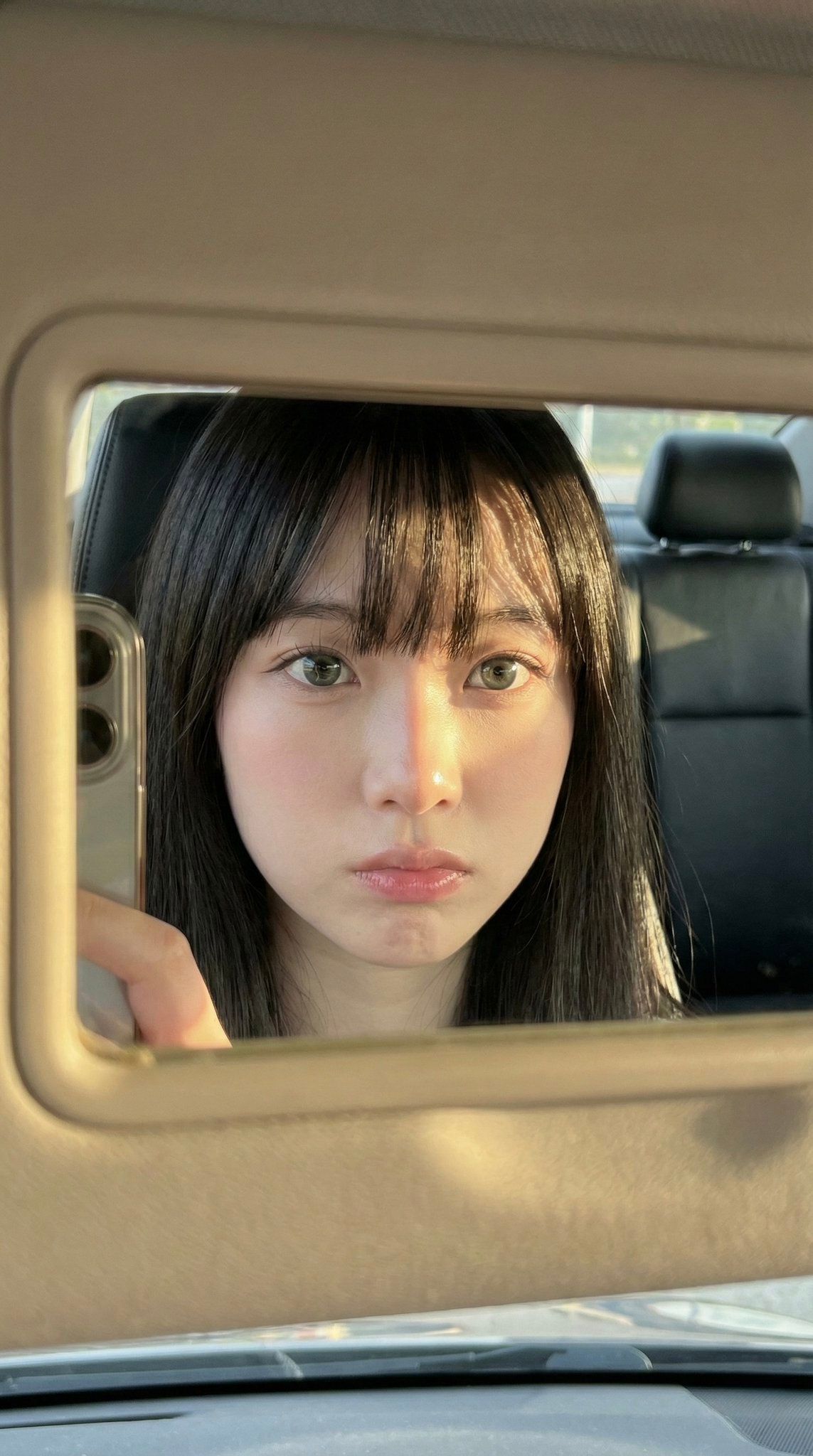
Car visor mirror selfie: GPT Image 2 prompt
Prompt
{
 "meta": {
 "aspect_ratio": "9:16",
 "quality": "ultra_photorealistic",
 "resolution": "8K",
 "camera": "iPhone front camera",
 "lens": "24mm",
 "style": "raw iphone realism, pinterest girl aesthetic, natural skin texture, zero plastic look"
 },

 "composition": {
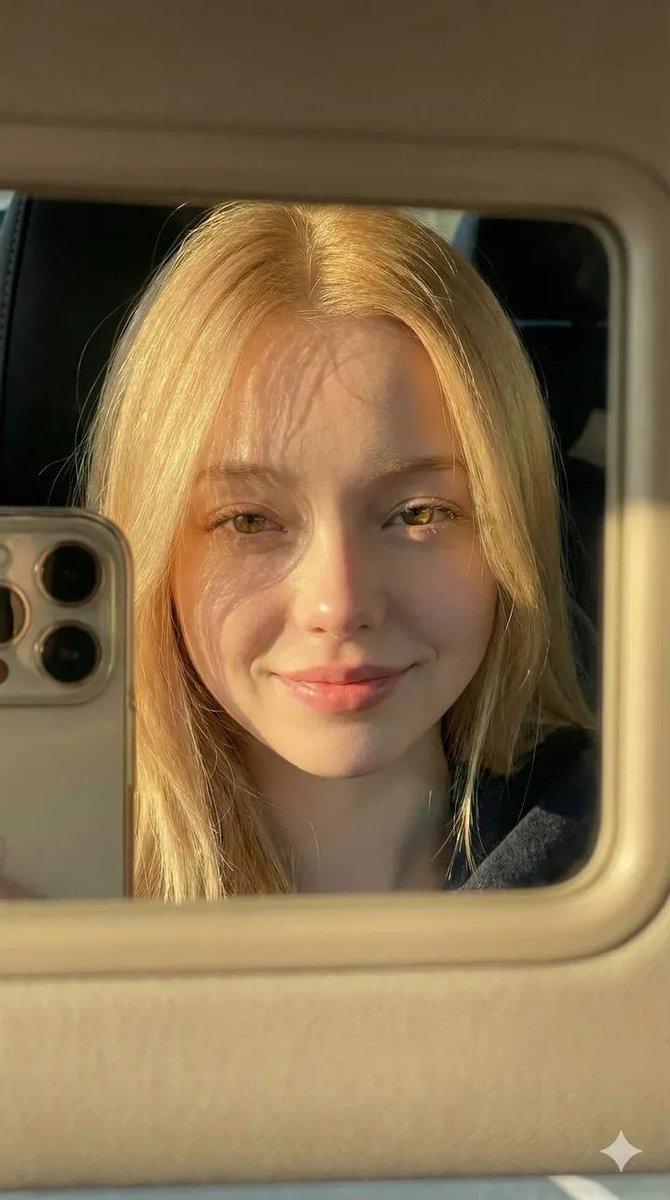
 "concept": "frame within a frame",
 "framing": "extreme close-up face reflection inside car sun visor vanity mirror",
 "mirror_frame": {
 "material": "thick beige / cream plastic",
 "visibility": "dominant around edges of photo, slightly worn texture"
 },
 "phone_visibility": {
 "type": "iPhone",
 "detail": "partial phone edge visible on left side of mirror, controlling the shot",
 "camera_bump": "subtle, realistic"
 }
 },

 "scene": {
 "location": "inside parked car",
 "environment": [
 "dark car interior",
 "black leather seats",
 "headrest visible in reflection"
 ],
 "time": "golden hour",
 "atmosphere": "quiet, intimate, candid daily life moment"
 },

 "lighting": {
 "type": "direct golden hour sunlight",
 "direction": "sharp side sunlight from afternoon sun",
 "color_temperature": "warm golden",
 "contrast": "high",
 "effects": [
 "strong highlights on skin",
 "abstract hair shadow patterns across forehead and cheek",
 "natural light bloom on lips and eyes"
 ]
 },

 "subject": {
 "gender": "female",
 "age": "early 20s (clearly adult)",
 "ethnicity": "East Asian / mixed pale tone",

 "face_structure": {
 "shape": "soft oval",
 "cheeks": "full, youthful, slightly flushed",
 "jawline": "delicate and smooth",
 "nose": "small, straight, soft rounded tip"
 },

 "eyes": {
 "size": "large",
 "shape": "round-almond hybrid",
 "color": "grey-green / light hazel",
 "vibe": "doll-like, calm, distant",
 "lashes": "long, natural, softly separated",
 "under_eye": "subtle natural shadow for soft tired-cute look",
 "gaze": "looking directly into mirror/lens"
 },

 "lips": {
 "size": "full",
 "shape": "soft cupid’s bow",
 "color": "natural pink",
 "finish": "slightly glossy",
 "state": "relaxed, faint pout"
 },

 "skin": {
 "tone": "very pale porcelain",
 "undertone": "cool pink",
 "texture": "real skin with visible pores",
 "finish": "natural glow, no smoothing",
 "blush": "soft pink blush across cheeks and nose bridge"
 },

 "hair": {
 "color": "deep black",
 "length": "long",
 "style": "straight",
 "bangs": "full blunt bangs just above the eyes",
 "behavior": "hair framing face symmetrically, strands catching sunlight"
 },

 "makeup": {
 "style": "no-makeup makeup",
 "base": "sheer skin tint",
 "eyes": "very subtle eyeliner, emphasis on lashes",
 "cheeks": "natural pink flush",
 "lips": "clear or soft pink gloss"
 },

 "outfit": {
 "visibility": "minimal",
 "detail": "only hint of bare shoulders or thin strap visible",
 "color": "dark clothing",
 "note": "no bra visible, focus remains entirely on face"
 }
 },

 "vibe": {
 "aesthetic": [
 "pinterest girl",
 "soft doll face",
 "car mirror selfie",
 "candid",
 "raw photography"
 ],
 "mood": "quiet, slightly melancholic confidence",
 "social_feel": "looks like an accidental golden hour story shot"
 }
}- Category
- Photography & Realism
- Model
- GPT Image 2
- Creator
- babydoll
- Source ID
- 2008420516919468535
- Published
- Jan 6, 2026
Views0