20

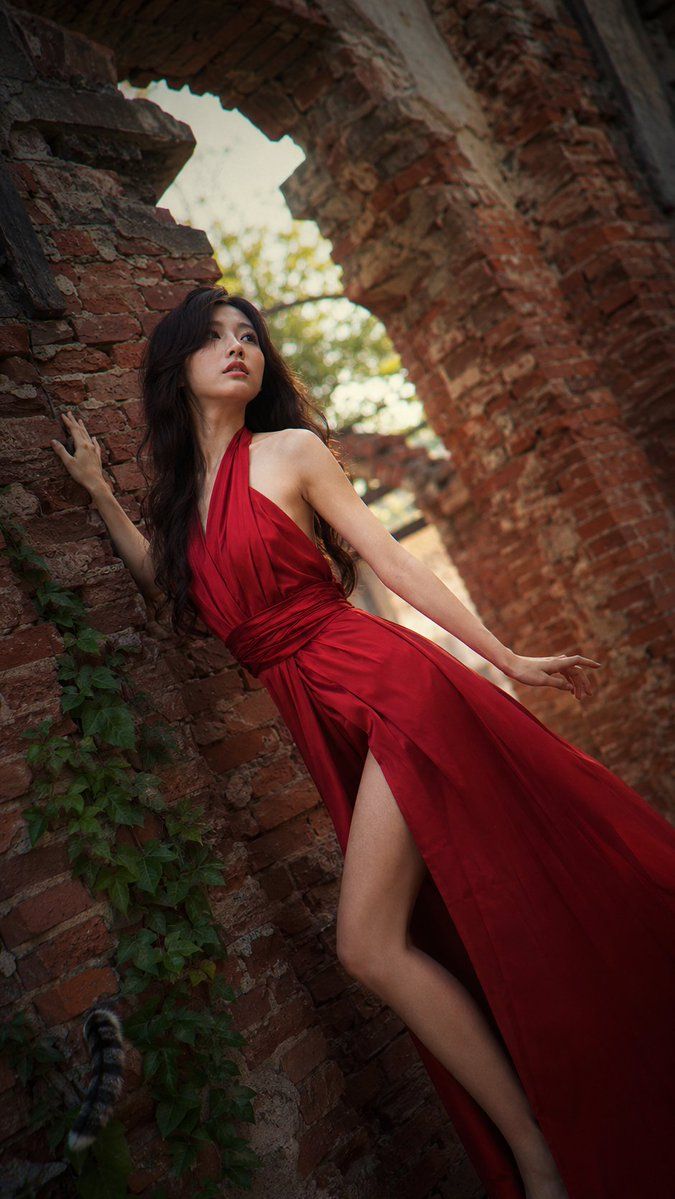
Crimson gown brick archway: GPT Image 2 prompt
Enlarge

Example images

Crimson gown brick archway: GPT Image 2 prompt

Prompt
A high-quality, fashion-forward editorial portrait captured on a Hasselblad X2D 100C with an XCD 90mm f/2.5 lens. A beautiful young East Asian woman with long, flowing dark hair styled in soft waves stands within a crumbling red brick archway. She wears a dramatic, floor-length crimson silk gown with a high slit, the fabric catching the soft breeze.

Her pose is dynamic and asymmetrical one hand pressed against the rough brick, the other elegantly extended behind her. Her expression is serene and dreamy, eyes gazing upward. A single, vibrant green ivy vine crawls up the brick beside her, adding a touch of organic life. 

Soft, diffused golden hour light filters through the arch. Realistic skin texture, visible pores, subtle moisture, no beauty filter. Slight film grain, subtle chromatic aberration at the edges. A stray cat tail curls around the ivy at the bottom left corner. High-fashion editorial, dutch angle, stray cat tail --ar 9:16
Category
Photography & Realism
Model
GPT Image 2
Creator
Eesha
Views2
Source ID
2073696868630974858
Published
Jul 5, 2026

Guide

About "Crimson gown brick archway: GPT Image 2 prompt"

What is this prompt for?

"Crimson gown brick archway: GPT Image 2 prompt" AI image prompt for GPT Image 2 (Photography & Realism). A high-quality, fashion-forward editorial portrait ca…

The full copyable prompt and example visuals above are ready for AI image generation or one-click recreate in Picva.

How to use this prompt

  1. Step 1

    Open the prompt detail

    Review the example visuals, category, and full prompt text for "Crimson gown brick archway: GPT Image 2 prompt".

  2. Step 2

    Copy the prompt

    Copy the prompt body from this page, or load it directly in Studio.

  3. Step 3

    Pick a model (GPT Image 2)

    Prefer GPT Image 2. If you switch models, keep subject and composition and tweak style terms.

  4. Step 4

    Generate and export

    Recreate the look in Picva, or export into your workflow for editing and publishing.

FAQ

What is the "Crimson gown brick archway: GPT Image 2 prompt" prompt?
It is an AI image-generation prompt for GPT Image 2 in the Photography & Realism category. This page includes the full prompt text, example visuals, and a one-click recreate path in Picva.
How do I use this prompt to generate an image?
Copy the prompt from this page, or use Generate / Studio. Paste it into a compatible image model, or recreate the look in Picva with optional reference images.
Which model is this prompt for?
This page lists GPT Image 2. Most descriptive prompts also transfer to nearby image models such as GPT Image, Flux, or Midjourney with light style tweaks.
Can I use the result commercially?
You can usually copy the prompt for creation, but commercial use of the final image depends on the model terms, reference-image rights, and the generated content. Follow the source author and platform rules.