20

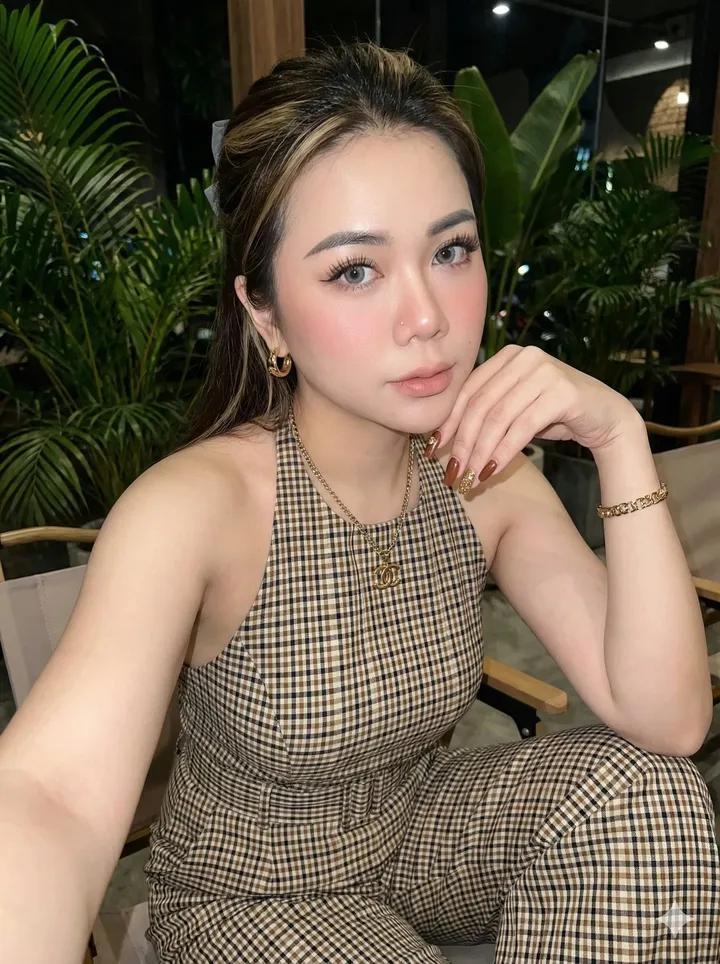
Mall fashion twin selfie: GPT Image 2 prompt
Enlarge

Example images

Mall fashion twin selfie: GPT Image 2 prompt

Prompt
Ultra-realistic cinematic smartphone selfie. Beautiful young woman in an oversized off-shoulder cream knit sweater, denim shorts, white sneakers, and a small crossbody bag, soft Korean glam makeup.
Inside a modern mall clothing store, happily posing beside another girl wearing the exact same outfit like a fashion twin. Both lean shoulder-to-shoulder making double peace signs with bright smiles.
Large red "50% OFF" sign above them, polished floor, warm store lighting, blurred shoppers in the background. One employee facepalms while another hides laughter, and a shopper secretly records the moment.
Smartphone camera UI visible, HDR, realistic skin, slight wide-angle distortion, photorealistic, cinematic, 8K.
Negative: anime, CGI, blur, bad anatomy, extra fingers, watermark, logo.
Category
Photography & Realism
Model
GPT Image 2
Views0
Source ID
2074335534659375550
Published
Jul 7, 2026

Guide

About "Mall fashion twin selfie: GPT Image 2 prompt"

What is this prompt for?

"Mall fashion twin selfie: GPT Image 2 prompt" AI image prompt for GPT Image 2 (Photography & Realism). Ultra-realistic cinematic smartphone selfie. Beautiful…

The full copyable prompt and example visuals above are ready for AI image generation or one-click recreate in Picva.

How to use this prompt

  1. Step 1

    Open the prompt detail

    Review the example visuals, category, and full prompt text for "Mall fashion twin selfie: GPT Image 2 prompt".

  2. Step 2

    Copy the prompt

    Copy the prompt body from this page, or load it directly in Studio.

  3. Step 3

    Pick a model (GPT Image 2)

    Prefer GPT Image 2. If you switch models, keep subject and composition and tweak style terms.

  4. Step 4

    Generate and export

    Recreate the look in Picva, or export into your workflow for editing and publishing.

FAQ

What is the "Mall fashion twin selfie: GPT Image 2 prompt" prompt?
It is an AI image-generation prompt for GPT Image 2 in the Photography & Realism category. This page includes the full prompt text, example visuals, and a one-click recreate path in Picva.
How do I use this prompt to generate an image?
Copy the prompt from this page, or use Generate / Studio. Paste it into a compatible image model, or recreate the look in Picva with optional reference images.
Which model is this prompt for?
This page lists GPT Image 2. Most descriptive prompts also transfer to nearby image models such as GPT Image, Flux, or Midjourney with light style tweaks.
Can I use the result commercially?
You can usually copy the prompt for creation, but commercial use of the final image depends on the model terms, reference-image rights, and the generated content. Follow the source author and platform rules.