20

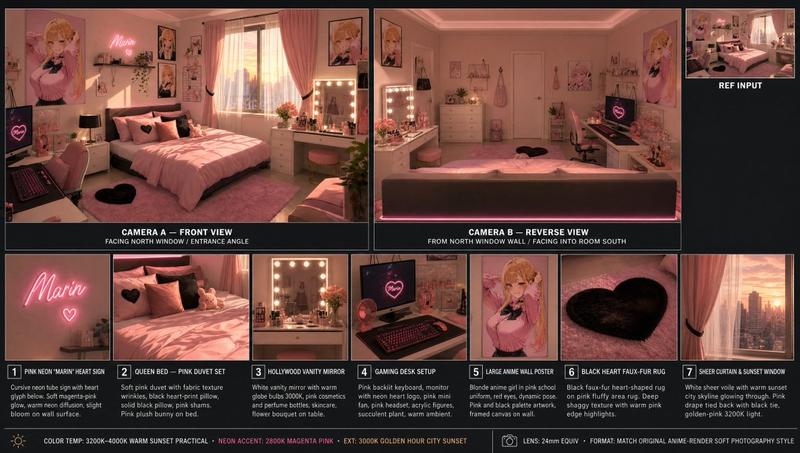
90 年代公寓场景参考板
Enlarge

90 年代公寓场景参考板

Prompt
{
  "type": "scene reference board — 90s apartment living room, cinematic night",
  "style": "cinematic film photography, 35mm grain, warm amber shadow fill, deep chiaroscuro lighting, hyper-detailed interior, production design reference quality",
  "layout": {
    "main_panel_center_left": {
      "label": "CAMERA A — FRONT VIEW",
      "scene": "Wide shot, L-shaped tan sectional sofa, grey knit throw blanket, wooden coffee table (remote, mug, ashtray, Rolling Stone stack), lava lamp left, table lamp right, rain-streaked city window behind, Nirvana poster left wall. 35mm grain."
    },
    "main_panel_center_right": {
      "label": "CAMERA B — REVERSE VIEW",
      "scene": "Wide reverse from behind sofa. CRT TV prominent right, grey static screen. Tall bookshelf, VHS tapes. Cool blue backlight from window behind camera. Deep shadow."
    },
    "prop_strip_bottom": "6 close-up tiles: 1. LAVA LAMP — chrome base, blue-green wax blobs; 2. COFFEE TABLE — remote, mug, ashtray, magazines; 3. NIRVANA POSTER — black smiley face, wall texture; 4. CRT TELEVISION — static screen, VHS stack; 5. WINDOW/RAIN — city bokeh, water streaks; 6. THROW BLANKET — sofa corner, worn upholstery",
    "top_right_inset": "SOURCE REF thumbnail — original photo",
    "footer": "2700K PRACTICAL · 4100K CITY NIGHT · 24mm · 35MM"
  },
  "background": "deep charcoal #1a1a1a, thin white separators",
  "dimensions": "wide landscape 3:1, high resolution"
}
Category
Architecture & Spaces
Model
GPT Image 2
Views0
Source ID
381

Guide

About "90 年代公寓场景参考板"

What is this prompt for?

"90 年代公寓场景参考板" AI image prompt for GPT Image 2 (Architecture & Spaces). { "type": "scene reference board — 90s apartment living room, cinematic night", "style"…

The full copyable prompt and example visuals above are ready for AI image generation or one-click recreate in Picva.

How to use this prompt

  1. Step 1

    Open the prompt detail

    Review the example visuals, category, and full prompt text for "90 年代公寓场景参考板".

  2. Step 2

    Copy the prompt

    Copy the prompt body from this page, or load it directly in Studio.

  3. Step 3

    Pick a model (GPT Image 2)

    Prefer GPT Image 2. If you switch models, keep subject and composition and tweak style terms.

  4. Step 4

    Generate and export

    Recreate the look in Picva, or export into your workflow for editing and publishing.

FAQ

What is the "90 年代公寓场景参考板" prompt?
It is an AI image-generation prompt for GPT Image 2 in the Architecture & Spaces category. This page includes the full prompt text, example visuals, and a one-click recreate path in Picva.
How do I use this prompt to generate an image?
Copy the prompt from this page, or use Generate / Studio. Paste it into a compatible image model, or recreate the look in Picva with optional reference images.
Which model is this prompt for?
This page lists GPT Image 2. Most descriptive prompts also transfer to nearby image models such as GPT Image, Flux, or Midjourney with light style tweaks.
Can I use the result commercially?
You can usually copy the prompt for creation, but commercial use of the final image depends on the model terms, reference-image rights, and the generated content. Follow the source author and platform rules.