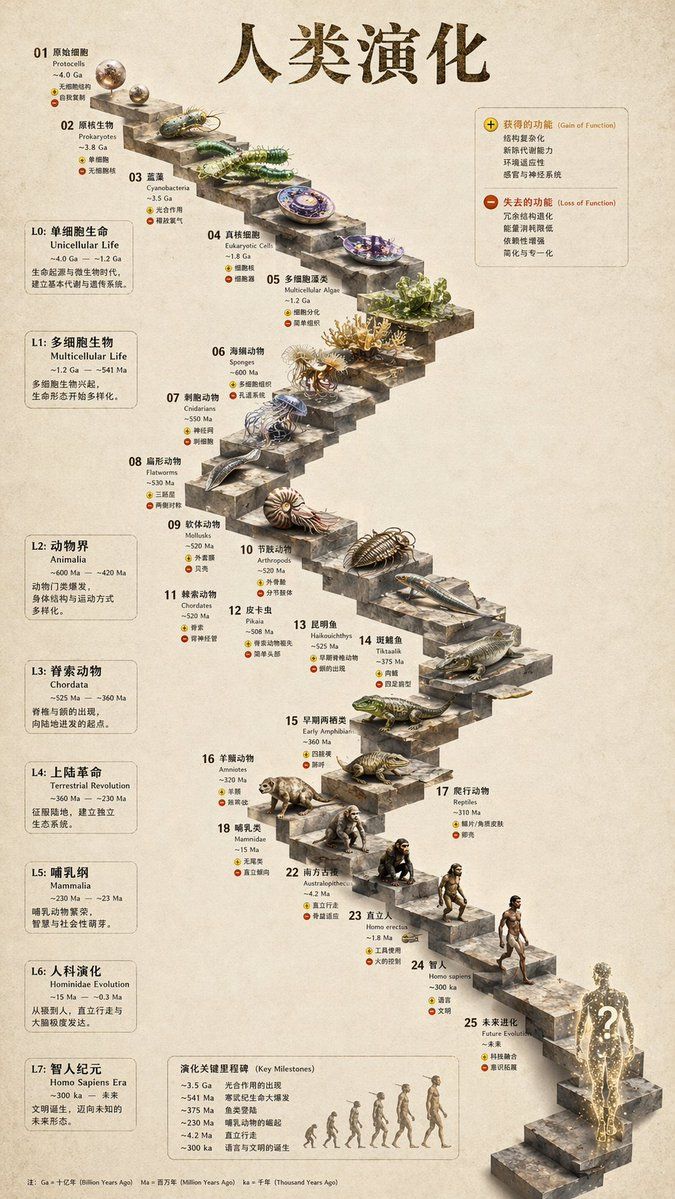
3D Stone Staircase Evolution Infographic
Prompt
{
  "type": "evolutionary timeline infographic",
  "instruction": "Using REFERENCE_0 as a structural base, transform the flat vector design into a highly realistic 3D infographic. Replace the smooth ramps with distinct stone steps and upgrade all organisms to photorealistic 3D models.",
  "style": {
    "background": "{argument name=\"background style\" default=\"vintage textured parchment paper\"}",
    "staircase": "{argument name=\"staircase material\" default=\"realistic textured stone blocks\"}",
    "subjects": "{argument name=\"organism style\" default=\"highly detailed photorealistic 3D renders\"}"
  },
  "layout": {
    "main_title": "{argument name=\"main title\" default=\"人类演化\"}",
    "sections": [
      {
        "position": "left sidebar",
        "count": 8,
        "labels": ["L0: 单细胞生命", "L1: 多细胞生物", "L2: 动物界", "L3: 脊索动物", "L4: 上陆革命", "L5: 哺乳纲", "L6: 人科演化", "L7: 智人纪元"]
      },
      {
        "position": "top right",
        "title": "获得的功能 / 失去的功能",
        "description": "Legend with plus and minus icons"
      },
      {
        "position": "bottom center",
        "title": "演化关键里程碑",
        "count": 6,
        "description": "Timeline with a silhouette graphic of 6 figures showing ape-to-human evolution"
      }
    ],
    "centerpiece": {
      "description": "Winding stone staircase with 25 numbered steps featuring specific organisms.",
      "count": 25,
      "notable_elements": [
        "Step 07: Jellyfish",
        "Step 09: Ammonite",
        "Step 10: Trilobite",
        "Step 24: Walking human",
        "Step 25: {argument name=\"future evolution concept\" default=\"glowing cosmic silhouette with a question mark\"}"
      ]
    }
  }
}- Category
- Posters & Typography
- Model
- GPT Image 2
- Creator
- EvoLinkAI
- Source ID
- poster-111
Views4








![A hyper-realistic 3D world guide infographic poster for [SHOW]](https://i.pixshop.app/storage/v1/render/image/public/prompt-source-media/promptsref/work-2519/image-1-c923c74e9444681d.png?width=800&quality=75&resize=contain)