17

梦幻Z世代六格摄像拼贴
Enlarge

梦幻Z世代六格摄像拼贴

Prompt
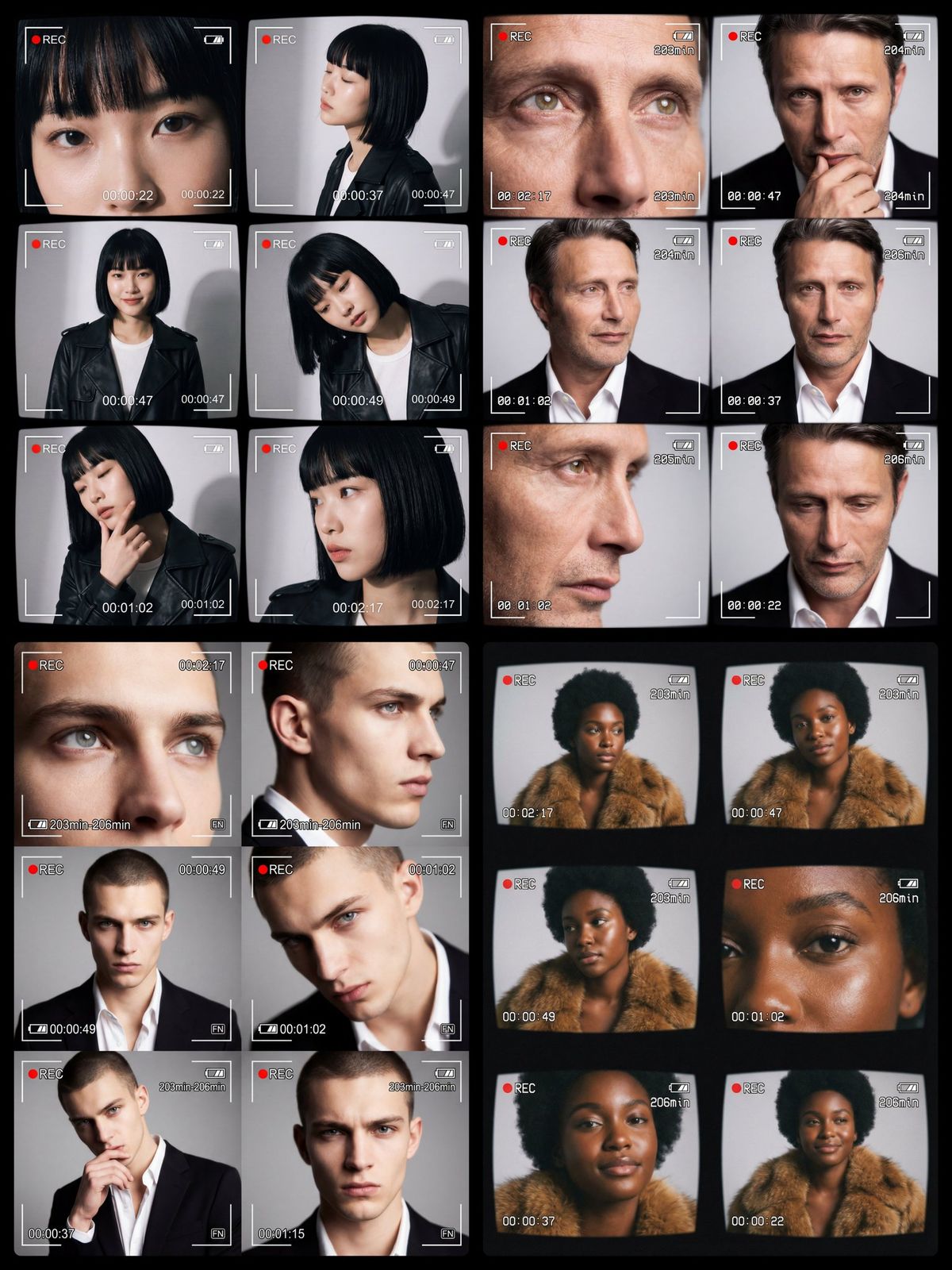
A cinematic collage of six close-up and mid-shot portraits of the same
[CHARACTER DESCRIPTION]
futuristic Z-generation aesthetic, dreamy and ethereal vibe with a slightly shaky blurred feeling. Each frame styled like a digital camcorder recording screen with on-screen display overlays: battery icon, red "REC" symbol, white timer (00:02:17, 00:00:47, 00:00:49, 00:01:02, 00:00:37, 00:00:22), and minute counter (203min-206min). The six frames show the same model in different poses and expressions: extreme close-ups of eyes, tight cropped face portraits, and a frontal medium portrait. Lighting is clean studio with soft shadows on a neutral light gray background. Editorial fashion photography aesthetic, retro VHS/digital camcorder interface, ultra-realistic, cinematic, tack sharp focus on the model while maintaining a dreamy surreal atmosphere
No duplicate frames: every frame must have a unique pose, expression, camera angle. each frame uses a different timer value.
Category
UI & Interfaces
Model
Nano Banana Pro
Creator
@Arminn_Ai
Views83
Source ID
2196
Published
Jan 25, 2026

Guide

About "梦幻Z世代六格摄像拼贴"

What is this prompt for?

"梦幻Z世代六格摄像拼贴" AI image prompt for Nano Banana Pro (UI & Interfaces). 一部电影感的六格拼贴,包含六张同一[CHARACTER DESCRIPTION]的特写和中景肖像,未来Z世代美学,梦幻空灵氛围,略带晃动模糊感。每一格都仿数字摄像机录制画面,带屏显…

The full copyable prompt and example visuals above are ready for AI image generation or one-click recreate in Picva.

How to use this prompt

  1. Step 1

    Open the prompt detail

    Review the example visuals, category, and full prompt text for "梦幻Z世代六格摄像拼贴".

  2. Step 2

    Copy the prompt

    Copy the prompt body from this page, or load it directly in Studio.

  3. Step 3

    Pick a model (Nano Banana Pro)

    Prefer Nano Banana Pro. If you switch models, keep subject and composition and tweak style terms.

  4. Step 4

    Generate and export

    Recreate the look in Picva, or export into your workflow for editing and publishing.

FAQ

What is the "梦幻Z世代六格摄像拼贴" prompt?
It is an AI image-generation prompt for Nano Banana Pro in the UI & Interfaces category. This page includes the full prompt text, example visuals, and a one-click recreate path in Picva.
How do I use this prompt to generate an image?
Copy the prompt from this page, or use Generate / Studio. Paste it into a compatible image model, or recreate the look in Picva with optional reference images.
Which model is this prompt for?
This page lists Nano Banana Pro. Most descriptive prompts also transfer to nearby image models such as GPT Image, Flux, or Midjourney with light style tweaks.
Can I use the result commercially?
You can usually copy the prompt for creation, but commercial use of the final image depends on the model terms, reference-image rights, and the generated content. Follow the source author and platform rules.