17

潮流青少年Instagram里程碑庆典海报
Enlarge

潮流青少年Instagram里程碑庆典海报

Prompt
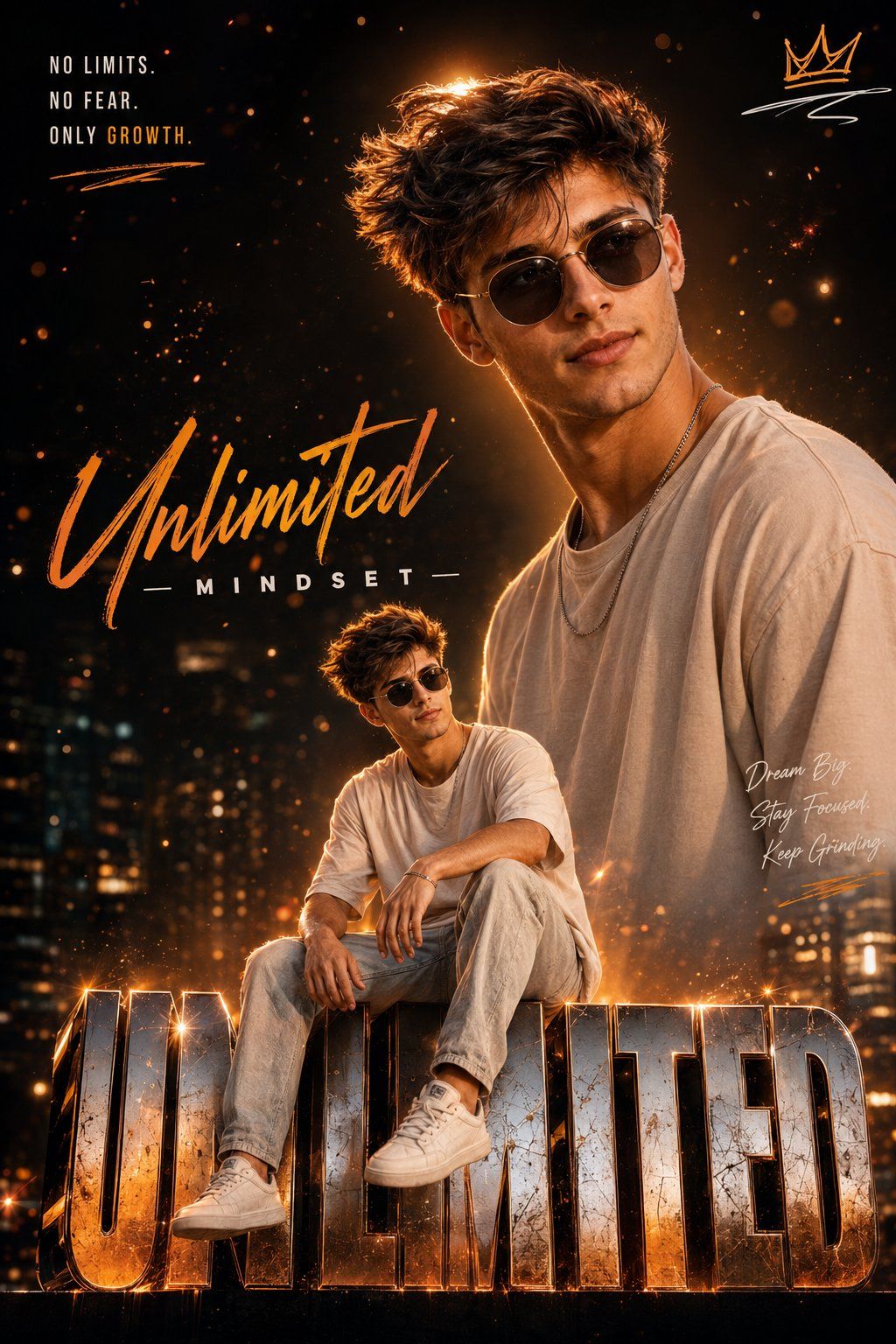
Ultra realistic Instagram milestone celebration poster design. A stylish teenage boy with trendy sunglasses, wearing the exact same outfit adapted from the uploaded reference image, including matching colors, fashion style, hairstyle, accessories, and overall aesthetic.

Two different poses of the same boy one upper-body stylish portrait looking sideways at the top right, and one full-body sitting pose on giant metallic 3D "unlimited" text at the bottom center.

Cinematic orange and golden lighting, glowing bokeh background, luxury urban night vibe, ultra detailed face, sharp jawline, realistic skin texture, volumetric lighting, premium fashion photography style, dramatic shadows, stylish typography saying “Unlimited Mindset”, motivational quotes, signature logo, crown doodle, highly detailed metallic text, depth of field, Instagram influencer poster style, 4K ultra realistic, high contrast, trending AI art style.
Category
Posters & Typography
Model
ChatGPT
Views4
Source ID
15289
Published
Jun 3, 2026

Guide

About "潮流青少年Instagram里程碑庆典海报"

What is this prompt for?

"潮流青少年Instagram里程碑庆典海报" AI image prompt for ChatGPT (Posters & Typography). 超写实Instagram里程碑庆典海报设计。一个戴着时尚太阳镜的酷炫青少年男孩,穿着与上传的参考图片完全相同的服装,包括匹配的颜色、时尚风格、发型、配饰和整体美感。同…

The full copyable prompt and example visuals above are ready for AI image generation or one-click recreate in Picva.

How to use this prompt

  1. Step 1

    Open the prompt detail

    Review the example visuals, category, and full prompt text for "潮流青少年Instagram里程碑庆典海报".

  2. Step 2

    Copy the prompt

    Copy the prompt body from this page, or load it directly in Studio.

  3. Step 3

    Pick a model (ChatGPT)

    Prefer ChatGPT. If you switch models, keep subject and composition and tweak style terms.

  4. Step 4

    Generate and export

    Recreate the look in Picva, or export into your workflow for editing and publishing.

FAQ

What is the "潮流青少年Instagram里程碑庆典海报" prompt?
It is an AI image-generation prompt for ChatGPT in the Posters & Typography category. This page includes the full prompt text, example visuals, and a one-click recreate path in Picva.
How do I use this prompt to generate an image?
Copy the prompt from this page, or use Generate / Studio. Paste it into a compatible image model, or recreate the look in Picva with optional reference images.
Which model is this prompt for?
This page lists ChatGPT. Most descriptive prompts also transfer to nearby image models such as GPT Image, Flux, or Midjourney with light style tweaks.
Can I use the result commercially?
You can usually copy the prompt for creation, but commercial use of the final image depends on the model terms, reference-image rights, and the generated content. Follow the source author and platform rules.