18

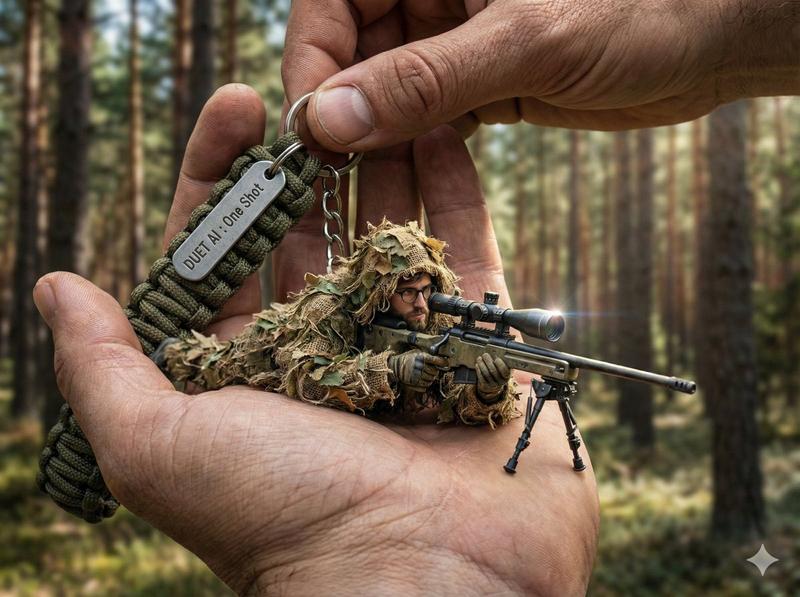
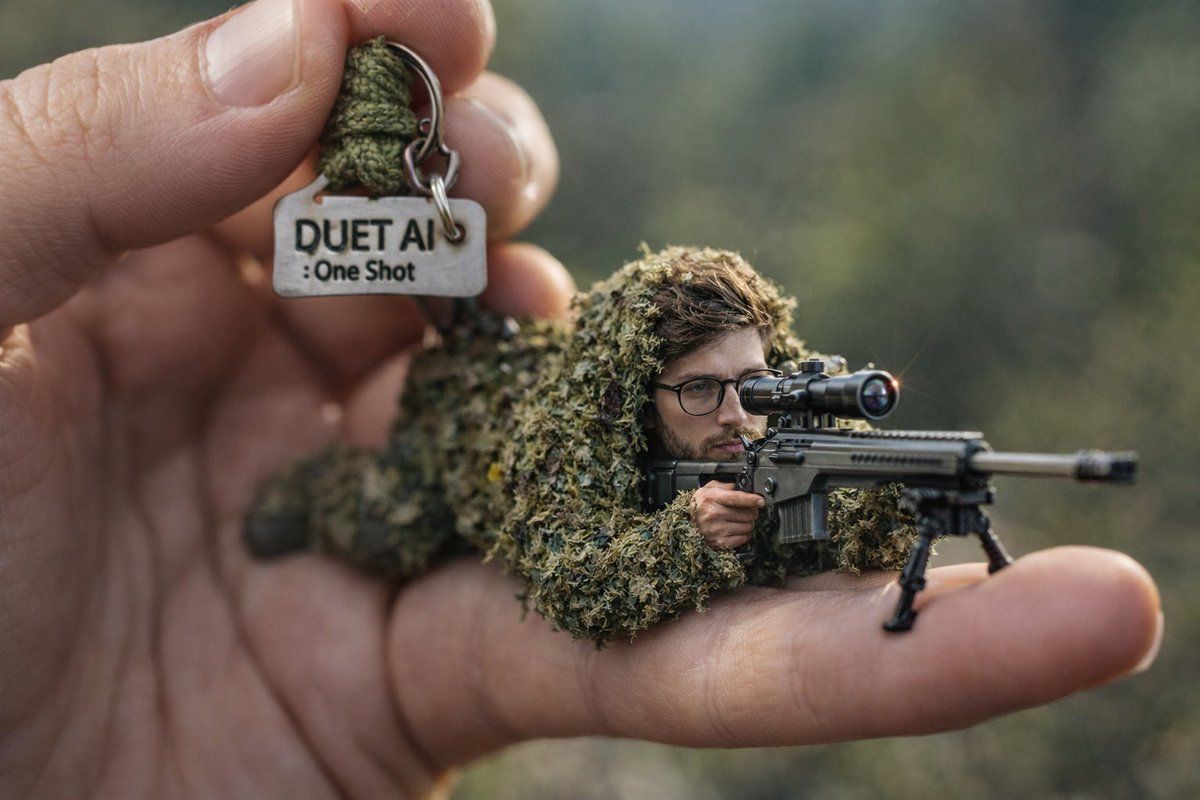
巨手掌心的微缩狙击手超写实特写
Enlarge

巨手掌心的微缩狙击手超写实特写

Prompt
A hyper-realistic, 8k, high-fidelity close-up shot captured with a macro lens, showcasing a giant human hand holding a keyring against an extremely blurred background of a rugged outdoor forest range. The hand holds a rugged, olive drab paracord survival strap with a small metal dog tag reading "DUET AI : One Shot". Attached is a miniature character lying in a prone firing position behind a highly detailed, tiny sniper rifle with a large scope. The character has a large head, [uploaded face as reference], and is wearing a full miniature ghillie suit (camouflage) that looks incredibly textured with tiny leaves and burlap. The miniature rifle has realistic metallic and polymer textures, bipod legs, and a tiny lens flare on the scope. Natural, dappled forest sunlight highlights the camouflage textures and the metal of the rifle.
Category
Photography & Realism
Model
Nano Banana Pro
Views34
Source ID
11497
Published
Apr 23, 2026

Guide

About "巨手掌心的微缩狙击手超写实特写"

What is this prompt for?

"巨手掌心的微缩狙击手超写实特写" AI image prompt for Nano Banana Pro (Photography & Realism). 一个超现实的 8k 高保真特写镜头,使用微距镜头拍摄,展示了一只巨大的手握着一个钥匙扣,背景是极其模糊的崎岖户外森林。这只手握着一条坚固的橄榄色伞绳求生带,上面…

The full copyable prompt and example visuals above are ready for AI image generation or one-click recreate in Picva.

How to use this prompt

  1. Step 1

    Open the prompt detail

    Review the example visuals, category, and full prompt text for "巨手掌心的微缩狙击手超写实特写".

  2. Step 2

    Copy the prompt

    Copy the prompt body from this page, or load it directly in Studio.

  3. Step 3

    Pick a model (Nano Banana Pro)

    Prefer Nano Banana Pro. If you switch models, keep subject and composition and tweak style terms.

  4. Step 4

    Generate and export

    Recreate the look in Picva, or export into your workflow for editing and publishing.

FAQ

What is the "巨手掌心的微缩狙击手超写实特写" prompt?
It is an AI image-generation prompt for Nano Banana Pro in the Photography & Realism category. This page includes the full prompt text, example visuals, and a one-click recreate path in Picva.
How do I use this prompt to generate an image?
Copy the prompt from this page, or use Generate / Studio. Paste it into a compatible image model, or recreate the look in Picva with optional reference images.
Which model is this prompt for?
This page lists Nano Banana Pro. Most descriptive prompts also transfer to nearby image models such as GPT Image, Flux, or Midjourney with light style tweaks.
Can I use the result commercially?
You can usually copy the prompt for creation, but commercial use of the final image depends on the model terms, reference-image rights, and the generated content. Follow the source author and platform rules.