18

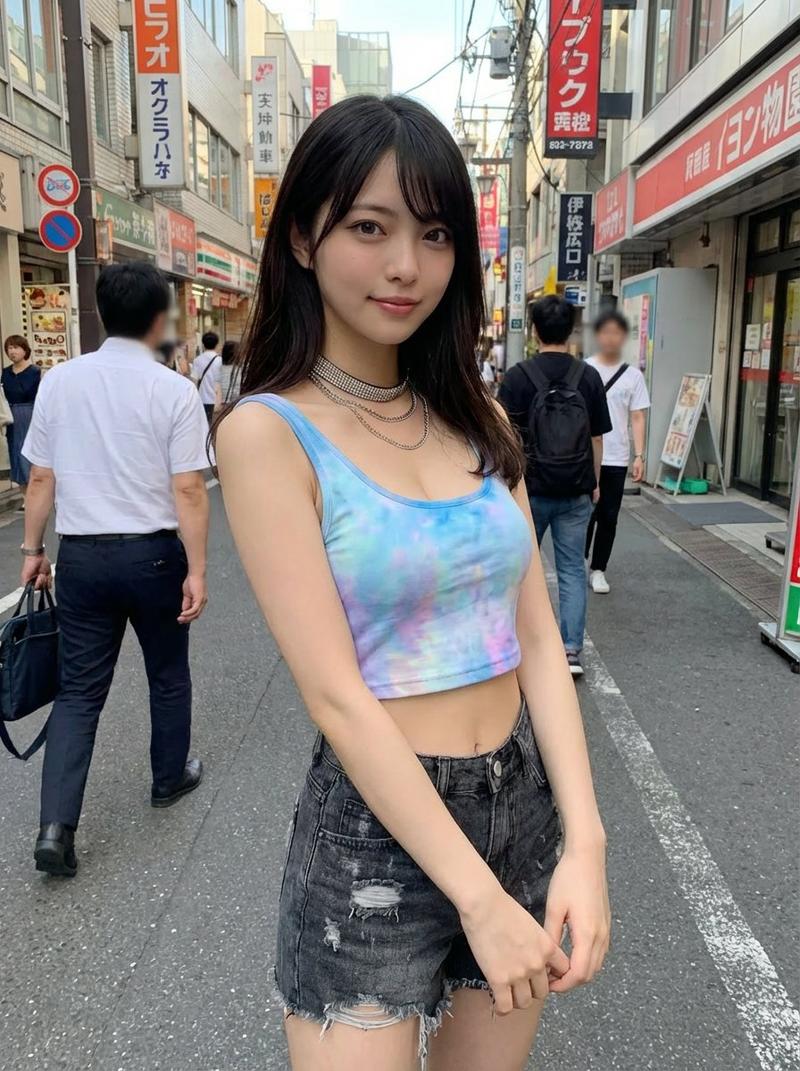
正午街头回眸的傲娇辣妹
Enlarge

正午街头回眸的傲娇辣妹

Prompt
{ "meta": { "quality": "ultra photorealistic", "resolution": "8k", "camera": "iPhone 15 Pro rear camera", "lens": "24mm wide", "aspect_ratio": "4:3", "style": "raw iphone candid street photo, harsh daylight, natural motion blur" }, "scene": { "location": "city sidewalk", "time": "noon", "details": [ "sun glare", "cars blurred", "realistic urban chaos" ], "no_men_visible": true }, "subject": { "gender": "female", "age": "early 20s", "pose": { "action": "walking, turning back toward camera", "expression": "cocky bratty smile" }, "outfit": { "top": { "type": "ultra thin tank", "color": "white", "fit": "tight, braless" }, "bottom": { "type": "low-rise denim shorts" } } }, "lighting": { "type": "hard sunlight" }, "photography_rules": { "suggestive_not_explicit": true, "realism": "high" } }
Category
Posters & Typography
Model
Nano Banana Pro
Views98
Source ID
12774
Published
Apr 13, 2026

Guide

About "正午街头回眸的傲娇辣妹"

What is this prompt for?

"正午街头回眸的傲娇辣妹" AI image prompt for Nano Banana Pro (Posters & Typography). { "meta": { "quality": "超逼真", "resolution": "8k", "camera": "iPhone 15 Pro 后置摄像头", "l…

The full copyable prompt and example visuals above are ready for AI image generation or one-click recreate in Picva.

How to use this prompt

  1. Step 1

    Open the prompt detail

    Review the example visuals, category, and full prompt text for "正午街头回眸的傲娇辣妹".

  2. Step 2

    Copy the prompt

    Copy the prompt body from this page, or load it directly in Studio.

  3. Step 3

    Pick a model (Nano Banana Pro)

    Prefer Nano Banana Pro. If you switch models, keep subject and composition and tweak style terms.

  4. Step 4

    Generate and export

    Recreate the look in Picva, or export into your workflow for editing and publishing.

FAQ

What is the "正午街头回眸的傲娇辣妹" prompt?
It is an AI image-generation prompt for Nano Banana Pro in the Posters & Typography category. This page includes the full prompt text, example visuals, and a one-click recreate path in Picva.
How do I use this prompt to generate an image?
Copy the prompt from this page, or use Generate / Studio. Paste it into a compatible image model, or recreate the look in Picva with optional reference images.
Which model is this prompt for?
This page lists Nano Banana Pro. Most descriptive prompts also transfer to nearby image models such as GPT Image, Flux, or Midjourney with light style tweaks.
Can I use the result commercially?
You can usually copy the prompt for creation, but commercial use of the final image depends on the model terms, reference-image rights, and the generated content. Follow the source author and platform rules.