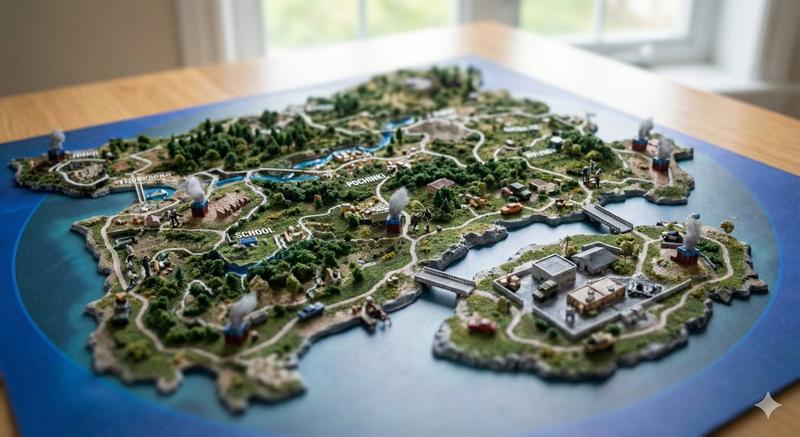
创意纸艺旅行计划桌面景观设计
Prompt
A premium travel-planning tabletop scene for [LOCATION], photographed from a slightly elevated angle. A detailed map of [LOCATION] lies on a warm wooden desk under a cozy black desk lamp. Emerging from the map are handcrafted papercraft landmarks, iconic attractions, landscapes, and cultural highlights from [LOCATION], positioned in their approximate geographic locations.
A tiny traveler character with a backpack and rolling suitcase follows a dotted red journey route across the map, creating a visual story of exploration. The traveler is mid-journey between destinations.
A modern smartphone displays a "[LOCATION] eSIM" travel connectivity screen. Around the map are travel-planning accessories including a notebook itinerary, postcards, camera, passport, travel books, and local-themed souvenirs.
Mixed-media diorama style, intricate papercraft architecture, layered paper terrain, miniature trees, realistic desk objects, warm cinematic lighting, shallow depth of field, highly detailed textures, editorial travel photography, Pinterest aesthetic, premium commercial advertising, ultra-realistic, 8k quality, rich storytelling, clean composition.
Include these [LOCATION] highlights: [LANDMARK LIST].
Color palette inspired by [LOCATION'S NATURAL/CULTURAL COLORS].
- Category
- Charts & Infographics
- Model
- ChatGPT
- Creator
- @Naiknelofar788
- Source ID
- 17381
- Published
- Jul 4, 2026
Views0



![A hand-painted isometric bird’s-eye view illustration of [COUNTRY] in a vintage](https://i.pixshop.app/storage/v1/render/image/public/prompt-source-media/promptsref/work-1328/image-1-f22d173440d1df18.png?width=800&quality=75&resize=contain)
![请为[乔布斯]创建一个有趣的职业生涯地图,使用[指环王]的主题。需包含相关的隐喻或比喻,将这位名人的职业经历与所选主题连接起来,使职业地图感觉连贯且有意义。中英文案,确保所有文字清晰易读。 乔布...](https://cdn.pixshop.app/prompt-library/nano-banana-1992589073039671607/primary-0-1768409112618-dpsd3wny.jpeg)