19

超现实鸟类幻想
Enlarge

Example images

超现实鸟类幻想

Prompt
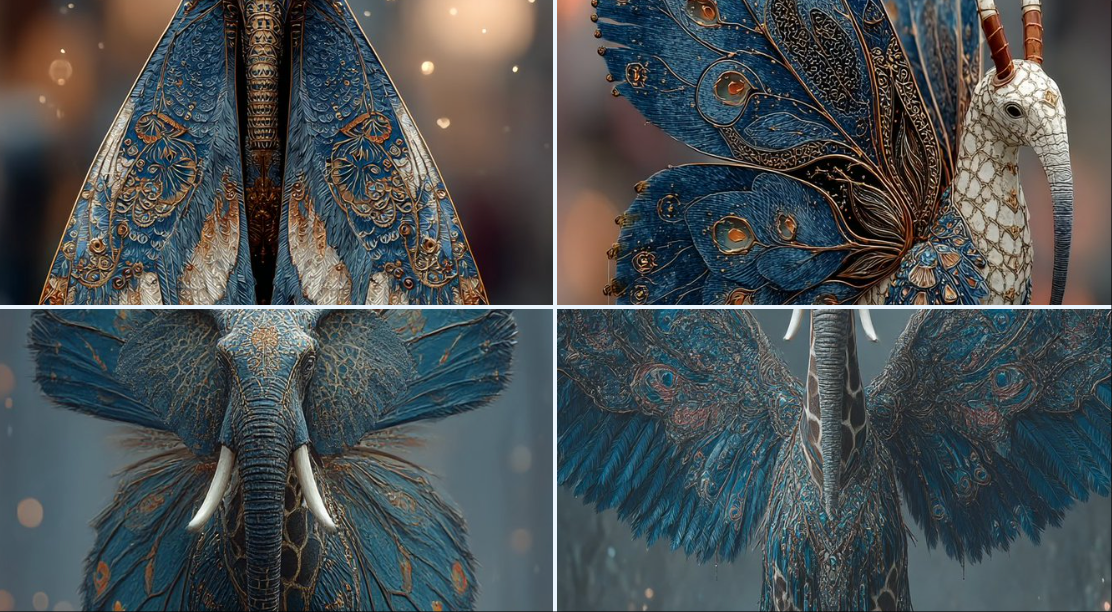
A highly detailed and surreal depiction of a mythical bird creature. It has the elegant, colorful body of a butterfly, with vibrant symmetrical wing patterns. Its head is that of a majestic elephant, complete with large ears, a long curling trunk, and ivory tusks, giving it a powerful and ancient aura. A long, spotted giraffe neck connects the body and the head, rising high with grace. The wings are enormous eagle wings, fully extended with dramatic feathers in motion. Its tail is an iridescent peacock tail, fanned out in full display like royal plumage. The creature stands in an enchanted misty forest, bathed in ethereal light and surrounded by glowing particles. Ultra-realistic, cinematic lighting, fantasy atmosphere, hyper-detailed concept art
Category
Posters & Typography
Model
GPT Image 2
Creator
@B_4AI
Views42
Source ID
1003
Published
Jan 8, 2026

Guide

About "超现实鸟类幻想"

What is this prompt for?

"超现实鸟类幻想" AI image prompt for GPT Image 2 (Posters & Typography). 对神话鸟类生物的高度详细和超现实的描绘。它拥有优雅、多彩的蝴蝶身体,带有充满活力、对称的翅膀图案。它的头是一头雄伟的大象,长着大耳朵、长长的卷曲的鼻子和象牙,赋予它强大而古老的光环。长长…

The full copyable prompt and example visuals above are ready for AI image generation or one-click recreate in Picva.

How to use this prompt

  1. Step 1

    Open the prompt detail

    Review the example visuals, category, and full prompt text for "超现实鸟类幻想".

  2. Step 2

    Copy the prompt

    Copy the prompt body from this page, or load it directly in Studio.

  3. Step 3

    Pick a model (GPT Image 2)

    Prefer GPT Image 2. If you switch models, keep subject and composition and tweak style terms.

  4. Step 4

    Generate and export

    Recreate the look in Picva, or export into your workflow for editing and publishing.

FAQ

What is the "超现实鸟类幻想" prompt?
It is an AI image-generation prompt for GPT Image 2 in the Posters & Typography category. This page includes the full prompt text, example visuals, and a one-click recreate path in Picva.
How do I use this prompt to generate an image?
Copy the prompt from this page, or use Generate / Studio. Paste it into a compatible image model, or recreate the look in Picva with optional reference images.
Which model is this prompt for?
This page lists GPT Image 2. Most descriptive prompts also transfer to nearby image models such as GPT Image, Flux, or Midjourney with light style tweaks.
Can I use the result commercially?
You can usually copy the prompt for creation, but commercial use of the final image depends on the model terms, reference-image rights, and the generated content. Follow the source author and platform rules.