19

四轴无人机全尺寸工程图纸
Enlarge

四轴无人机全尺寸工程图纸

Prompt
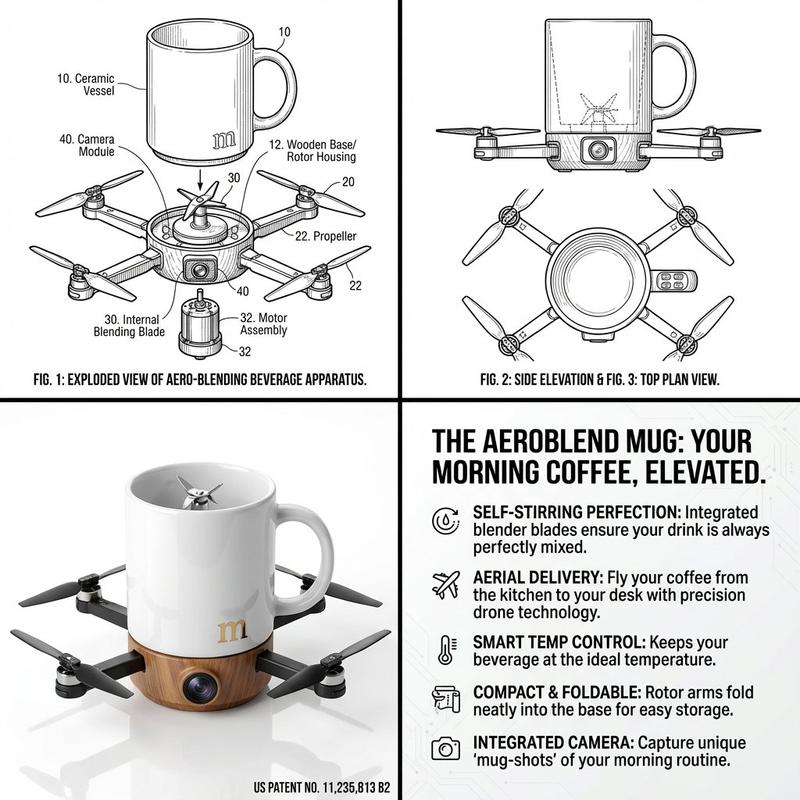
Quadcopter drone engineering drawing with dimensions, including but not limited to the following contents, remember to put some product concept drawings in the corners

Three-view drawing: front view, top view, left view, using 2D to express 3D structure
Part drawing: draw each part separately, with dimensions, hole positions, materials, tolerances
Assembly drawing: explain how each part is assembled together
Exploded view / exploded assembly drawing: disassemble and arrange the parts to easily see structural relationships
Cross-sectional view: cut open the internal structure for expression
BOM table: bill of materials, specifying part names, quantities, specifications
Dimensional annotation drawing: fully write out the key dimensions needed for manufacturability and replicability
Category
Products & E-commerce
Model
ChatGPT
Creator
@cellinlab
Views275
Source ID
13662
Published
Apr 24, 2026

Guide

About "四轴无人机全尺寸工程图纸"

What is this prompt for?

"四轴无人机全尺寸工程图纸" AI image prompt for ChatGPT (Products & E-commerce). 四轴无人机 带尺寸工程图,包括不限于下面这些内容,记得角落做一些产品概念图 三视图:主视图、俯视图、左视图,用二维表达三维结构 零件图:每个零件单独画,带尺寸、孔位、材料、公差 装配…

The full copyable prompt and example visuals above are ready for AI image generation or one-click recreate in Picva.

How to use this prompt

  1. Step 1

    Open the prompt detail

    Review the example visuals, category, and full prompt text for "四轴无人机全尺寸工程图纸".

  2. Step 2

    Copy the prompt

    Copy the prompt body from this page, or load it directly in Studio.

  3. Step 3

    Pick a model (ChatGPT)

    Prefer ChatGPT. If you switch models, keep subject and composition and tweak style terms.

  4. Step 4

    Generate and export

    Recreate the look in Picva, or export into your workflow for editing and publishing.

FAQ

What is the "四轴无人机全尺寸工程图纸" prompt?
It is an AI image-generation prompt for ChatGPT in the Products & E-commerce category. This page includes the full prompt text, example visuals, and a one-click recreate path in Picva.
How do I use this prompt to generate an image?
Copy the prompt from this page, or use Generate / Studio. Paste it into a compatible image model, or recreate the look in Picva with optional reference images.
Which model is this prompt for?
This page lists ChatGPT. Most descriptive prompts also transfer to nearby image models such as GPT Image, Flux, or Midjourney with light style tweaks.
Can I use the result commercially?
You can usually copy the prompt for creation, but commercial use of the final image depends on the model terms, reference-image rights, and the generated content. Follow the source author and platform rules.