18

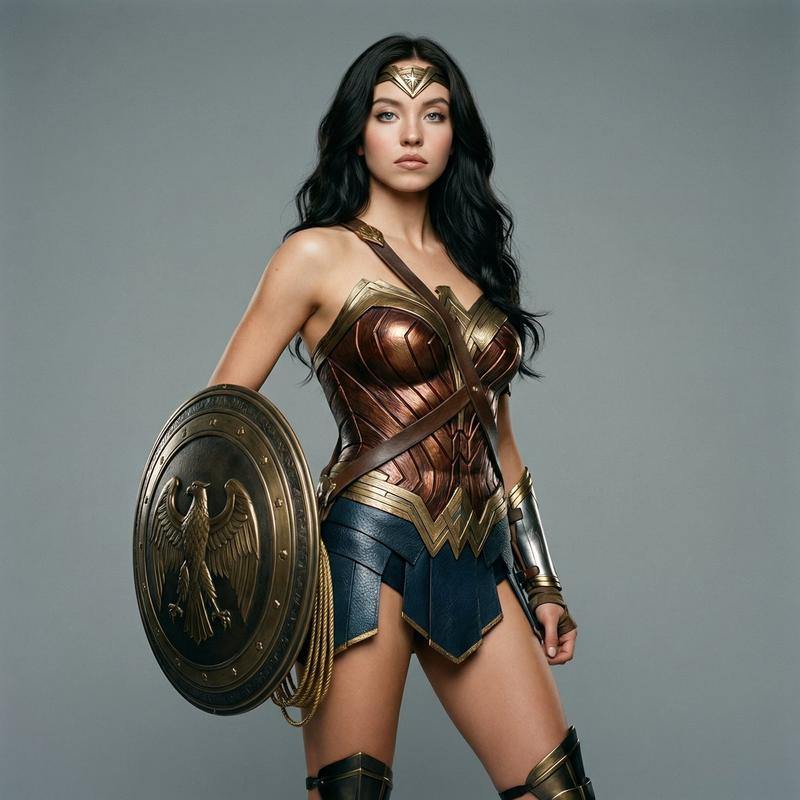
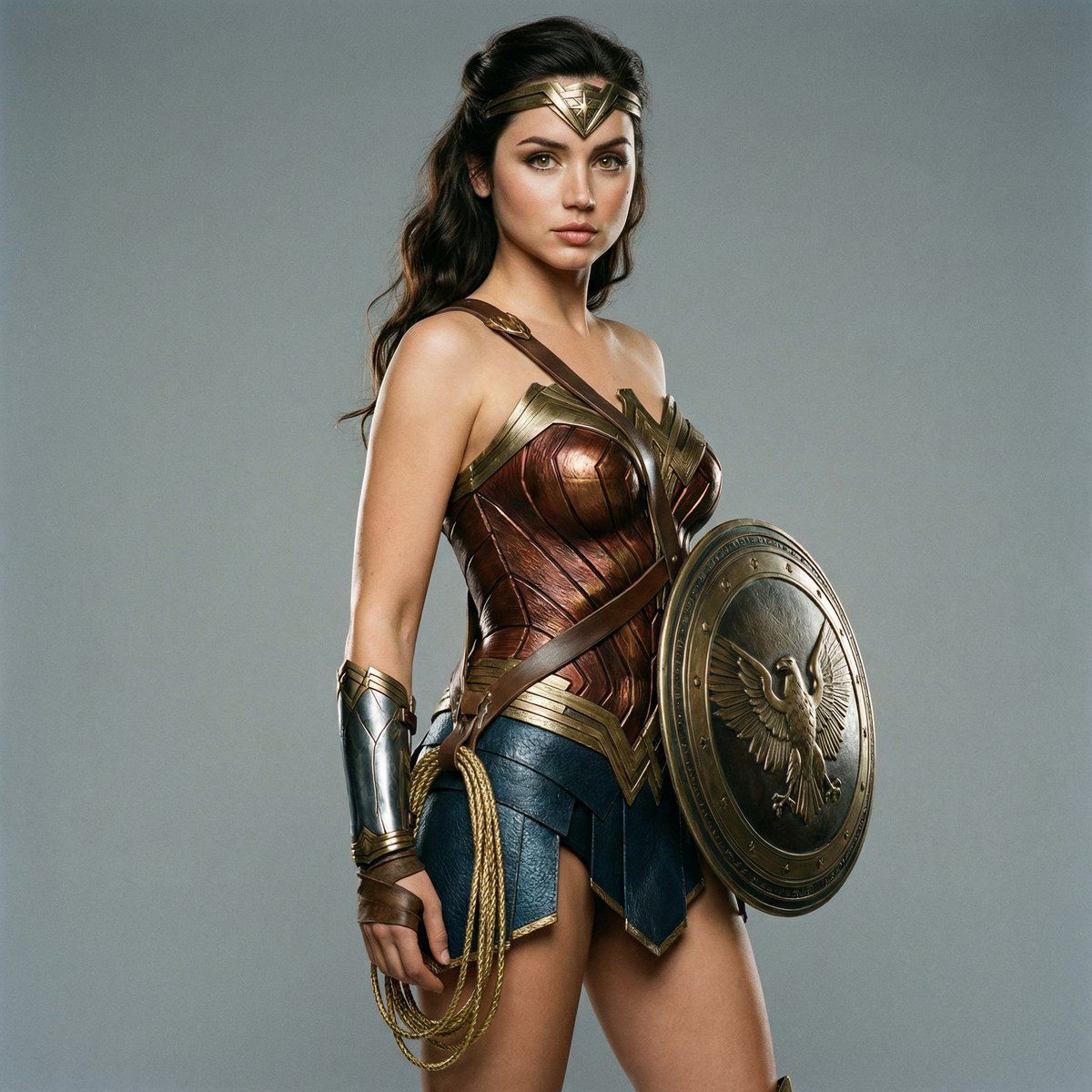
超写实影棚神奇女侠肖像
Enlarge

超写实影棚神奇女侠肖像

Prompt
"Ultra-realistic studio portrait photograph of Sattached celebrity as Wonder Woman in classic heroic costume, standing in a confident three-quarter pose facing camera, left arm bent holding a large round bronze shield with eagle emblem at chest level, right hand resting near hip holding coiled golden lasso, wearing metallic bronze and red-gold strapless armored corset with scale texture and crossed leather straps, dark blue leather skirt with gold-trimmed segmented panels, golden eagle-motif gauntlets, golden tiara with red star centerpiece, tall black boots with gold details, long dark wavy hair, natural heroic makeup with defined features and subtle lip color, clean neutral gray studio background, soft even key lighting with gentle rim light for depth, professional cinematic style, shot on 35mm film emulation with light grain, shallow depth of field, highly detailed armor and leather textures, realistic skin and metallic reflections, photorealistic 8K"
Category
Photography & Realism
Model
Nano Banana Pro
Views43
Source ID
11493
Published
Apr 23, 2026

Guide

About "超写实影棚神奇女侠肖像"

What is this prompt for?

"超写实影棚神奇女侠肖像" AI image prompt for Nano Banana Pro (Photography & Realism). “一张超写实的影棚肖像照,照片中 Sattached 名人身着经典的英雄服装,扮演神奇女侠。她以自信的四分之三姿势面向镜头站立,左臂弯曲,在胸前举着一面带有鹰形徽章的大…

The full copyable prompt and example visuals above are ready for AI image generation or one-click recreate in Picva.

How to use this prompt

  1. Step 1

    Open the prompt detail

    Review the example visuals, category, and full prompt text for "超写实影棚神奇女侠肖像".

  2. Step 2

    Copy the prompt

    Copy the prompt body from this page, or load it directly in Studio.

  3. Step 3

    Pick a model (Nano Banana Pro)

    Prefer Nano Banana Pro. If you switch models, keep subject and composition and tweak style terms.

  4. Step 4

    Generate and export

    Recreate the look in Picva, or export into your workflow for editing and publishing.

FAQ

What is the "超写实影棚神奇女侠肖像" prompt?
It is an AI image-generation prompt for Nano Banana Pro in the Photography & Realism category. This page includes the full prompt text, example visuals, and a one-click recreate path in Picva.
How do I use this prompt to generate an image?
Copy the prompt from this page, or use Generate / Studio. Paste it into a compatible image model, or recreate the look in Picva with optional reference images.
Which model is this prompt for?
This page lists Nano Banana Pro. Most descriptive prompts also transfer to nearby image models such as GPT Image, Flux, or Midjourney with light style tweaks.
Can I use the result commercially?
You can usually copy the prompt for creation, but commercial use of the final image depends on the model terms, reference-image rights, and the generated content. Follow the source author and platform rules.